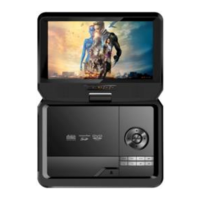
Portable DVD Player G724 Instructions for Use
Please read and retain these instructions for future reference v001: 12/03/20
(Left)/(Right) (on the remote control): Press to rotate the picture counter clockwise/clockwise during the
playback.
(ZOOM): during the playback, press (ZOOM) repeatedly to zoom in/out the picture or return to the original
size. When the picture is zoomed in, the direction keys can be used to move the picture.
U Drive & SD/MMC Card Playback
Insert a U drive or a card reader into the USB port. Press (SOURCE SELECT) to select USB mode to play the
readable files in it. Insert a SD/MMC card into the SD/MMC card port. Press (SOURCE SELECT) to select MCR
mode to play the readable files in it.
DIVX Playback
DIVX is a video (movies and video) recording format, which is commonly known as AVL.
DIVX disc features high quality that is comparable with the DVDs and larger capacity. For example:
Difference among MPEG 1, MPEG 2 and MPEG 4
Troubleshooting
No sound or distorted sound
Make sure your DVD is connected properly and all cables are securely
inserted into the appropriate jack.
Cannot advance through a movie
You cannot advance through the opening credits and warning
information that appear at the beginning of movies because the disc is
programmed to prohibit that action.
The icon appears on screen
The feature or action cannot be completed at this time because:
1. The disc software restrict it
2. the disc software does not support the feature
3. the feature is not available at the moment
The disc might be damaged. Try another disc.
It is normal for some distortion to appear during forward or reverse
scan.
No forward or reverse action
Some discs have sections that prohibit rapid scanning or title and
chapter skip.
If you try to skip through the warning information and credits at
beginning of a movie it is often programmed to prohibit skipping
through it.


 To Next Page
 Loading...