Easy Use Smartphone H634 Instructions for Use
Please read and retain these instructions for future reference
V002:08/07/22
Basic Setting
1.2 Wireless and Internet
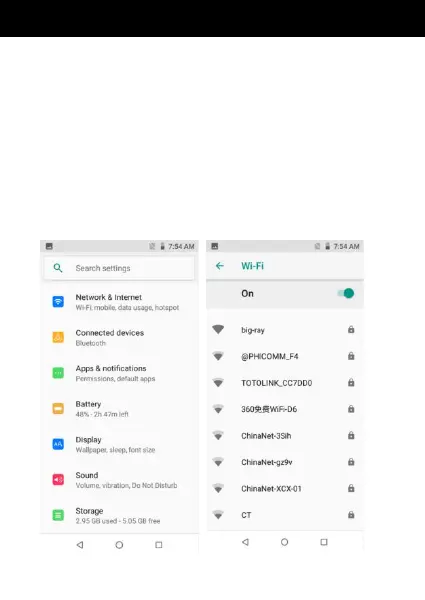
1.3 Connect Wi-Fi
1) In the main menu or interface, choose setting >>
Network & Internet application procedure.
2) Click Wi-Fi, open Wi-Fi, Phone will automatically
search the available Wi-Fi wireless Internet.
3) Choose the Wi-Fi Internet you want to connect, if it
has password, it will pop up the password window,
enter password, click connect.


 To Next Page