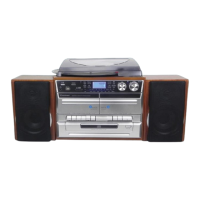
Noted:
- Remove the stylus protector.
- Be sure that the tone arm is being detached from the tone
arm rest before operating and re-secured again afterwards.
1. Select to “Phono” function (10).
2. Set the speed selector (27) to the proper position depending on the record to
be played.
3. Place the record on the platter (use the spindle adaptor (26) if required).
4. Lift the tone arm from the rest and slowly move it to the record side. The
platter will start to rotate.
5. Place the tone arm to the desired position of the record.
6. Adjust the volume to the desired level (19).
7. At the end of record, the platter will automatically stop rotating. Lift the tone arm
from the record and return it to the rest.
8. To stop manually, lift the tone arm from the record and return it to the rest.
Remark: as some kind of record the auto-stop area was out of the unit seng, so it will stop
before the last rack nish. In this case, select the auto-stop switch to “o” posion, then it will
run to the end of the record but will not stop automacally (turn o the power buon or
switch back the auto-stop switch (28) to “on” posion to stop the plaer rotate). Then put
back the tone arm to the rest posion.
Listing to tape
General operation
press to stop all deck operation. Press again to open the cassette door.
Fast forward key &
Fast rewind key
press to start rapid tape winding in either forward or reverse
direction. Press stop / fast rewind key eject keys when the cassette
spools stop turning.
press to start playing tape.
press to stop tape operation temporarily. Press again to resume play.
Playback
⚫ Select “tape” funcon (10).
⚫ Put in the cassee tape.
⚫ Press play key to acve playback
⚫ Adjust the volume control (14/24) to the desire level.
⚫ Use pause key when you want to stop playback temporarily.
⚫ Press stop/eject key when nished.
Remark:
It is possible to play both cassee players one aer the other. If you press the buon “pause”
and “play” at deck 1 and buon “play” at deck 2, than the tape of deck 1 will be start to play
automacally aer the tape of deck 2 is nished.


 To Next Page
 Loading...