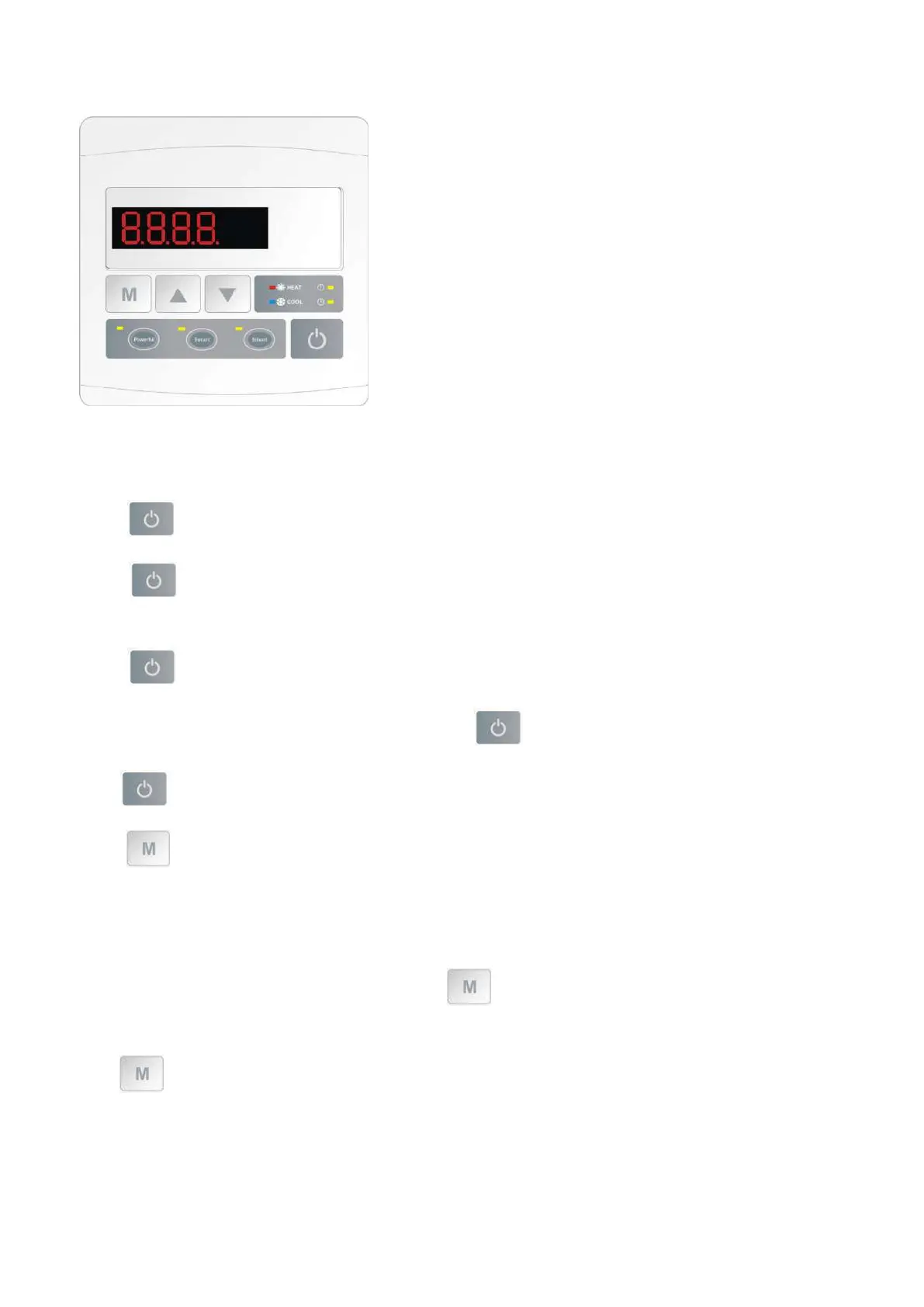
7.4 Display Controller Operation
NOTE: When the heat pump connects to the power, the LED display shows a code for 3 seconds which indicates the
heat pump model.
7.4.1 button
Press to start the heat pump unit, the LED display shows the desired water temperature for 5 seconds, then
shows the inlet water temperature and the operation mode.
Press to stop the heat pump unit and show “OFF”
Notice : During the parameter checking and setting, press the to quick-exit and save the current setting .
Press again to turn on/off the machine.
7.4.2 button
Automatic mode:
There are 3 modes for the unit, Heating only, Auto mode (heating and cooling switch), Cooling only.
You can switch Heating only and Auto mode by pressing for 5 seconds, no matter the unit is on or off. (default:
Smart mode)
Press for 5 seconds again to exit automatic mode and switch to heating mode (default: Smart mode)
Note: Under Automatic mode, it is useless to set parameter P1 .


 To Next Page