EasyManua.ls Logo

Berkshire HEATED THROW - User Manual

Berkshire HEATED THROW
16 pages
Print Icon
To Next Page IconTo Next Page
Loading...
T
with Built-in One-Touch
Remote
Question and Answer IconNeed help?

Do you have a question about the Berkshire HEATED THROW and is the answer not in the manual?

Summary

Warnings and Safeguards

Plug Safety and Electrical Precautions

Information regarding the polarized plug and safe electrical usage to prevent hazards.

Storage and Handling Guidelines

Instructions for proper storage to maintain the product's condition and safety.

Controller and Heat Features

Controller Operation and Heat Levels

Details on the EZ Touch controller's ON/OFF button and heat level settings.

Heat Modes and Auto Shut-Off

Explanation of the 4 heat setting levels and the automatic 4-hour shut-off feature.

Set-Up and Operation

Product Components and Connection

Identifies product parts and guides the initial connection of the controller to the product.

Operating and Disconnecting the Throw

Instructions for turning on, adjusting heat levels, and safely disconnecting the controller.

Care and Cleaning

Washing and Drying Methods

Detailed steps for machine washing, drying, and reshaping the heated product.

Troubleshooting and Warranty

Troubleshooting Common Issues

Solutions for problems like the product not working or not heating adequately.

Product Registration and Warranty

Information on registering the product and details of the 5-year limited warranty.

Product Specifications and Compliance

Product Specifications

Technical details including model, size, voltage, power, and materials.

FCC Compliance and Certifications

Details regarding FCC rules, interference, and product certifications.

Overview

This document describes the Berkshire Blanket & Home Co. HEATED THROW with Built-in One-Touch EZ TOUCH Remote.

Function Description:

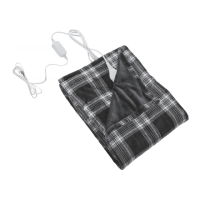
The Berkshire Heated Throw is a warming product designed to provide heat for personal comfort. It features an integrated EZ Touch remote for easy control of heat settings. The throw operates on an electrical current and is intended for indoor use. It incorporates an auto shut-off feature for safety and energy conservation.

Important Technical Specifications:

  • Model Number: HLT1-GJT-F
  • Item Name: Heated Throw
  • Size: 50in x 60in (127cm x 152cm)
  • Heat Settings: 4 levels
  • Input Voltage: AC 120V/60Hz
  • Rated Power: 110W
  • Timer Settings: None
  • Auto Shut-Off: 4 hours
  • Controller Model Number: HL-GJT-03
  • Material: 100% Polyester
  • Included in the Box: 1x Heated Throw, 1x Silicon Button on Heated Throw, 1x Controller Box (attached to cord), 1x User Manual
  • Plug Type: Polarized plug (one blade wider than the other) as a safety feature.
  • FCC Certified: Complies with part 15 of the FCC Rules.

Usage Features:

  • EZ Touch Remote: The throw features a built-in one-touch EZ Touch Control Button (silicone disk) located directly on the product. This button serves as both the ON/OFF switch and the heat level selector.
  • Heat Levels: There are 4 heat setting levels. Pressing the ON/OFF button cycles through the levels:
    • OFF: No lights lit.
    • LEVEL 1: Lowest Heat (1 light lit).
    • LEVEL 2: (2 lights lit).
    • LEVEL 3: (3 lights lit).
    • LEVEL 4: Highest Heat (4 lights lit).
    • The temperature increases from level 1 to 4 with each press.
  • Default Heat Level: When first turned on, the heat level will default to the lowest setting (Level 1).
  • Auto Shut-Off Feature: The controller automatically shuts off after 4 hours of continuous operation. This is a safety and energy-saving feature.
  • Reactivation: To reactivate the heating feature after auto shut-off or a power outage, simply press the ON/OFF button.
  • Setup Procedure:
    1. Locate the cord connector on the product.
    2. Align arrows on the controller cord and the product connector, then push until they lock. CAUTION: CORD MUST BE COMPLETELY CONNECTED to prevent fire risk.
    3. Plug the power cord into a 120V wall outlet. An indicator light on the circuit box on the cord should light up.
    4. Turn on the throw using the ON/OFF button on the silicone disk.
    5. Adjust heat settings by short presses of the ON/OFF button.
    6. To turn off, press the ON/OFF button until no lights are lit on the disk. The indicator light on the circuit box will remain lit.
  • Disconnection: To disconnect, first unplug the cord from the wall outlet. Then, pinch the sides of the connector on the product and pull apart.
  • Safety Precautions (Warnings and Safeguards):
    • Do not use with generators, power converters, or inverters.
    • Ensure the product and supply cord are visible and not tucked into furniture.
    • Do not use with rocking chairs, recliners, or furniture subject to movement.
    • Never trap or pinch electrical cords in any mattress way or between box springs.
    • Use only on 120V, 60HZ current supply.
    • Ensure the cord from the controller to the product is connected and locked tightly.
    • Never fold, ball up, or bunch the product when in use to prevent overheating and wrinkling.
    • Never use pins in or around the product.
    • Keep pets away from the product to prevent damage from claws.
    • Keep controllers away from drafty, damp, or wet areas.
    • Always turn off and unplug when not in use.
    • Loop the cord loosely when storing to prevent damage.
    • NEVER iron the product.
    • NEVER use dry cleaning fluid.
    • Controller is not waterproof; do not immerse in water.
    • Consult a healthcare provider before use if you have a pacemaker or other medical devices.
    • Controllers must not be wrapped, covered, or tucked when operating.
    • Do not use on infants or people insensitive to heat.
    • Do not tuck in the wired area of the bedding.
    • Discontinue use and consult the manufacturer/dealer if improper operation is observed.
    • Ensure all cords are tangle-free and not pinched.
    • Do not wrap the controller in the product while in use.
    • This product should only be used with the specified controller.
    • Prior to use, ensure the product is free from damage.

Maintenance Features:

  • Washing Instructions (Machine Wash):
    • Pre-soak for 15 minutes in mild soap and cold water.
    • Wash on Delicate Cycle in mild soap and cold water for two minutes.
    • Do not use bleach.
    • Rinse in fresh, cold water.
    • Spin dry in the washing machine.
    • Reshape to its original size.
  • Drying Instructions (Machine Drying):
    • CAUTION: Do not use commercial dryers as they get too hot and can damage wiring.
    • Preheat dryer on low temperature setting for 2 minutes.
    • Place product in dryer and tumble dry for 10 minutes at low temperature.
    • Remove while still damp and gently reshape.
    • Drape over a clothesline or shower rod. DO NOT use clothespins.
    • Product must be COMPLETELY dry before reconnecting the power plug or control plug.
  • Drying Instructions (Line Drying):
    • Reshape and hang on a clothesline evenly to dry naturally.
    • Drape over a clothesline or shower rod. DO NOT use clothespins.
    • Product must be COMPLETELY dry before reconnecting the power plug or control plug.
  • General Care and Cleaning Precautions:
    • Disconnect power cord from wall BEFORE detaching control cord from the product.
    • Ensure no cords are connected and no wires have worn through the fabric before washing.
    • Follow all washing instructions carefully to prevent shrinking or fire hazard.
    • DO NOT submerge the controller in water.
    • DO NOT dry clean; solvents may damage wires.
    • DO NOT use bleach or cleaning fluids.
    • DO NOT use a wringer.
    • DO NOT iron.
    • DO NOT use mothballs or sprays.
    • DO NOT reconnect or use until COMPLETELY dry.
    • DO NOT wash or put the power cord or any product cords into water.
    • DO NOT use analgesic cream in combination with the product.
  • Storage:
    • Disconnect the controller from the product.
    • Allow the product to cool.
    • Fold and store in a dry place.
    • Place back into the original package and store in a cool, dry place.
    • Avoid storing near sharp objects or placing heavy objects on top.

Troubleshooting:

  • Product not working: Check controller connection, wall plug, and if the product shut off by timer. If damaged, unplug and contact Customer Service.
  • Controller lit, but product not heating: Fold the product over itself, set to high, and check the indicator light. Feel between layers after 5 minutes. If still not heating, unplug and contact Customer Service. (Caution: Do not leave product on and folded for more than 5-7 minutes).
  • Inadequate heating: Adjust the heat setting to a higher level.
  • Indicator light on circuit box flashing: Turn off the controller, unplug from the wall, unplug the controller cord from the product. Wait 30 seconds, reconnect, ensuring arrows are aligned. Plug into a 110-120V outlet. Push the control button until the temperature is on high. Contact Customer Service if issues persist.
  • Longer cord: Longer cords are not currently available.

Warranty and Registration:

  • This product comes with a 5-Year Limited Warranty covering defects in materials and workmanship for five years from the original purchase date. This includes the controller, wiring, and the product itself.
  • The warranty does not cover abuse, accidents, damage from not following instructions, improper voltage/current, or unauthorized modifications/repairs.
  • Keep the original sales receipt or order confirmation for warranty claims.
  • Berkshire Blanket & Home Co. may repair, replace, or issue credit for defective products.
  • Warranty is in lieu of all other warranties, express or implied.
  • Liability is limited to the purchase price of the product.
  • To register the product or for warranty claims, visit berkshireblanket.com/heated, email customercare@berkshireblanket.com, or call 1-800-372-2018 (8AM-5PM ET, Mon-Fri).
  • DO NOT RETURN THIS PRODUCT TO PLACE OF PURCHASE.

Berkshire HEATED THROW Specifications

General IconGeneral
BrandBerkshire
ModelHEATED THROW
CategoryPersonal Care Products
LanguageEnglish