EasyManua.ls Logo

Bernafon Zerena 9 - User Manual

Bernafon Zerena 9
72 pages
Print Icon
To Next Page IconTo Next Page
Loading...
VIRON
ZERENA
Instructions for Use
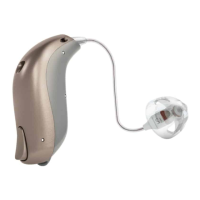
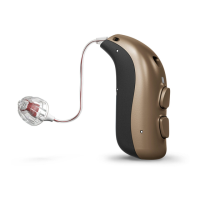
miniRITE T
Receiver-in-the-Ear Hearing Aids
Question and Answer IconNeed help?

Do you have a question about the Bernafon Zerena 9 and is the answer not in the manual?

Summary

Bernafon Hearing Aid Model Overview

Bernafon miniRITE T: Component Identification

miniRITE T: Hearing Aid Parts Overview

Key Hearing Aid Parts

Identifies the main components of the hearing aid, including microphone openings and battery drawer.

miniRITE T: Functionality of Components

Component Functions

Explains the role of each part, like sound input/output and control buttons.

Size 312 Battery: Proper Insertion

Battery Drawer Operation

Illustrates how to open the battery drawer and insert the size 312 battery correctly.

Hearing Aid Power Management: On;Off

Battery Status Alerts and Replacement Tips

Low Battery Alerts

Explains the meaning of three and four beeps indicating battery status.

Battery Replacement Guide: Steps 1-3

Battery Removal and Insertion

Guides through removing the old battery, uncovering the new one, and inserting it.

Battery Replacement Guide: Step 4 and MultiTool

Closing the Battery Drawer

Instructs on closing the drawer and listening for the start-up jingle.

Using the MultiTool for Battery Changes

Explains how the MultiTool's magnetic end aids in battery removal and insertion.

Wearing the miniRITE T Hearing Aid Correctly

Wearing Procedure

Provides step-by-step instructions for placing the hearing aid correctly behind the ear.

Using the MultiTool: Battery and Cleaning Aid

MultiTool Components and Use

Describes the magnet, brush, and wire loop features of the MultiTool.

Hearing Aid Care: Cleaning and Maintenance

Cleaning Microphone Openings

Details how to gently brush debris from microphone openings with a clean brush.

Replacing Hearing Aid Earpieces: Dome;Grip Tip

Earpiece Replacement Steps

Provides a three-step guide to remove and securely attach a new earpiece.

ProWax miniFit Filter: Function and Replacement

Replacing the ProWax miniFit Filter: Step-by-Step

ProWax Filter Replacement Procedure

Details the four-step process for using the tool to replace the ProWax filter.

ProWax Filter Replacement for Molds: Guide

ProWax Filter Replacement for Molds

Outlines the tool-assisted steps for replacing ProWax filters on molds.

Activating and Deactivating Hearing Aid Flight Mode

Adjusting Hearing Aid Volume Levels

Volume Control Operation

Explains how to increase or decrease volume using short presses on the push button.

Changing Hearing Aid Programs

Program Selection Method

Describes how to change between up to four hearing aid programs using push buttons.

Muting the Hearing Aid Function

Hearing Aid Reset and Bluetooth Pairing Mode

Performing a Quick Reset

Describes how to reset the hearing aid to standard settings by opening/closing the battery drawer.

Entering Pairing Mode

Explains how opening/closing the battery drawer puts the hearing aid into pairing mode for 180 seconds.

Connecting Hearing Aids to iPhone, iPad, iPod

Made for iPhone Compatibility

Confirms compatibility with iPhone, iPad, and iPod touch for communication and control.

iPhone Pairing: Initial Settings Configuration

Initiating Pairing via iPhone Settings

Guides users to 'Settings' and 'General' on iPhone to start the pairing process.

iPhone Pairing: Accessibility and Device Prep

Navigating to MFi Hearing Devices

Instructs users to select 'Accessibility' and then 'MFi Hearing Devices' on the iPhone.

Preparing Hearing Aids for Pairing

Explains opening/closing the battery drawer and placing hearing aids near the iPhone.

iPhone Pairing: Device Selection and Confirmation

Selecting Hearing Aid for Pairing

Describes how the iPhone detects and lists hearing aids for selection during pairing.

Confirming Pairing Request

Details the process of confirming the pairing request for one or two hearing aids.

Reconnecting Hearing Aids to Apple Devices

Bernafon Wireless Accessories Overview

Tinnitus SoundSupport: Purpose and Target Users

Tinnitus SoundSupport: Customizing Sound and Volume

Tinnitus SoundSupport: Volume Adjustment Methods

Volume Control Methods

Details two ways to adjust volume: separately per ear or simultaneously for both ears.

Tinnitus SoundSupport: Recommended Use Time Limits

Tinnitus SoundSupport: Safety Warnings

Tinnitus SoundSupport: Maximum Daily Use

General Hearing Aid Safety Warnings: Usage

Hearing Aid Safety: Choking Hazards and Battery Use

Child Safety Precautions

Emphasizes keeping hearing aids, parts, and batteries away from children due to choking risk.

Hearing Aid Safety: Dysfunction and Implants

Troubleshooting: Common Hearing Aid Problems

No Sound Troubleshooting

Lists possible causes like dead battery or clogged earpieces for no sound.

Intermittent Sound Issues

Identifies clogged sound outlets, moisture, or dead batteries as causes for intermittent sound.

Squealing Noise Causes

Attributes squealing to incorrectly inserted earpieces or earwax accumulation.

Beeping and Pairing Issues

Covers beeping indicating service needs and Bluetooth pairing failures.

Troubleshooting: Solutions and Seeking Help

Hearing Aid Troubleshooting Steps

Provides solutions like replacing the battery, cleaning molds, or re-inserting the earpiece.

Bluetooth Pairing Troubleshooting

Offers steps to unpair, re-pair, and manage Bluetooth connection for Apple devices.

Hearing Aid Durability: Water and Dust Resistance (IP68)

IP68 Rating Explanation

Confirms the hearing aid is dust-tight and protected against water ingress for daily use.

Water Exposure Guidelines

Provides steps for drying the hearing aid if it contacts water and warns against immersion.

Tinnitus SoundSupport: Daily Usage Limits Schedule

Summary

Bernafon Hearing Aid Model Overview

Bernafon miniRITE T: Component Identification

miniRITE T: Hearing Aid Parts Overview

Key Hearing Aid Parts

Identifies the main components of the hearing aid, including microphone openings and battery drawer.

miniRITE T: Functionality of Components

Component Functions

Explains the role of each part, like sound input/output and control buttons.

Size 312 Battery: Proper Insertion

Battery Drawer Operation

Illustrates how to open the battery drawer and insert the size 312 battery correctly.

Hearing Aid Power Management: On;Off

Battery Status Alerts and Replacement Tips

Low Battery Alerts

Explains the meaning of three and four beeps indicating battery status.

Battery Replacement Guide: Steps 1-3

Battery Removal and Insertion

Guides through removing the old battery, uncovering the new one, and inserting it.

Battery Replacement Guide: Step 4 and MultiTool

Closing the Battery Drawer

Instructs on closing the drawer and listening for the start-up jingle.

Using the MultiTool for Battery Changes

Explains how the MultiTool's magnetic end aids in battery removal and insertion.

Wearing the miniRITE T Hearing Aid Correctly

Wearing Procedure

Provides step-by-step instructions for placing the hearing aid correctly behind the ear.

Using the MultiTool: Battery and Cleaning Aid

MultiTool Components and Use

Describes the magnet, brush, and wire loop features of the MultiTool.

Hearing Aid Care: Cleaning and Maintenance

Cleaning Microphone Openings

Details how to gently brush debris from microphone openings with a clean brush.

Replacing Hearing Aid Earpieces: Dome;Grip Tip

Earpiece Replacement Steps

Provides a three-step guide to remove and securely attach a new earpiece.

ProWax miniFit Filter: Function and Replacement

Replacing the ProWax miniFit Filter: Step-by-Step

ProWax Filter Replacement Procedure

Details the four-step process for using the tool to replace the ProWax filter.

ProWax Filter Replacement for Molds: Guide

ProWax Filter Replacement for Molds

Outlines the tool-assisted steps for replacing ProWax filters on molds.

Activating and Deactivating Hearing Aid Flight Mode

Adjusting Hearing Aid Volume Levels

Volume Control Operation

Explains how to increase or decrease volume using short presses on the push button.

Changing Hearing Aid Programs

Program Selection Method

Describes how to change between up to four hearing aid programs using push buttons.

Muting the Hearing Aid Function

Hearing Aid Reset and Bluetooth Pairing Mode

Performing a Quick Reset

Describes how to reset the hearing aid to standard settings by opening/closing the battery drawer.

Entering Pairing Mode

Explains how opening/closing the battery drawer puts the hearing aid into pairing mode for 180 seconds.

Connecting Hearing Aids to iPhone, iPad, iPod

Made for iPhone Compatibility

Confirms compatibility with iPhone, iPad, and iPod touch for communication and control.

iPhone Pairing: Initial Settings Configuration

Initiating Pairing via iPhone Settings

Guides users to 'Settings' and 'General' on iPhone to start the pairing process.

iPhone Pairing: Accessibility and Device Prep

Navigating to MFi Hearing Devices

Instructs users to select 'Accessibility' and then 'MFi Hearing Devices' on the iPhone.

Preparing Hearing Aids for Pairing

Explains opening/closing the battery drawer and placing hearing aids near the iPhone.

iPhone Pairing: Device Selection and Confirmation

Selecting Hearing Aid for Pairing

Describes how the iPhone detects and lists hearing aids for selection during pairing.

Confirming Pairing Request

Details the process of confirming the pairing request for one or two hearing aids.

Reconnecting Hearing Aids to Apple Devices

Bernafon Wireless Accessories Overview

Tinnitus SoundSupport: Purpose and Target Users

Tinnitus SoundSupport: Customizing Sound and Volume

Tinnitus SoundSupport: Volume Adjustment Methods

Volume Control Methods

Details two ways to adjust volume: separately per ear or simultaneously for both ears.

Tinnitus SoundSupport: Recommended Use Time Limits

Tinnitus SoundSupport: Safety Warnings

Tinnitus SoundSupport: Maximum Daily Use

General Hearing Aid Safety Warnings: Usage

Hearing Aid Safety: Choking Hazards and Battery Use

Child Safety Precautions

Emphasizes keeping hearing aids, parts, and batteries away from children due to choking risk.

Hearing Aid Safety: Dysfunction and Implants

Troubleshooting: Common Hearing Aid Problems

No Sound Troubleshooting

Lists possible causes like dead battery or clogged earpieces for no sound.

Intermittent Sound Issues

Identifies clogged sound outlets, moisture, or dead batteries as causes for intermittent sound.

Squealing Noise Causes

Attributes squealing to incorrectly inserted earpieces or earwax accumulation.

Beeping and Pairing Issues

Covers beeping indicating service needs and Bluetooth pairing failures.

Troubleshooting: Solutions and Seeking Help

Hearing Aid Troubleshooting Steps

Provides solutions like replacing the battery, cleaning molds, or re-inserting the earpiece.

Bluetooth Pairing Troubleshooting

Offers steps to unpair, re-pair, and manage Bluetooth connection for Apple devices.

Hearing Aid Durability: Water and Dust Resistance (IP68)

IP68 Rating Explanation

Confirms the hearing aid is dust-tight and protected against water ingress for daily use.

Water Exposure Guidelines

Provides steps for drying the hearing aid if it contacts water and warns against immersion.

Tinnitus SoundSupport: Daily Usage Limits Schedule

Bernafon Zerena 9 Specifications

General IconGeneral
BrandBernafon
ModelZerena 9
CategoryHearing Aid
LanguageEnglish

Related product manuals