26 | English 2 609 141 098 • 19.7.13
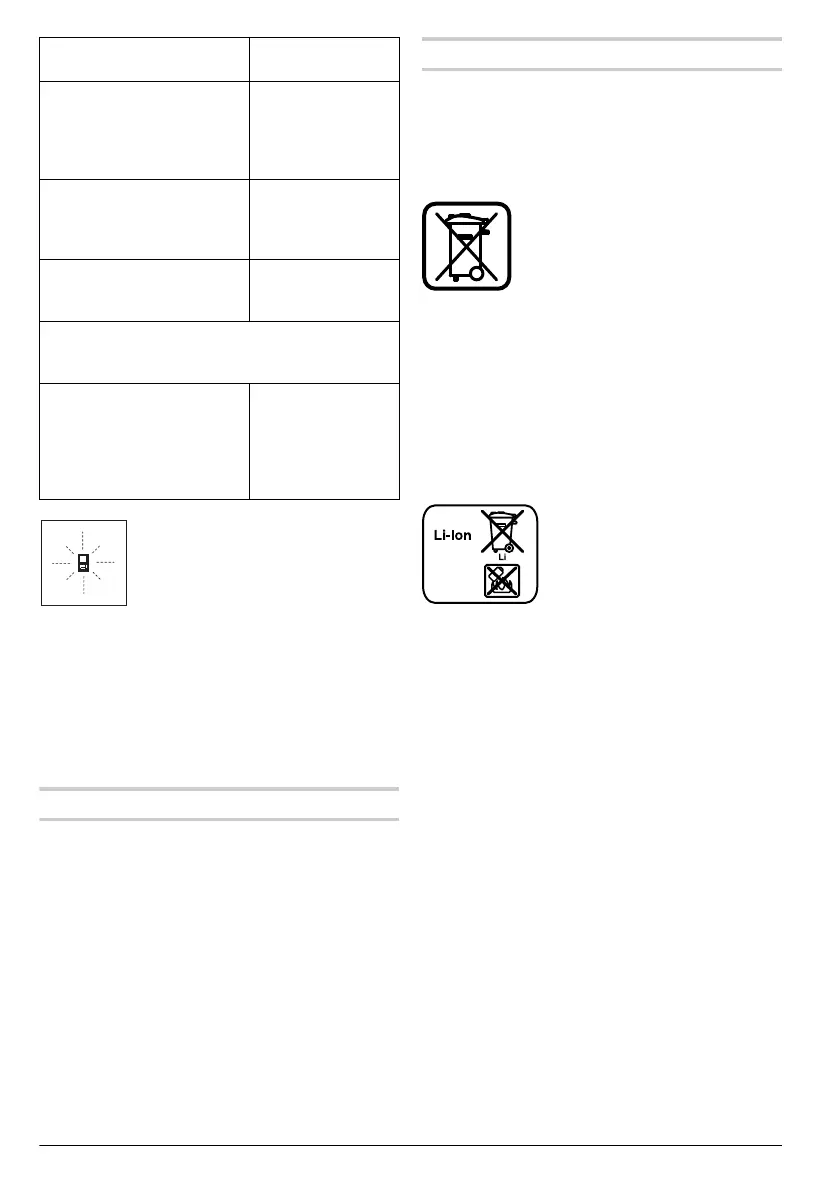
The measuring tool monitors the
correct function for each measure-
ment. When a defect is determined,
only the symbol shown aside flashes
in the display. In this case, or when
the above mentioned corrective
measures cannot correct an error, have the meas-
uring tool checked by an after-sales service agent
for Berner power tools.
Maintenance and Service
Maintenance and Cleaning
Store and transport the measuring tool only in the
supplied protective pouch.
Keep the measuring tool clean at all times.
Do not immerse the measuring tool in water or oth-
er fluids.
Wipe off debris using a moist and soft cloth. Do not
use any cleaning agents or solvents.
Maintain the reception lens 17 in particular, with
the same care as required for eye glasses or the
lens of a camera.
In all correspondence and spare parts orders,
please always include the 6-digit article number
given on the nameplate of the measuring tool.
In case of repairs, send in the measuring tool
packed in its protective pouch 23.
Disposal
Measuring tools, accessories and packaging
should be sorted for environmental-friendly recy-
cling.
Do not dispose of measuring tools into household
waste!
Only for EC countries:
According to the European Guide-
line 2012/19/EU, measuring tools
that are no longer usable, and ac-
cording to the European Guideline
2006/66/EC, defective or used bat-
tery packs/batteries, must be col-
lected separately and disposed of in an environ-
mentally correct manner.
Battery packs/batteries:
Integrated batteries may only be removed for
disposal. Opening the housing shell can dam-
age or destroy the measuring tool.
Completely discharge the battery. Unscrew all
screws from the housing and open the housing
shell. Disconnect the battery connections and re-
move the battery.
Do not dispose of battery packs/
batteries into household waste,
fire or water. Battery packs/bat-
teries should, if possible, be dis-
charged, collected, recycled or
disposed of in an environmental-
friendly manner.
Subject to change without notice.
The laser beam outlet 16 or
the reception lens 17 are
covered.
Make sure that the
laser beam outlet
16 or the reception
lens 17 are unob-
structed
Wrong reference level set Select reference
level that corre-
sponds to measure-
ment
Obstruction in path of laser
beam
Laser point must be
completely on tar-
get surface.
The indication remains unchanged or the meas-
uring tool reacts unexpected after pressing a
button
Software error Press the measuring
button 2 and the but-
ton for clearing the
internal memory /
On/Off 8 to reset the
software.
Cause Corrective
Measure
OBJ_BUCH-1839-002.book Page 26 Friday, July 19, 2013 8:46 AM


 To Next Page
 Loading...