EasyManua.ls Logo

Bernette 715 - Page 28

Bernette 715
51 pages
Print Icon
To Next Page IconTo Next Page
To Previous Page IconTo Previous Page
Loading...
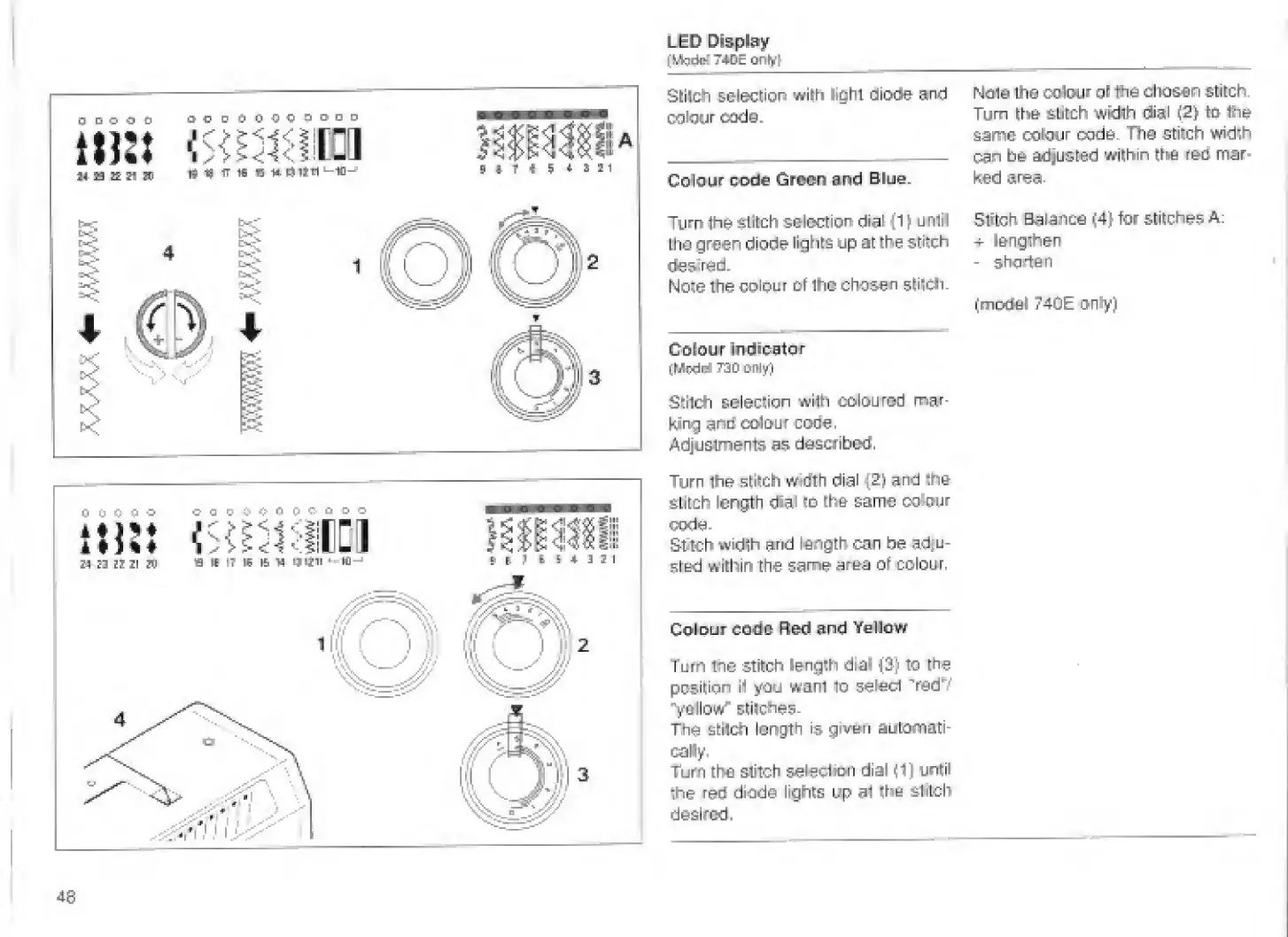
LED
Display
(IA?dd
T4DE
im
M
13
n
S
tJO
e
0'0'Q
pODD
rt
19
IT
16
«
W
iJltll
‘—U^
94.rt
;
4.S21
Sllldh
selection
wilti
light
diode
and
colour
oode.
Colour
ciode
Green
and
Blue.
Turn
the
selection
dial
(1
\
until
the
green
diode
lights
up
at
the
stitch
desired.
Note
the
colour
of
the
chosen
stiicti-
Colour
Indioetor
(tAcdd
720
Of\iYi
SlHcti
selection
with
coloured
mar¬
king
colour
code.
Adjustments
as
dascfibedi.
Turn
the
stildi
wrtlth
dial
{2)
and
th&
filitch
length
dial
lo
th&
same
odour
mde-
Sttch
width
and
length
can
be
ad|u-
?:tEfd
within
the
same
area
of
colour.
Colour
code
Red
and
Yellow
Turn
the
stitch
length
dial
(3)
to
the
position
il
you
want
to
seled
"redV
"y&llow'
stiiches-
The
stilch
length
is
given
automati¬
cally.
Turn
the
stitch
seleolmn
dial
<1}
until
ihe
red
diode
lighls
up
a1
th&
stitch
desired.
Note
the
colour
ol
ttis
chosen
stitch.
Turn
the
stitch
width
dial
(2)
to
the
same
colour
code.
Ttie
stitch
width
can
he
adjusted
within
the
reo
mar
ked
area-
Stiteh
aalance
(4}
for
stitches
A:
+
lengthen
-
shorten
(iTiDdel
740E
only)
48

Related product manuals