EasyManua.ls Logo

Bernina 900 electronic - Scanner Lift Adjustments

Bernina 900 electronic
40 pages
Print Icon
To Next Page IconTo Next Page
To Previous Page IconTo Previous Page
Loading...
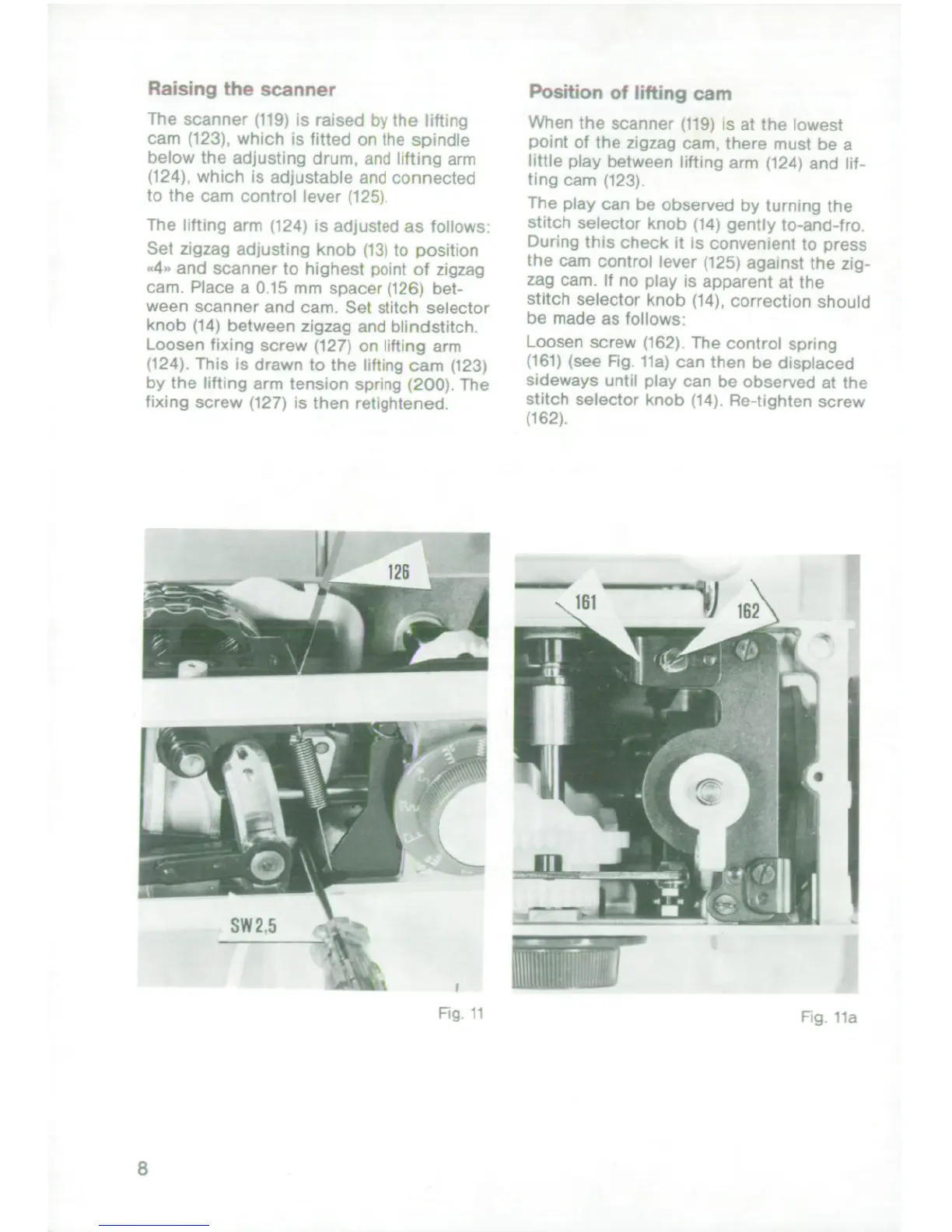
Raising
the
scanner
Position
of
lifting
cam
The
scanner
i
19)
is
raiset
sjn
the
if
When
the
scanner
(tl9i
is
at
the
inwest
camri
l123K
which
is
fitted
c)'
he
.pinidle
poirt
of
the
zigzaq
eanm
there
mus
the
a
below
the
arLjusting
drunm
in f
Ii"
gng
illi
little
play
between
lifting
arm
124I
and
lt.
i124)
which
is
ad)iustabIe
an
n connecter
ting
carn
1123)
to
the
cam
control
lever
the
play
can
he
observed
by
Lrriiq
the
The
lting
arm
124i
is
Idlius't
f
-
as
toilows
stitch
selector
knob
tl4i
gently
iL-and
-ro
Set
z
gzag
arijusting
knob
(
.;
to
posit
on
bur;ng
this
checs.k
it
is
convenient
to
press
.4
and
scanner
to
highest
point
of
zigzag
the
cam
control
leve,
1125)
against
the
ziy-
cam.
Place
a
01
15
mm
space,
'12b
be'-
zag
camn
If
no
play
s
apparent
at
the
ween
Scanner
and
cam
Sel
stit-
h'selector
stitch
selector
knob
(14),
correction
shoulcd
knob
(14)
between
zigzag
and
biindstitch
be
made
as
follows
t
oosen
fixing
screw
1127)
or
lifting
arm
loosen
screw
1162i
The
control
sponrig
124)
Fhis
is
drawn
to
the
iilting
cam
(123t
it61i
(see
Fig
ila)
can
then
be
displaced
by
Ihe
liftinq
arm
tension
Tsprn
'200,
lhe
sideways
until
play
can
he
observed
at
the
fixing
screw
i127)
is
then
retigetened
stitch
selector
knob
14.
Re-tighten
screw
1162)
I
ig
tig.
K
_a;i
_
i
f
U

Related product manuals