EasyManua.ls Logo

Bernina 900 electronic - Stitch Length Cam Adjustment

Bernina 900 electronic
40 pages
Print Icon
To Next Page IconTo Next Page
To Previous Page IconTo Previous Page
Loading...
At
full
machine
speed,
the
material
must
not
move.
If it
does,
correct
as
follows:
l
-
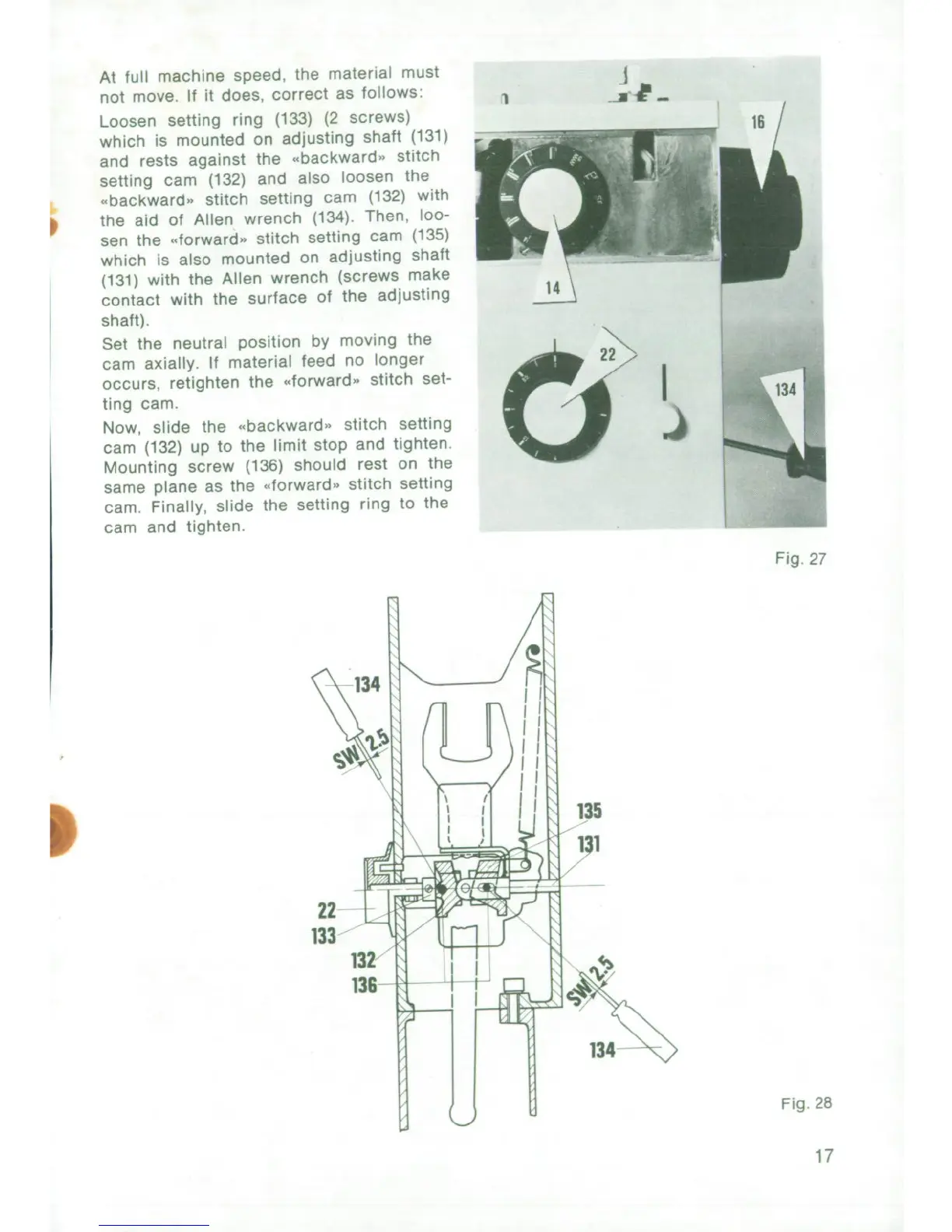
Loosen
setting
ring
(133)
(2
screws)
which
is
mounted
on
adjusting
shaft
(131)
and
rests
against
the
ebackward"
stitch
setting
cam
(132)
and
also
loosen
the
.backward,
stitch
setting
cam
(132)
with
the
aid
of
Allen
wrench
(134).
Then,
loo-
sen
the
forward"
stitch
setting
cam
(135)
which
is
also
mounted
on
adjusting
shalt
(131)
with
the
Allen
wrench
(screws
make
contact
with
the
surface
of
the
adjusting
shaft).
Set
the
neutral
position
by
moving
the
cam
axially.
If
material
feed
no
longer
occurs,
retighten
the
.forward.
stitch
set-
ting
cam.
Now,
slide
the
."backward".
stitch
setting
cam
(132)
up
to
the
limit
stop
and
tighten.
Mounting
screw
(136)
should
rest
on
the
same
plane
as
the
dforward.
stitch
setting
cam.
Finally,
slide
the
setting
ring
to
the
cam
and
tighten.
Fig
27
134
135
I
22
133
132
136
I
V
0i
]134
Fig.
28
17

Related product manuals