13
Basic settings
Child lock
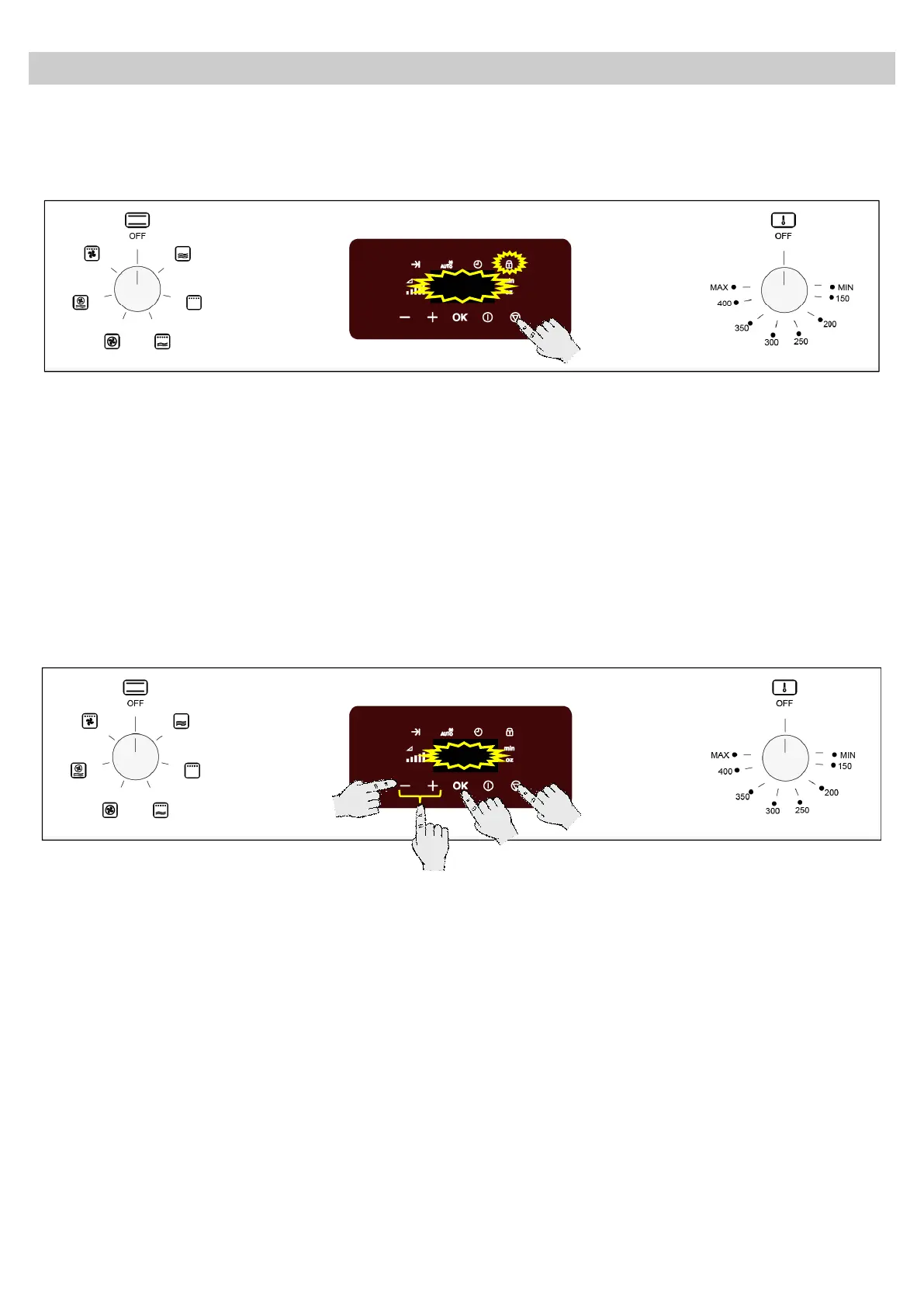
The oven can be blocked against improper use (e.g., to prevent children from using it).
1. To block, the oven press the Stop key for 3
seconds. The display shows the child lock
indicator light. If a key is pressed now, the
the oven will not operate.
2. To unlock, press again the Stop key for 3
seconds.
Showroom mode
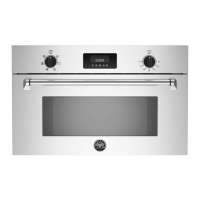
In the Showroom mode the oven works like described in every function, but there will be no heating.
1. To enter the Showroom mode press
simultaneously the “-“ key and the Stop key
for 5 seconds. The display shows the
messages “” and “” intermittently
(showing the actual status).
2. Press the “-” and “+” keys to alternate status
(“” or “”).
3. Press the OK key to validate.
Note: To exit the Showroom mode proceed in
the same manner.


 To Next Page