1312
A
B
C
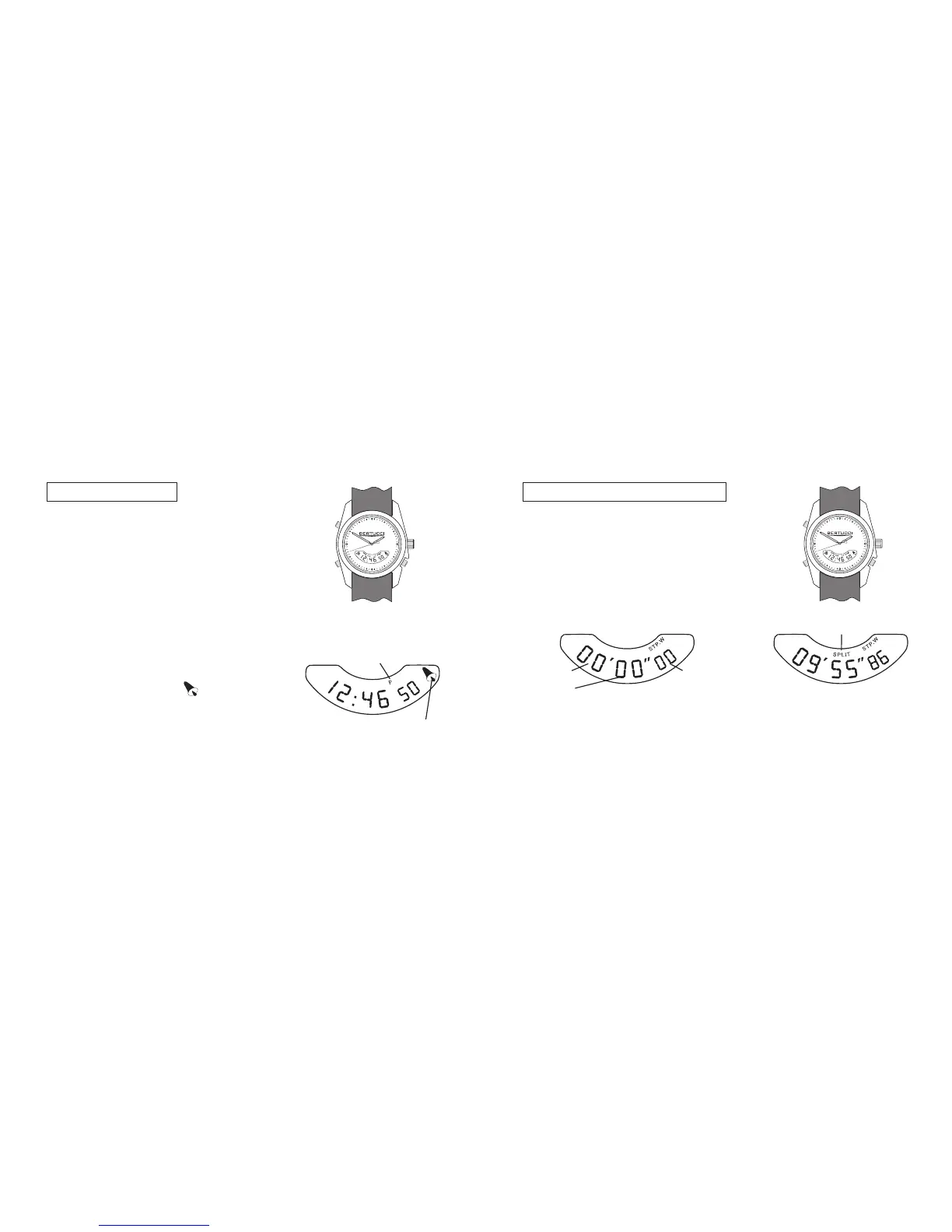
Setting digital time:
– push button A and select 2nd time mode
– push & hold button B until seconds flash
– push button C to reset seconds
– push button B for minute
– push button C to select minute
– push button B for hour
– push button C to select hour cycle through for
A for am, P for pm
– push button B for 12 or 24 hour time
– push button C to select 12 or 24 hour time
– push button B to lock settings
– press & hold button C & press B to turn
hourly chime on or off
See page 6 to set analog (hands) time. Digital
time is not synchronized with analog time, as
the timing systems operate independently.
hourly chime
activated
AM/PM
Using stopwatch/chronograph:
A
B
C
– push button A and select STP.W mode.
– push button C to start timing
– push button C to stop timing
– push button B to reset stopwatch.
For splits:
– push button B during timing for splits
STP.W mode
split time indicator
minutes
seconds
1/100
sec.
Note: Stopwatch/chronograph has 1 hour capacity, it will cycle
over after 1 hour and keep running restarting from 00:00:00.


 To Next Page