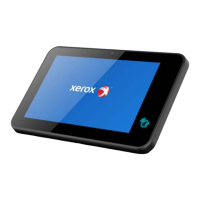
Bestable ET1030
2
Content
1 Introduction ........................................................................................................................................................................... 4
1.1 Acknowledgment ...................................................................................................................................................... 4
1.2 Announcements ........................................................................................................................................................ 4
1.3 Safety Instruction ...................................................................................................................................................... 4
1.4 Abbreviation/Terminology ........................................................................................................................................ 5
2 Bestable Introduction .......................................................................................................................................................... 6
2.1 Bestable Operation and Preparation ..................................................................................................................... 6
2.2 Bestable Status and Reminder .............................................................................................................................. 6
3 Quick Start Guide ................................................................................................................................................................ 7
3.1 Keys Function ........................................................................................................................................................... 7
3.2 Start-up and Shutdown ............................................................................................................................................ 8
3.3 Open and Close the Screen ................................................................................................................................... 8
3.4 Usage of Touch Screen ........................................................................................................................................... 9
3.5 Home Page ............................................................................................................................................................... 9
3.6 Visit Application Procedures ................................................................................................................................. 10
3.7 Typing words ........................................................................................................................................................... 10
3.8 Operation Technique .............................................................................................................................................. 11
4 Basic Setting ...................................................................................................................................................................... 12
4.1 Wireless and Internet ............................................................................................................................................. 12
4.2 Bluetooth ................................................................................................................................................................. 12
4.3 Data Usage ............................................................................................................................................................. 13
4.4 More ......................................................................................................................................................................... 13
4.4.1 Airplane Mode .............................................................................................................................................. 13
4.4.2 NFC ............................................................................................................................................................... 14
4.4.3 Android Beam .............................................................................................................................................. 14
4.4.4 Tethering
....................................................................................................................................................... 14
4.4.5 VPN ............................................................................................................................................................... 14
4.4.6 Network settings reset ................................................................................................................................ 14
4.5 Sound ....................................................................................................................................................................... 14
4.6 Display ..................................................................................................................................................................... 15
4.6.1 Adjust the screen brightness ..................................................................................................................... 15
4.6.2 Wallpapers ................................................................................................................................................... 15
4.6.3 Sleep ............................................................................................................................................................. 15
4.7 ScreenshotSetting .................................................................................................................................................. 16
4.8 Storage .................................................................................................................................................................... 16
4.9 Apps ......................................................................................................................................................................... 17
4.10 Location ................................................................................................................................................................. 17
4.11 Safety setting ........................................................................................................................................................ 17
4.12 Language & Input ................................................................................................................................................. 18
4.13 Backup and Reset ................................................................................................................................................ 18
4.14 Date and Time ...................................................................................................................................................... 19
4.15 Assistance Function ............................................................................................................................................. 20
5 Multi-Media ......................................................................................................................................................................... 21


 To Next Page
 Loading...