EasyManua.ls Logo

BestCode Next 8 Series - Page 250

BestCode Next 8 Series
305 pages
Print Icon
To Next Page IconTo Next Page
To Previous Page IconTo Previous Page
Loading...
BestCode Next Series 8 Technical Manual October 2022 Page 236 of 290
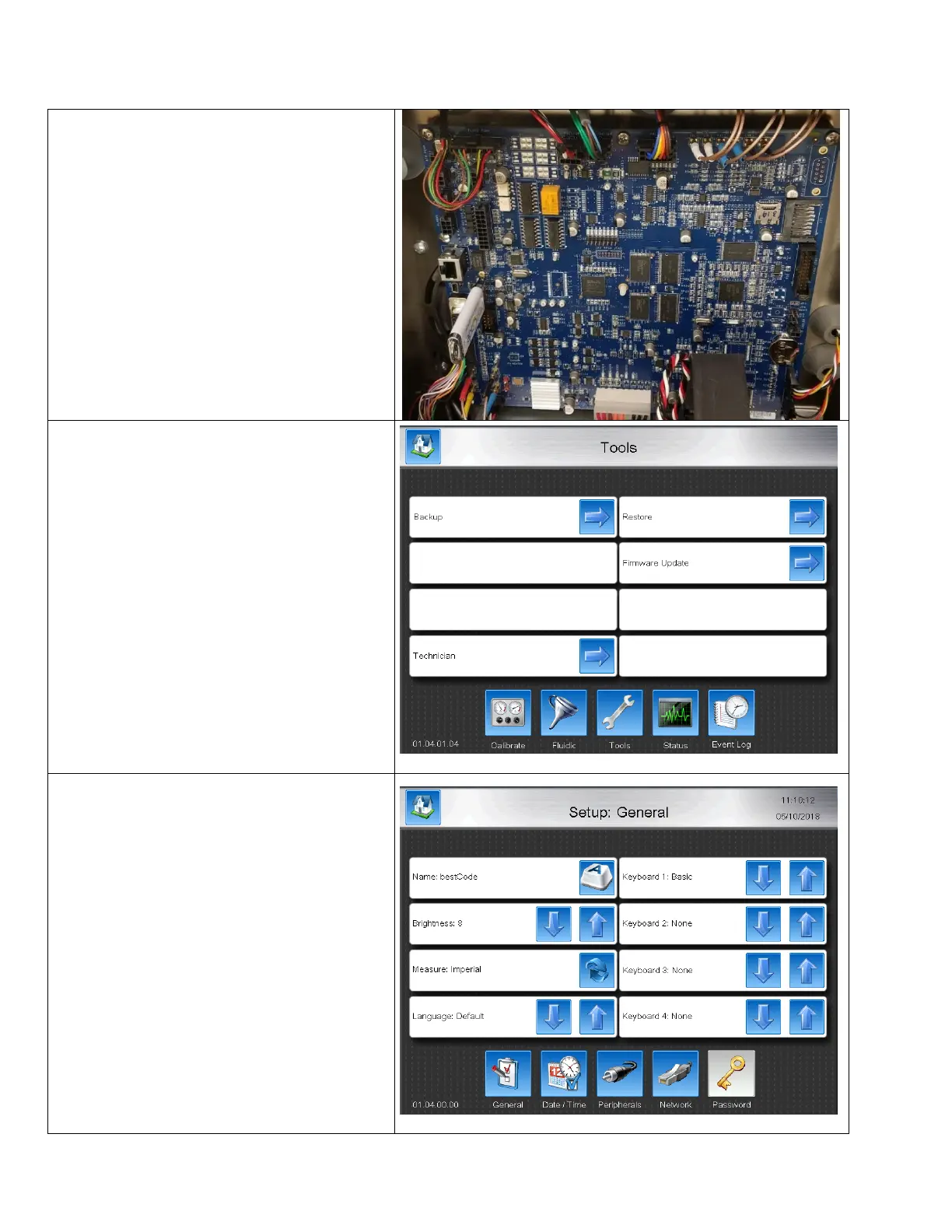
How to Install Keyboards
After Keyboard files are modified, the “Restore” feature is used inside the Series 8 system to install the Keyboard for use.
1. Install the USB with the modified Keyboard
Files
2. Navigate to Tools
Home>Service>Tools
3. Press Restore.
4. After completing the Restore process, the
Keyboard is available.
Note:
Custom keyboards will not persist after
Firmware Upgrade.
5. Navigate to the Setup screen and use the
Keyboard up and down arrow to find and
select the new keyboard for use.

Table of Contents

Other manuals for BestCode Next 8 Series

Related product manuals