EasyManua.ls Logo

Bestier D471Z - User Manual

Bestier D471Z
12 pages
Print Icon
To Next Page IconTo Next Page
Loading...
v101
ASSEMBLY
INSTRUCTION
PHONE888-666-1086
EMAILService@bestier.net
Know more about Bestier from
Thanks for choosing Bestier!
Feel free to contact us if you need any help.
Please kindly share your shopping experience
with us on the platform if you are satisfied with it.
CUSTOMER SUPPORT
CONTACT US BY:
01D471Z
A
B
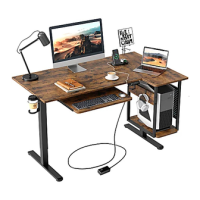
44" Computer Desk with LED
Question and Answer IconNeed help?

Do you have a question about the Bestier D471Z and is the answer not in the manual?

Summary

Product Information and Support

Product Title and Assembly Instructions

Identifies the product as a 44" computer desk with LED and introduces assembly instructions.

Customer Support Contact Details

Provides phone and email information for customer assistance.

Brand Engagement and Social Media

Encourages users to learn more about the Bestier brand through social platforms.

Helpful Hints and Cautions

Pre-Assembly Checklist

Essential checks and preparation steps before starting the assembly.

Assembly Safety Precautions

Important warnings and advice for safe assembly practices.

Assembly Requirements and Tips

Information on personnel, time, tools, and floor protection.

Product Specifications and Details

Desk Dimensions and Load Capacity

Visual representation of the desk's measurements and weight bearing limits.

Component Identification

Part List Overview

Catalog of all individual parts with identification numbers and quantities.

Assembly Preparations and Steps

Accessory Hardware List

Details of all screws, bolts, and accessories with sizes and quantities.

Step 1: Frame Assembly

Instructions for the initial assembly of the desk's main frame.

Step 2: Shelf Installation

Guide for attaching the side shelves to the assembled frame structure.

Desk Structure Assembly

Step 3: Connecting Shelf Supports

Instructions for attaching the upper shelf support brackets.

Step 4: Installing Vertical Supports

Procedure for attaching the vertical support bars to the frame.

Desk Frame Integration

Step 5: Adding Horizontal Beams

Guidance on installing horizontal support beams for stability.

Step 6: Attaching Side Frame Elements

Instructions for connecting the side frame components.

Functional Component Installation

Step 7: Installing Drawer Unit

Procedure for attaching the storage drawer unit.

Step 8: Attaching Main Desktop

Instructions for securing the primary desk surface to the frame.

Configuration and LED Setup

Step 9: Choosing Assembly Style A or B

Guidance on selecting and performing assembly based on desired style.

Step 10: LED Controller Connection

Instructions for connecting the LED controller and associated cables.

LED System Integration

Step 10: LED Controller Details

Detailed connection points and orientation for the LED controller.

Step 11: Final LED Connections

Completing the electrical connections for the LED lighting system.

Final Assembly and LED Completion

Step 11: Final LED Connections (Style B)

Completing the LED system connections for assembly style B.

Overview

This document provides assembly instructions and details for the Bestier 44" Computer Desk with LED, model D471Z (v101). It is designed to be a functional and versatile workspace, incorporating storage solutions and integrated LED lighting.

Function Description:

The Bestier 44" Computer Desk is a multi-purpose furniture item primarily designed for use as a computer workstation. It features a spacious desktop, an elevated monitor stand or shelf, and multiple storage compartments, including open shelves and a pull-out drawer. A key feature is the integrated LED lighting system, which adds an aesthetic and functional element to the desk, likely offering various lighting modes and colors to enhance the user's environment. The desk's design allows for flexible assembly, with certain components offering adjustable height options to suit individual preferences and needs. This adaptability makes it suitable for various tasks, from gaming and studying to professional work.

Important Technical Specifications:

The desk has overall dimensions of approximately 44.3" in length, 33.8" in width (at its widest point, including the side shelves), and 44.7" in height (to the top of the elevated shelf). The main desktop surface measures approximately 43.5" in length. The elevated shelf is about 19.7" long and 7.7" deep. The side shelves vary in depth, with the top shelf being 15.3" deep and the lower shelves being 7.7" deep. The desk includes a pull-out drawer that is 18.8" wide.

Weight capacities are specified for various sections:

  • Elevated shelf: 20 lbs
  • Main desktop: 80 lbs
  • Side shelves: 10 lbs (each)
  • Pull-out drawer: 20 lbs

The desk utilizes various fasteners for assembly:

  • M6x35mm screws (10+1 quantity)
  • M6x30mm screws (19+1 quantity)
  • M6x10mm screws (1 quantity)
  • M6 screws (8+1 quantity)
  • ST7x50mm screws (8+1 quantity)
  • M8-Ø28mm screws (6 quantity)
  • Ø8mm dowels (12+1 quantity)

The LED lighting system is controlled via a dedicated controller (item 14), which likely offers functions such as mode selection, color adjustment, and speed control for dynamic lighting effects. The controller is designed to be positioned at the bottom right corner, with an arrow indicating its front side for correct orientation.

Usage Features:

The Bestier 44" Computer Desk is designed with user convenience and customization in mind.

  • Adjustable Components: Parts 2 and 8, which appear to be shelves or support bars, can be installed at three different heights. This allows users to customize the desk's configuration to better suit their ergonomic needs or storage requirements, whether for a monitor, books, or other items.
  • Flexible Assembly: The manual explicitly states that users can choose between "Part A" or "Part B" installation styles for the table, suggesting two distinct configurations for the desk's layout. This likely refers to the orientation of the side shelves and drawer, allowing users to decide which side they prefer these features to be on.
  • Integrated LED Lighting: The desk includes an LED lighting strip (item 14) that can be controlled to create different ambiances. The controller offers options for mode, color, and speed, providing a personalized lighting experience for work, gaming, or relaxation.
  • Ample Storage: With multiple open shelves and a pull-out drawer, the desk offers significant storage space for office supplies, books, electronic devices, and other personal items, helping to keep the workspace organized and clutter-free.
  • Sturdy Construction: The use of various screws and dowels, along with specified weight capacities, indicates a design intended for stability and durability, capable of supporting typical computer setups and accessories.

Maintenance Features:

The manual provides general helpful hints for maintenance and care:

  • Gentle Handling: Users are advised to "Push, pull or drag this item carefully" to prevent damage during movement.
  • Avoid Harsh Chemicals: It is explicitly stated: "Do Not use any harsh chemicals or abrasive cleaners for this item." This suggests that cleaning should be done with mild cleaners and soft cloths to preserve the finish and integrity of the materials.
  • Protective Assembly: The recommendation to "put a soft blanket on the floor" during assembly helps prevent scratching the desk components or the floor itself, contributing to the long-term aesthetic maintenance of the product.
  • Regular Inspection: Although not explicitly stated as maintenance, the "Inspect product packaging to ensure the appearance is good" and "Identify, sort and count all the parts with tags" steps during initial setup can be seen as a form of quality control, ensuring all components are in good condition before assembly, which contributes to the overall longevity and proper function of the desk.

Overall, the Bestier 44" Computer Desk with LED is presented as a user-friendly, customizable, and functional piece of furniture designed to enhance any workspace with its storage capabilities, adjustable features, and integrated lighting.

Bestier D471Z Specifications

General IconGeneral
BrandBestier
ModelD471Z
CategoryIndoor Furnishing
LanguageEnglish

Related product manuals