User’s instructions
20
English
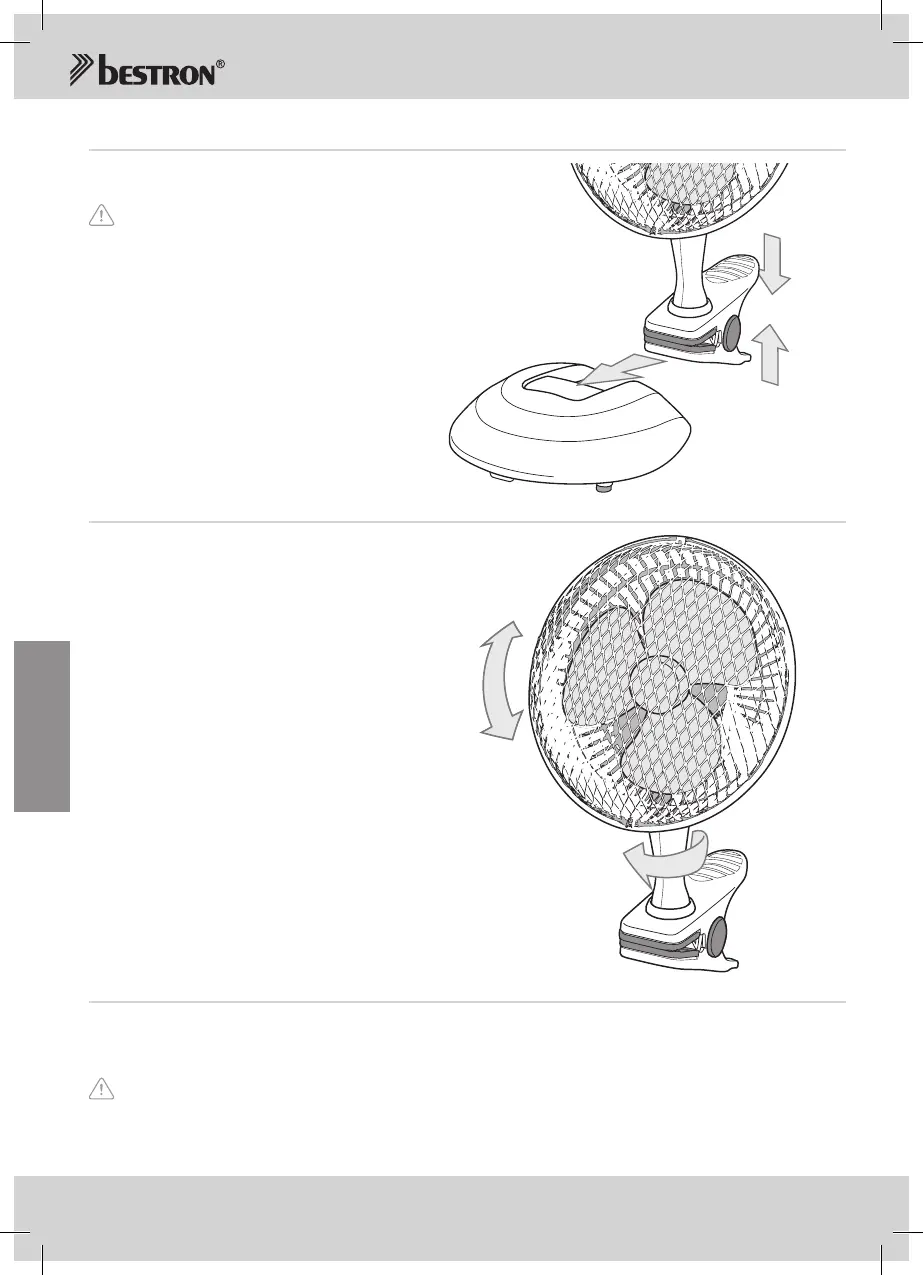
OPERATION - Use of the clip or base
1. Presstheendsofthecliptogether(seefigure3).
2. Setthecliponalevelsurface,suchasatable.
Puttheclipintothebase(7)andyouhaveastandfan.
3. Lettheendsgo.
Figure 3
Use of the clip or base
OPERATION - Ventilation
1. Setthefanonalevelsurface,
suchasatable.
2. Tiltthefantotherequiredangle
(seeFigure3).Youcansetthefan:
a. Verticallyata45°angle.Untightenthe
screwatthesideofthestand.Tiltthe
ventilatorhousingandmotorhousing
totherequiredangle.Tightenthescrew.
b. Totheleftandright(360°aroundit’saxis).
(Seefigure4)
3. Puttheplugintothewallsocket.
4. Switchonthefanbyselectingoneofthe
twospeedswiththespeedbutton(4).
a. Position‘1’,thefanoperatesatlowspeed.
b. Position‘2’,thefanoperatesathighspeed.
5. Stopthefanbysettingthespeedbuttonat
position‘0’.
Figure 3
Tilting the fan
45°
360°
CLEANING AND MAINTENANCE
1. Removetheplugfromthewallsocket.
2. Cleanthemotorhousingoftheappliancewithadampcloth.Aftercleaning,dry
3. Storetheappliance.
• Verifythattheplugisoutofthesocketbeforeyoucleanit.
• Neverusecorrosiveorscouringcleaningagentsorsharpobjects(suchasknivesorhardbrushes)
tocleantheappliance.
• Donotimmersethemotorunitinwater,orinotherliquids.



 To Next Page