CHARGING INSTRUCTION:
• Four rechargeable batteries included. Please charge for at least 7 - 8 hours before
using for the first time so as not to affect the battery life and battery capacity.
• The pump can only be used with provided Micro USB charging line. The charging
voltage is DC5V.
• When using charger with DC5V 0.5 A - 2 A electricity, the charging time will be around
5 hours. If other types of USB are used for charging, the charging time will be
extended (up to 24 hours).
• When charging, the indicator light is on. A red light indicates the electricity is not
enough. A green light indicates the electricity is full and the unit is charging.
• Do not block the rotation of the motor or the fan blades. Do not insert the objects into
or interfere with the fan chamber.
• The pump must be stored in a dry location at -20°C-45°C temperature. If the pump is
not used for more than 12 months, the battery will discharge. The battery must be
charged every 6 months.
MAINTENANCE AND STORAGE
• Use a dry cloth to gently clean all surfaces.
• Store in a cool, dry place and out of children’s reach.
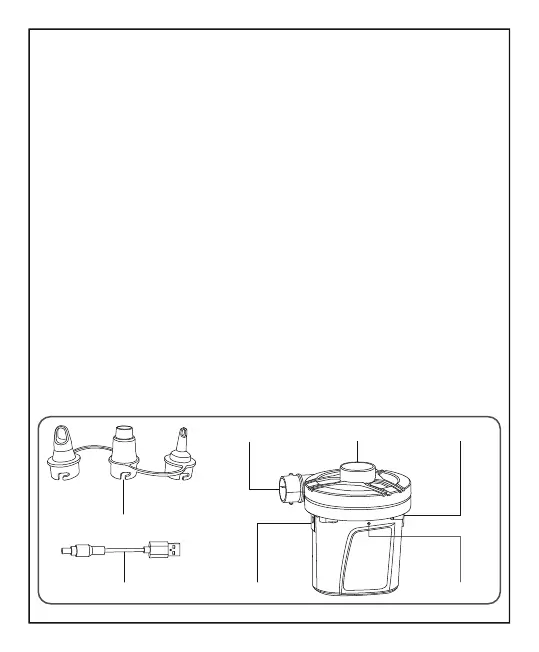
Charging Line
Deflation Port
Indicator LightCharging Port
SwitchInflation Port
Adaptor
NOTE: Some Bestway items have a special air-tight inner safety valve, which prevents
air loss. We recommend these items be deflated by simply unscrewing the valve
instead of deflating with the pump.
NOTE: Drawings for illustration purpose only. May not reflect actual product. Not to scale.
3





 To Next Page