|< >|
8
7.5 Changing remote ID
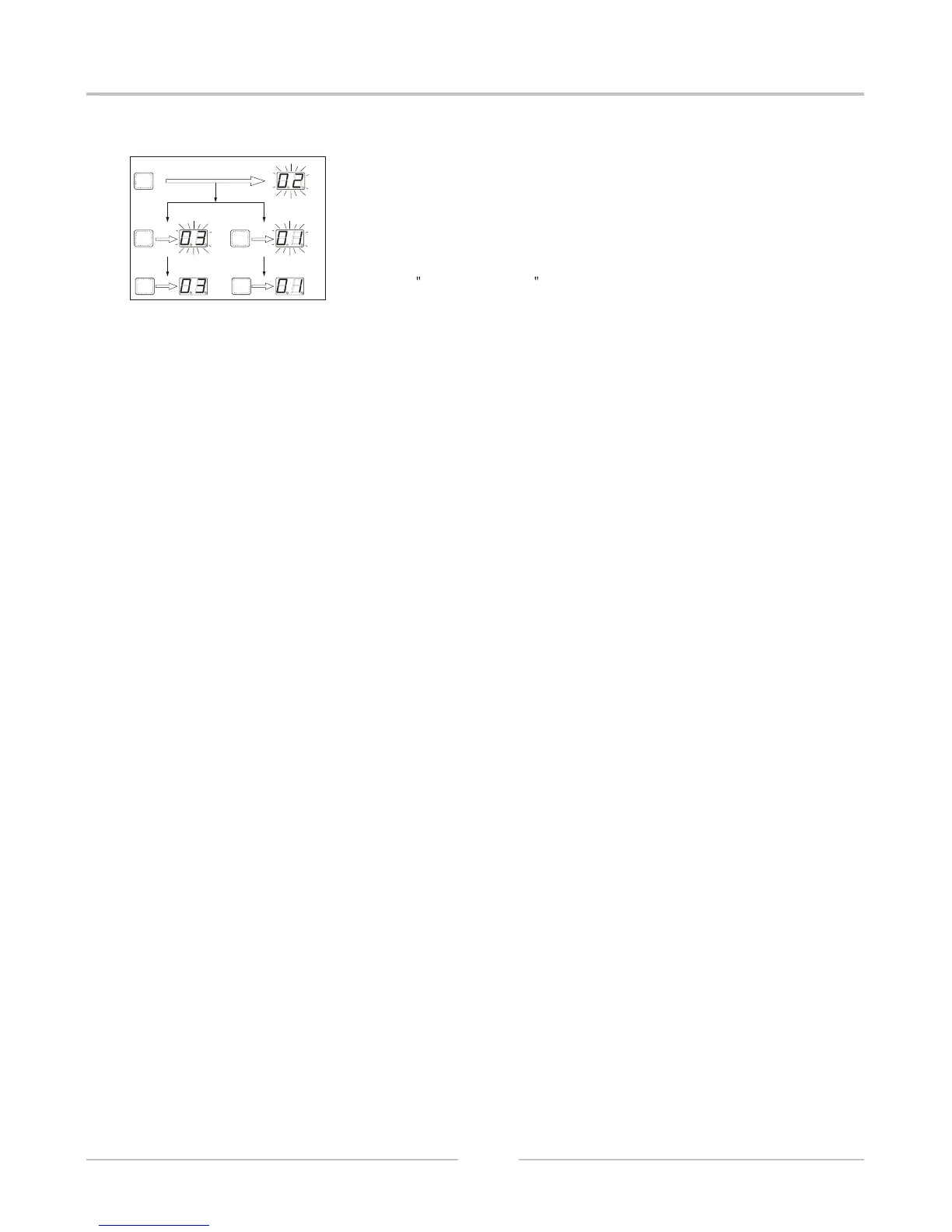
REMOTE ID is preset at factory to 01. It can only be changed by operating
from the panel:
Press DISPLAY button. Then REMOTE/ID indicator lights up and currently
selected number displays set number displays,
Press UP or DOWN button repeatedly until the number you want appears.
When you keep pressing them. The number gains or loses continuously,
Press RECALL/ENTER button, confirm the changing and display the
latest ID code.
RECALL
/ENTER
DOWN
UP
RECALL
/ENTER
RECALL
/ENTER
1).
2).
3).
DIGITAL SPEAKER PROCESSOR


 To Next Page