
 Need help?
Do you have a question about the Beta Three EC-2600U and is the answer not in the manual?
Procedures for unusual sound or smell during operation.
Rules for safe handling of power cords to prevent electric shock.
Keep away from water, avoid opening cover, and prevent overloading.
Details DSP technologies, A/D converters, and audio processing features.
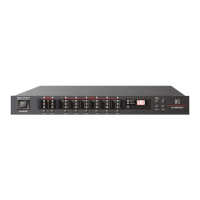
Describes front panel and computer software interface for control.
Highlights program configurations and accessory compatibility.
Instructions for inspecting the unit after unpacking and handling shipping damage.
Details voltage selection switch, fuse replacement, and power input.
Controls for power, input muting, and output muting functions.
Buttons for program recall, display, and up/down navigation.
Indicators for limiter, lock status, program number, and level dynamics.
Details XLR connectors for analog audio input and output signals.
Covers BGM input, USB, and RS-485 remote control terminals.
Specifies the connection for the unit's AC power supply.
How to cycle through program, status, and remote ID display modes.
Explanation of level indicators and output assignment status meanings.
How to lock/unlock front panel controls and its indications.
Display behavior and limitations when connected to a computer.
Steps to recall stored programs using front panel buttons.
Procedure to change the unit's remote identification number.
Options for selecting analog and digital input sources.
Details the 11-band parametric EQ and master channel delay compressor.
Covers input selection, crossover filters, and filter types for output channels.
Instructions on how to obtain the control software.
System requirements and steps for installing the software.
Requirements for connecting the device to a computer via USB/RS-485.
Overview of the software interface and its main operational areas.
How to select and apply default configuration files for the unit.
Solutions for common audio output, noise, and overload issues.
Troubleshooting steps for communication problems with RS-485.
Guidance for resolving issues related to the BGM switch.
Comprehensive data on inputs, outputs, electrical characteristics, and accessories.
A template for documenting installation details and system configuration.
Visual representation of the signal flow and processing blocks.
Details of the unit's physical dimensions and front/rear panel layout.
 General
| Brand | Beta Three |
|---|---|
| Model | EC-2600U |
| Category | Stereo System |
| Language | English |

 To Next Page