|< >|
17
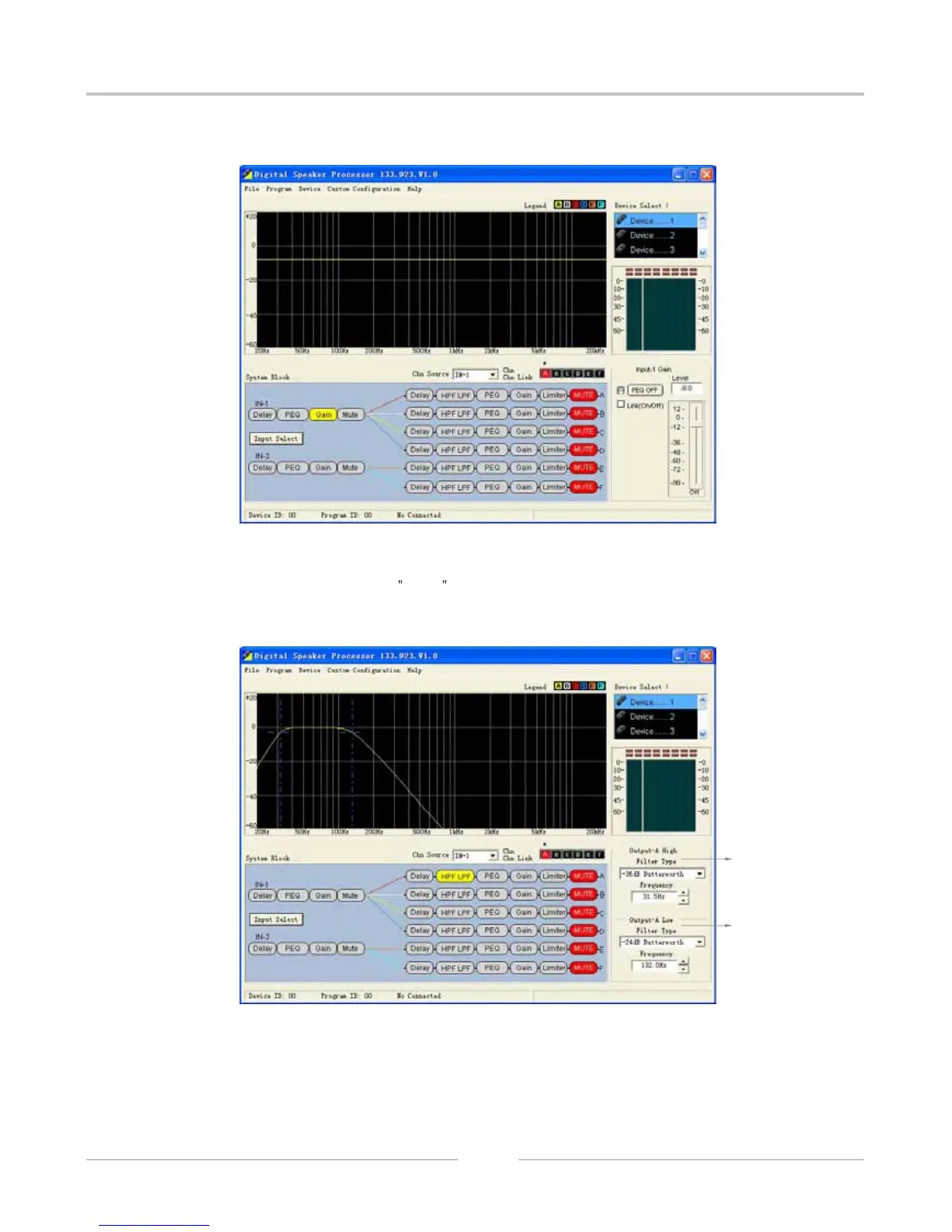
11.4 Input Channel Gain Adjustment Interface:
11.5 Input Channel Silence , press Mute , and turn red to show the state of Mute, otherwise ,
it is no Mute.
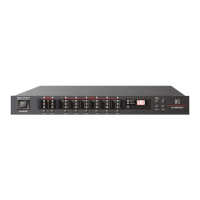
11.6 Output Channel Crossover setting Interface:
The above part is High Pass Filter ( cut low frequency), the under part is Low Pass Filter
(cut high frequency ).
DIGITAL SPEAKER PROCESSOR
1
2


 To Next Page