USER MANUAL _ 2
INTRODUCTION
Thank you for selecting the BETOPPER LPC007 Par Lights.
SAFETY INSTRUCTIONS
Please read the safety instructions and warnings in this manual carefully
before installing and operating the LPC007
CONDITIONS OF USE
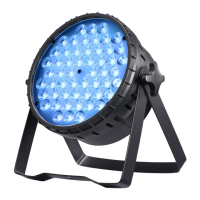
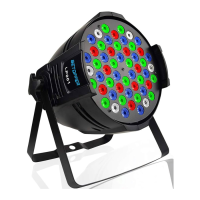
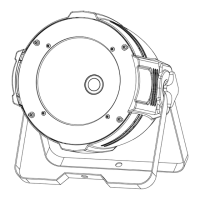
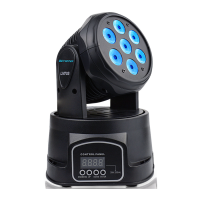
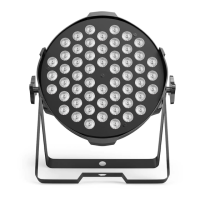
Your LPC007 is a par can light luminaire equipped with LED source
intended for professional use (e.g., architectural, stage, television,
theater, or museum lighting).
It is intended strictly for indoor use. It must never be partially or fully
submerged, even temporarily
PRESENTATION AND FEATURES
LPC007 is a non-waterproof par can light
Using the latest generation of high-performance of LED-type lamps.
This luminaire can be controlled remotely by an external DMX512
signal.
The LPC007 incorporates high power white LED source.
The luminaire requires from 3 or 7 DMX channels to be controlled via
an external command system that sends a DMX512 signal (see below
for details).
To adjust the settings on the LPC007 (i.e., DMX address, DMX operating
mode and other options), a Remote Device Management (RDM)-type
DMX
controller may be required.
The DMX RDM protocol is a universal, widely used standard.t
WARNING !
This product is not suitable for household use.
WARNING !
The fixture quickly becomes very hot during operation.
To avoid risk of burn, never handle or adjust the luminaire while it is
energized and after it has been lit for more than 10 consecutive minutes.
Some parts of the luminaire can reach a high temperature, particularly the.
body/radiator. Turn off the luminaire and wait for it to cool before handling
WARNING !
Risk of electric shock.
Use caution when handling. This luminaire requires high voltage,
which can result in electric shock.
WARNING !
Do not connect or disconnect the power cable at your LPC007 if
the cable is energized! This could cause arcing and damage your
LPC007, requiring repair.
You now own a professional lighting unit that offers endless possibilities.
Before installing, make sure that no damage was done to your luminaire
during transport. If this is the case, do not use the product and immediately
contact your dealer
Anyone involved in installing, operating or servicing the LPC007 must:
Please take the time to read this manual carefully and thoroughly before
installing and operating the luminaire. You should have a good knowledge
of its operating conditions and all pertinent product information.
After you have become familiar with this manual, we recommend that
Installation and connection to an electrical source must be performed
Be careful to power off your LPC007 by removing the power plug from the
source, before connecting or disconnecting the luminaire.
by an authorized installer. BETOPPER declines all responsibility should this
luminaire be installed by an unqualified person.
Do not connect or disconnect the power cable of your LPC007 with wet
hands.
you keep a copy for future use. All the information found in this manual
is subject to change without notice. BETOPPER reserves the right to modify
and upgrade its range of products, with no obligation to integrate these
changes into products already sold.
Be a qualified, authorized professional
Strictly follow the instructions in this user manual.
For your own safety and that of others, please read this instruction manual
carefully before installing the unit.
1. No power . Check whether the power input line connection is loose
2. DMX console is not under control
3. The display does not light up After the fan is powered on, the button is
operated when the fan is rotating. The display does not light up, and the
control board may be damaged. Pls contact BETOPPER for support.
4. The sound-model effect is not obvious. In the voice control mode, the
sensitivity can be adjusted.
5. Abnormal noise Check whether the internal fan rubs against the internal
wire of the lamp, and whether the internal wire plug falls off
6. Does not light up
1. Check whether the signal line connection is loose, or replace the signal
line connection
2. Check whether the working mode of the lamp is in DMX mode, and
check whether the set address code and channel mode are correct
3. Check whether the lamp library and address code used by the console
correspond correctly to the channel mode and address code of the lamp
1. Check whether the DMX signal line is loose or has poor contact;
disassemble the rear cover to
check whether the lamp bead board connection line plug is off;
2. The lights in some areas are not on; the lamp bead board is damaged or
the control board is damaged;
ERROR MESSAGES
Three color PAR Light DMX Channel Function Sheet


 To Next Page
 Loading...