11
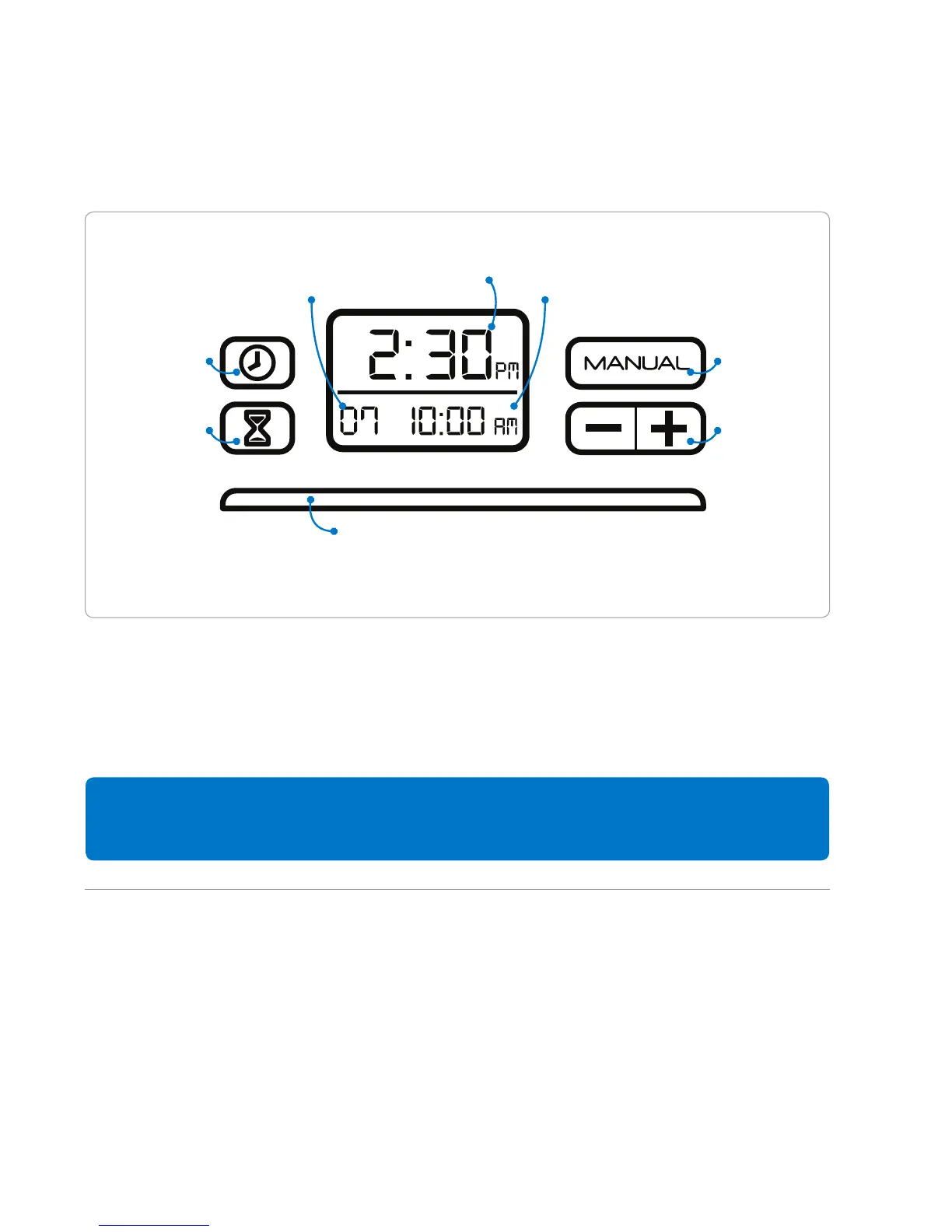
Your SoClean timer will allow you to completely automate your daily cleaning. The SoClean
comes preset to start a 7 minute cleaning cycle at 10:00 am. First set the clock to match
your current time. You can easily change these settings by following the steps on the next
page.
If you unplug the SoClean or experience a power loss, you will need to
reset the current time only. The sanitizing settings will remain saved.
Your SoClean Timer & Display
Clock Set
Sanitizing
Cycle Set
Current Time
Cycle Start Time
Sanitizing Cycle Indicator Light
Length of Cycle
Manual
Control
Decrease /
Increase


 To Next Page