14
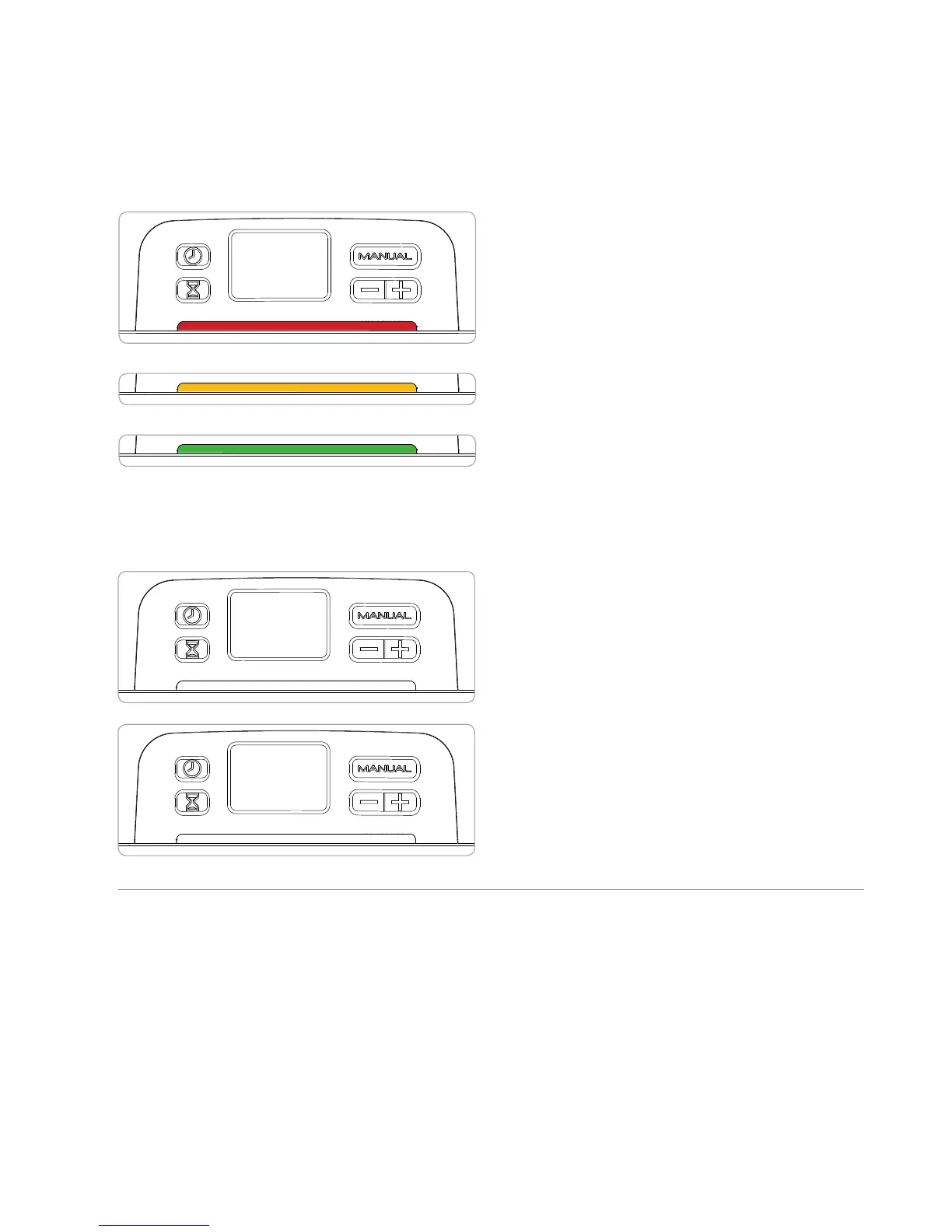
Cycle Indicator Light
The lighted bar below the clock display
indicates which stage of the sanitizing cycle
the SoClean is in.
RED when the SoClean is operating and
generating activated oxygen.
YELLOW when the SoClean is in its 2-hour
sanitizing cycle.
GREEN when sanitizing has been
successfully completed.
The lighted display will turn off once
the lid is lifted.
Display Messages
Hose not present. Cycle will not run:
This message displays during the manual
mode when there is no mask/hose in the
SoClean, the lid is not properly closed, or
the hose slot plug is missing or improperly
seated.
Order filter kit: This message displays
after approximately 6 months of use as a
reminder to order a replacement filter and
check valve kit.
Your SoClean Timer & Display continued
Hose not
present
Order
Filter Kit


 To Next Page