•
To carry out a blood pressure measurement, make sure
you are sitting comfortably with your arms and back lean-
ing on something. Do not cross your legs. Place your feet
flat on the ground.
•
To avoid falsifying the measurement, it is important to
remain still during the measurement and not to speak.
Performing the blood pressure measurement
•
As described above, attach the cuff and adopt the pos-
ture in which you want to perform the measurement.
•
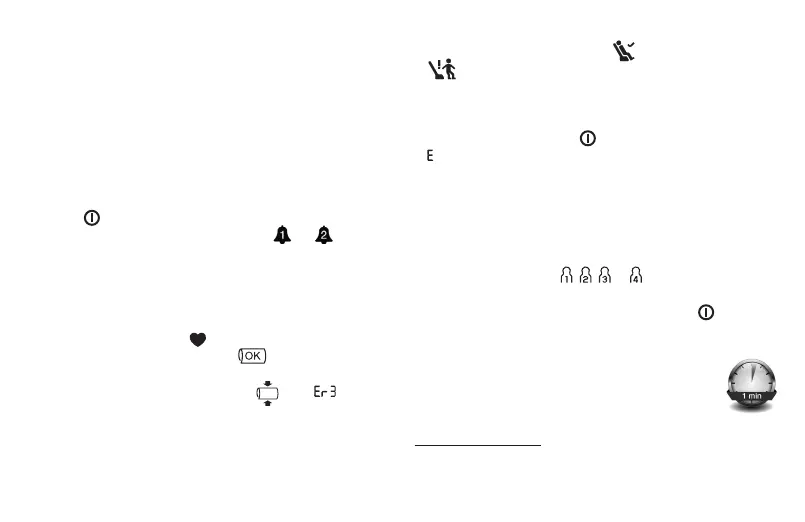
Start the blood pressure monitor with the START/STOP
button
. After the full-screen display, the respective
alarm symbols are displayed if alarm 1 / 2 is acti-
vated.
•
The cuff automatically inflates. The cuff’s air pressure is
slowly released. If you already recognise a tendency for
high blood pressure, you should reinflate the cuff and
increase the cuff’s pressure again. As soon as a pulse is
found, the pulse symbol
will be displayed.
•
The cuff position control symbol is displayed
throughout the entire measurement. If the cuff is ap-
plied too tightly or too loosely, then
and “ ” are
displayed. In such cases, the measurement is cancelled
after approx. 5 seconds and the device switches itself off.
Apply the cuff correctly and take a new measurement.
•
The systolic pressure, diastolic pressure and pulse rate
measurements are displayed. A symbol is displayed to
indicate whether you were sufficiently relaxed during the
blood pressure measurement (
= sufficiently at rest;
= not at rest). Observe the chapter on interpreting
results/measuring the resting indicator in these instruc-
tions for use.
•
You can cancel the measurement at any time by pressing
the START/STOP button .
•
_ appears if the measurement has not been performed
properly. Observe the chapter on error messages/trou-
bleshooting in these instructions for use and repeat the
measurement.
•
Now select the desired user memory by pressing the
memory button M. If you do not select a user memory,
the measurement is stored in the most recently used user
memory. The relevant , , or symbol appears on
the display.
•
To switch off, press the
START/STOP
button
. If you
forget to turn off the device, it will switch itself off auto-
matically after approx. 3 minutes.
Wait for at least 1 minute before taking another
measurement.
6. Evaluating results
Cardiac arrhythmia:
This device can identify potential disruptions of the heart
rhythm when measuring and if necessary, indicates this
29



 To Next Page