7
6. To Use
1
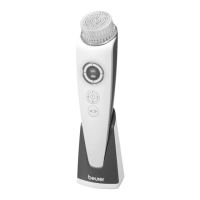
. Moisten the Brush Head with water. Never use the Brush Head while it is dry as this can irritate the skin.
2
. Apply cleanser or product of your choice on your face (not included).
3
. The device has both a fast and a slow speed setting. Press down on the On/Off Button for 2 seconds to
activate low speed. Press down on the On/Off Button again to switch to high speed.
4
. Place the brush against your face and use a gentle, circular motion to remove residue, dirt and dead skin
cells. To avoid irritation, do not press the brush too firmly to the skin. Treat each section of your face for a
maximum of 20 seconds.
5
. To shut the device off, press and hold down on the On/Off button for 2 seconds until the motor stops.
6
. Cleanse your face thoroughly with water to remove any residue from your skin.
7
. Pat the skin dry with a soft, dry towel and apply a moisturizing cream of your choice.
8
. Recommended usage time is one minute per session. The device will shut off automatically after one minute.
7. Care and Maintenance
• B
efore cleaning, pull the brush head off the handle. Clean the brush thoroughly with water after each use.
• P
rotect the product from knocks, dust, chemicals, extreme temperatures and nearby sources of heat (ovens,
heaters).
• C
lean the Handle with a soft, slightly moistened cloth. You can also moisten the cloth with mild soapy water.
Do not use any abrasive cleaning products.



 To Next Page