For each measurement, your blood glucose value is automatically saved with the date and time un-
less “ ” was activated for a blood glucose measurement using control solution.
The memory can store a maximum of 480 measured values. If the memory is full, the oldest value is
replaced by the most recent value. You can call up every individual measured blood glucose value.
You can also calculate and display the average value for the last 7, 14, 30 and 90 days.
Note
•
If you have already saved measured values and you reset the date, the average values are calculated
as from the new period.
•
“---” indicates an empty memory for measured values. Press the On/O button to switch o the de-
vice.
7.1 Displaying individual values
The individual values from the last 480 measurements are displayed. The most recent measured
value is displayed first, and the oldest last. The date and time are also displayed on the monitor at
the same time.
1
Switch the measuring device on using the On/O button [5]. The initial display is shown
briefly. Press the “+” or “–” rocker switch [2].
2
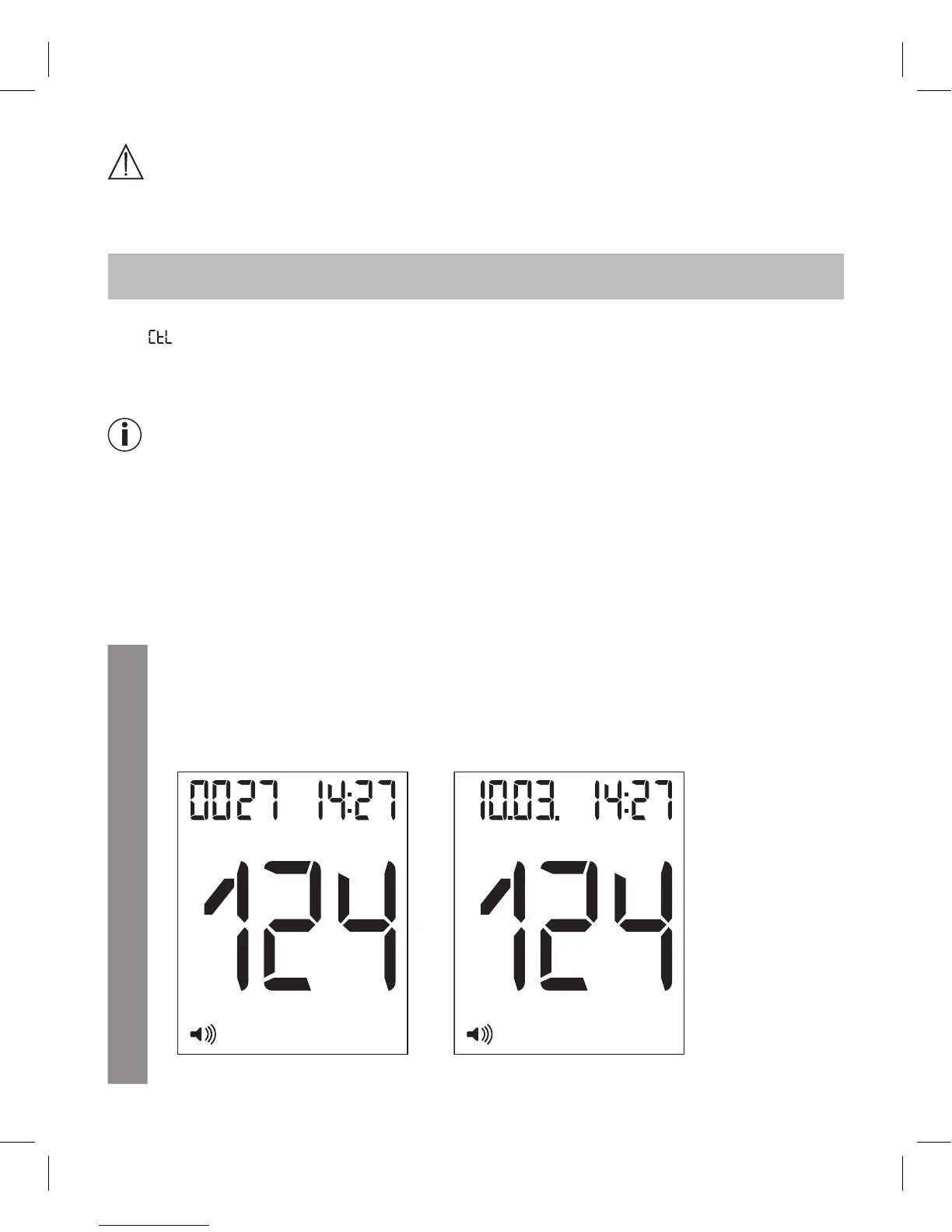
The most recent measured value and the number of saved blood glucose tests are dis-
played. The display then switches and, instead of the number of saved blood glucose tests,
it then shows the date of the most recent measurement.
mg/dLMem
mg/dLMem
Image 1 Image 2



 To Next Page