Amiron wireless – Headphones
10
Using up multi point
If you have connected the Amiron wireless with two devices
– and have just activated media playback, briefly tap the touch pad 1 twice to accept
an incoming call.
– and have just finished a call, briefly tap the touch pad 1 twice to restart the media
playback that was playing most recently.
Media playback
Please note that the functions described below, depend on the player and the player
software and may not be available. The Amiron wireless only transmits control signals
that comply with the Bluetooth standard.
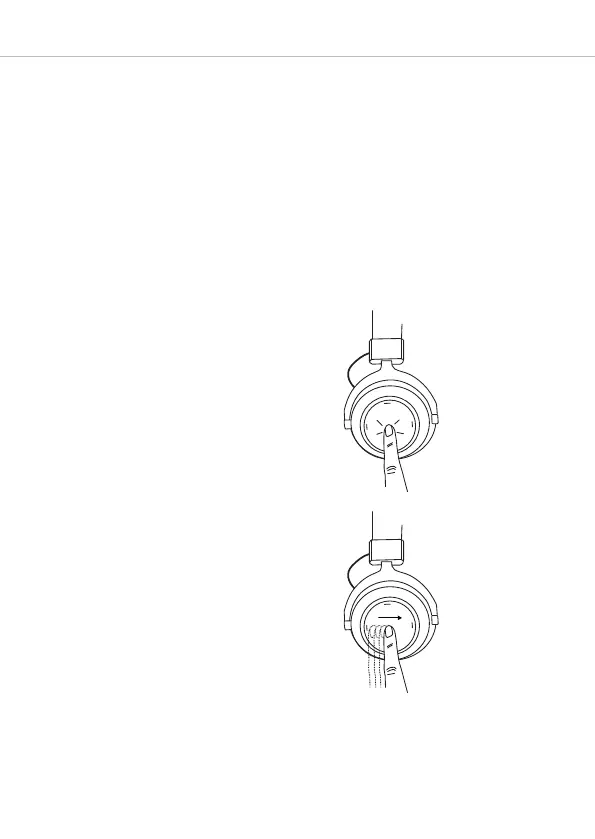
Important: To avoid malfunction, use only one finger when you use the touch pad 1.
• Start / stop media playback:
Briefly tap the touch pad 1 twice.
• Play next track:
Drag your finger forwards on the touch
pad 1.
2 x












 To Next Page