english
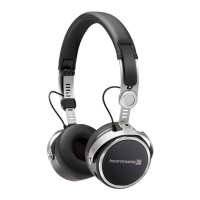
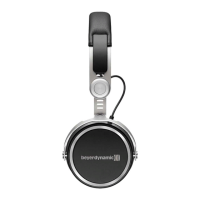
Amiron wireless – Headphones
5
Box contents
• Amiron wireless headphones
• Connecting cable with remote control, mini jack (3.5 mm)
• Charging cable USB-A to USB-C
• Hard case
• Warranty booklet
• Quick Start Guide
beyerdynamic MIY app
By using the beyerdynamic MIY app you can personalise your Amiron wireless. The app
is available for Apple iOS and Android and can be downloaded from both the Apple App
Store and the Google Play Store.
Note firmware version 1.0
The following descriptions refer to the firmware version 1.0 installed on the present
Bluetooth headphones.
Firmware Update
A more recent firmware version than installed (version 1.0) might be available. If available,
you can perform this update yourself.
• Download the firmware update tool from the Amiron product page at
www.beyerdynamic.com to your computer.
• Turn on the Amiron wireless and connect it to your computer using the USB charge
cable 2.
• Start the update tool and follow the instructions on the screen.
Compatibility
The Amiron wireless is compatible with Bluetooth playback devices that support the
following profiles:
• A2DP (for audio transmission)
• HFP (for phone operation)
• HSP (voice output)
• AVRCP (for the transmission of controls signals)
Note:
All associated functions are only available, if they are supported by the playback
device.












 To Next Page