Operation
10/14 Blue BYRD ANC (2nd generation)
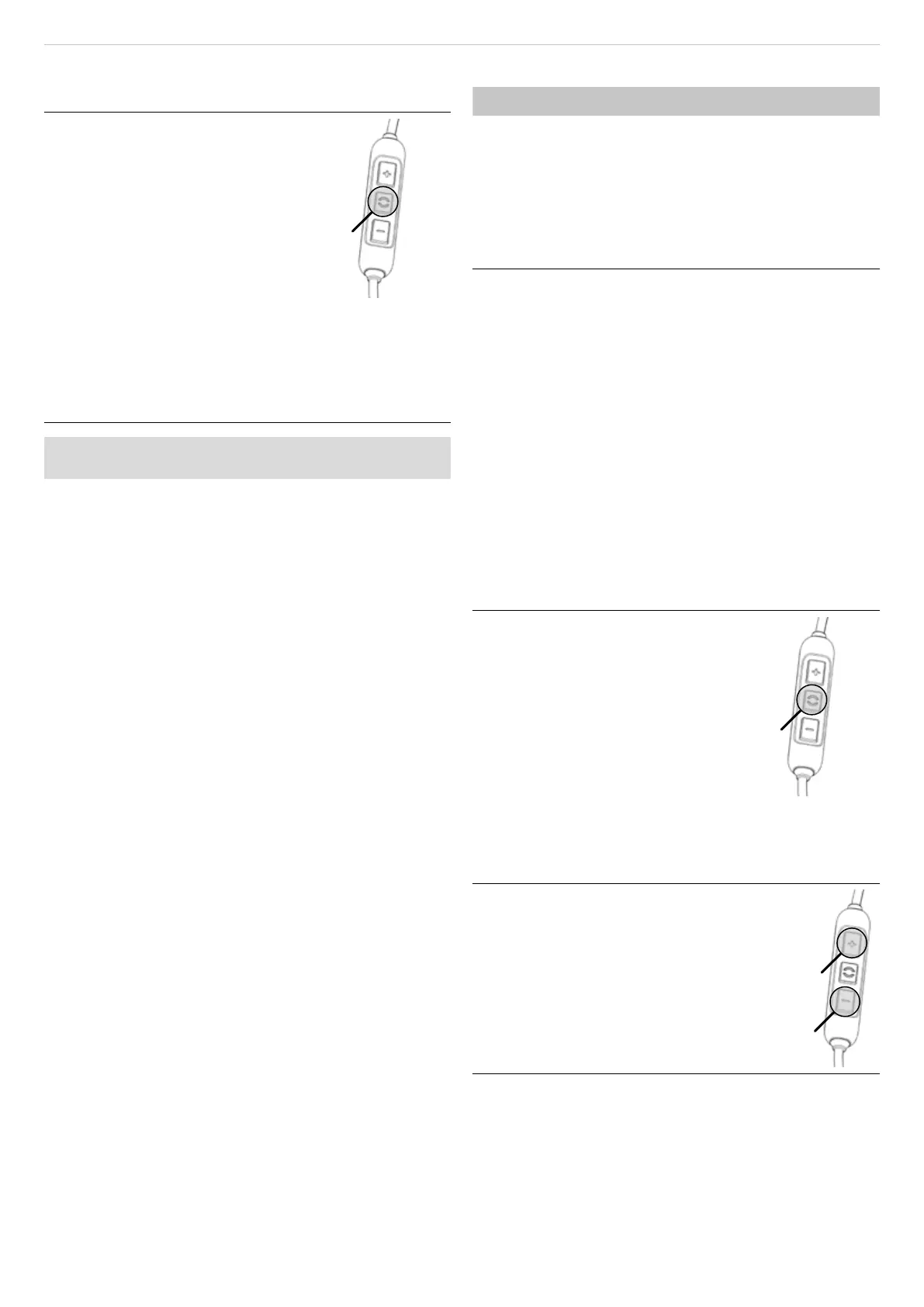
Eablishing pairing:
9 The in-ear headphones are switched o.
1. Press the On/O button for 4s.
The Bluetooth® pairing mode
stas.
The LED display flashes alternately
blue and red.
2. Activate the Bluetooth® function on
the playback device and search
for new devices if necessary.
3. In the Bluetooth® menu on the
playback device, select “Blue Byrd
ANC (2nd gen.)” from the available
devices and pair the two devices
with each other.
Aer a successful connection, the LED briefly flashes
blue every 7s. Each time the unit is switched on again,
the units will connect as soon as they are within range
of each other.
If the Bluetooth® connection has been lo, the LED briefly
flashes blue every 3s.
Deleting the li of already paired devices:
► Press the On/O button for longer than 10s.
The list of already paired Bluetooth® devices
(maximum8) is deleted, and the in-ear headphones
switch to the Bluetooth® pairing mode.
Using ANC/transparency mode
The Blue BYRD ANC (2nd generation) has three ANC
modes:
• ANC mode: Attenuation of ambient sound
• Transparency mode: Amplification of ambient sound
• Passive mode: ANC and transparency mode are deac-
tivated
Selecting ANC mode:
► Briefly press the On/O push button once each time:
Passive mode > Transparency mode > ANC mode >
Passive mode > ...
A mode can be skipped by briefly pressing twice, e.g.
direct change from Passive mode to ANC mode.
The la selected mode is saved when the unit is switched
o.
Multi-point operation
The in-ear headphones can be paired with up to 8Blue-
tooth®-enabled devices. Active connections are possible
with up to two devices at a time. However, playback of
music and phone operation is only possible with one
device at a time. Phone operation has priority over play-
back of music, i.e. playback of music is interrupted during
phone calls.
Priority li when using the playback devices (PD):
PRI. Profile Playback devices (PD)
1 HFP (phone operation) PD 1 (device used fir)
2 HFP (phone operation) PD 2 (device used second)
3 A2DP (playback of
music)
PD 1 (device used fir)
4 A2DP (playback of
music)
PD 2 (device used second)
Setting up multi point:
1. Connect the in-ear headphones with the fir device
(see „Pairing with a playback device“ on page9).
2. Deactivate the Bluetooth® connection on the fir
device.
3. Switch o the in-ear headphones.
4. Connect the in-ear headphones with the second
device (see „Pairing with a playback device“ on
page9).
5. Re-activate the Bluetooth® connection with the fir
device that automatically connects to the in-ear
headphones.
Once both devices are paired with the in-ear
headphones, the in-ear headphones automatically
connect with both devices every time they are
switched on.
Using multi point:
9 You have connected the in-ear
headphones with two devices and
ju activated media playback.
► Briefly press the () once, to accept
an incoming call.
9 You have connected the in-ear
headphones with two devices and
have ju ended a call.
► Briefly press the () button once, to
a the media playback that was
la played.
Adjuing the volume
Increasing/decreasing the volume:
► In ages: briefly press the [+] / [–] button.
► Continuously: press and hold the [+] / [–]
button.
A signal tone sounds when the maximum/
minimum volume is reached.


 To Next Page
 Loading...