Operation
Blue BYRD ANC (2nd generation) 11/14
Playing media
The functions described depend on the playback device
and playback device soware and may not be available.
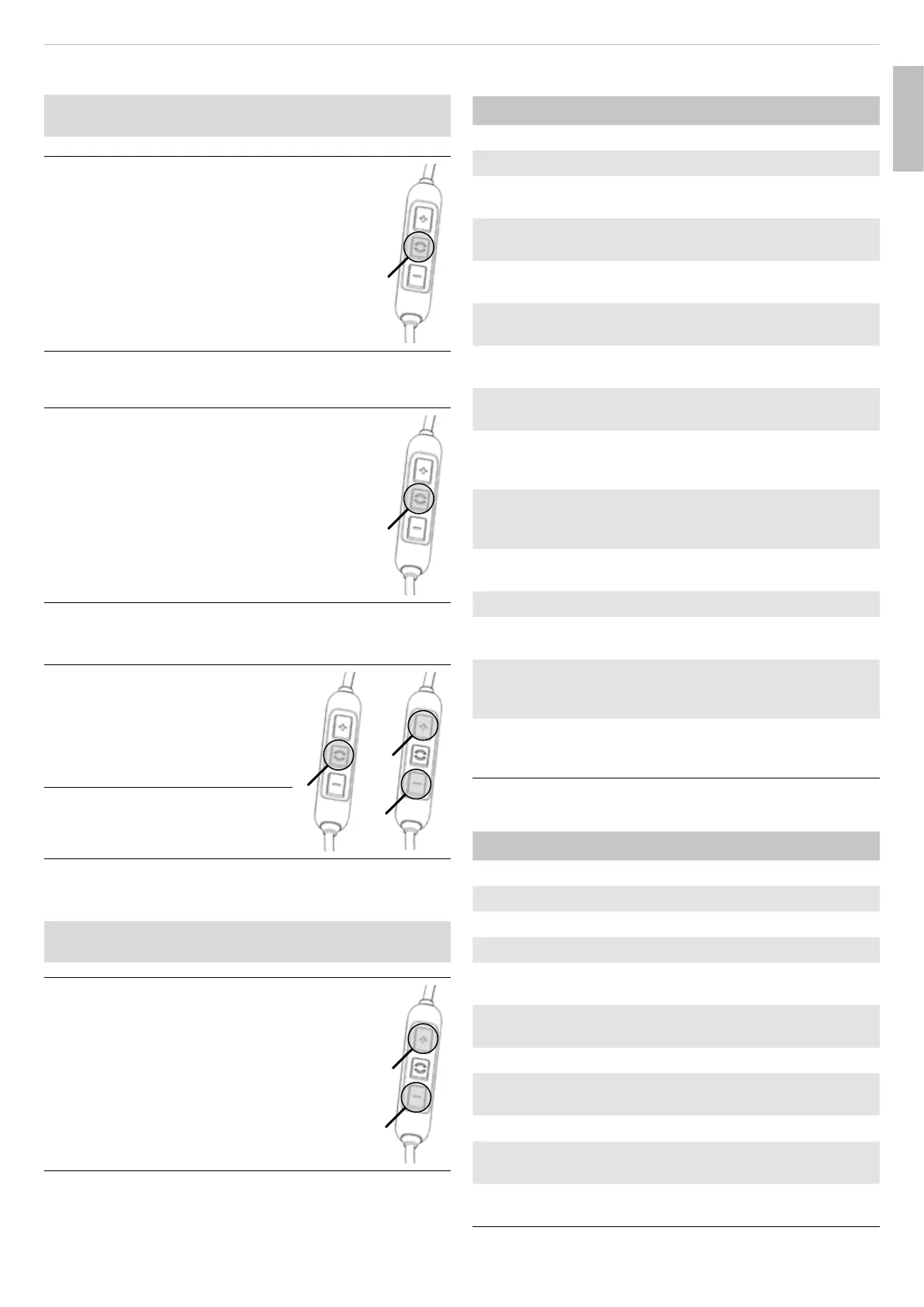
Sta / pause playback:
► Briefly press the () button once.
Playing the next / previous track:
► Briefly press the () button twice / three
times.
Fa forward / rewind:
► Briefly press the () button twice / three
times, then hold it down.
Calling up the personal assiant
Call up the personal assiant of your
smaphone or tablet:
► Press the () button for 2s.
Controlling calls
Accepting / ending a call (1):
► Briefly press the () button.
Rejecting a call:
► Press the () button for 2s.
1
2
Increasing / decreasing the call
volume (2):
► Press the [+] / [–] button.
Resetting to factory settings
All personal data is deleted if the device is reset to the
factory settings!
Reset to factory settings:
► Press the [+] and [–] button simultaneously
for 4s.
Overview of operating functions
Function Operation
Increase volume ► Press the [+] button
Decrease volume level ► Press the [–] button
Switch on ► Press the On/O button
for 2s
Switch o ► Press the On/O button
for 4s
Select Transparency/ANC/
Passive mode
► Briefly press the
On/O button once
Sta/op media playback ► Briefly press the
()button once
Jump to the next track ► Briefly press the
()button twice
Jump to the previous track ► Briefly press the
()button three times
Fa forward ► Briefly press the
() button twice
and then hold
Rewind ► Briefly press the
()button three times
and then hold
Accept / end a call ► Briefly press the
()button once
Reject an incoming call ► Press the () button for 2s
Sta personal assiant
(Siri, Google Assiant etc.)
► Press the () button for 2s
Switch voice messages on
or o
► Press the () button
and the [+] button
simultaneously for 2s
Reset to factory settings ► Press the [+] button
and the [–] button
simultaneously for 4s
Overview of the LED displays
LED display Function
Flashes red/yellow/green Charging
Steady green light Fully charged
Lights up once red for 1.5s Switch o
Flashes rapidly red Battery almo empty
Flashes alternately blue
and red
Bluetooth® pairing mode
active
Flashes blue briefly every
7sa
Bluetooth® connection
active
Flashes blue briefly every 3s Bluetooth® connection lo
Flashes blue briefly every
7s
Media playback active
Flashes rapidly blue Incoming call
Flashes blue briefly every
7s
Call active
Lights up pink three times
per s
Soware update mode
active
English



 To Next Page
 Loading...