english
–9–
CUSTOM Cable
The cable couldn’t be more flexible – and just like the covers, can be
modified with ease. At www.beyerdynamic.com you will find a gooseneck
microphone, which can be used for gaming sessions and internet phone
calls, as well as a coiled cable.
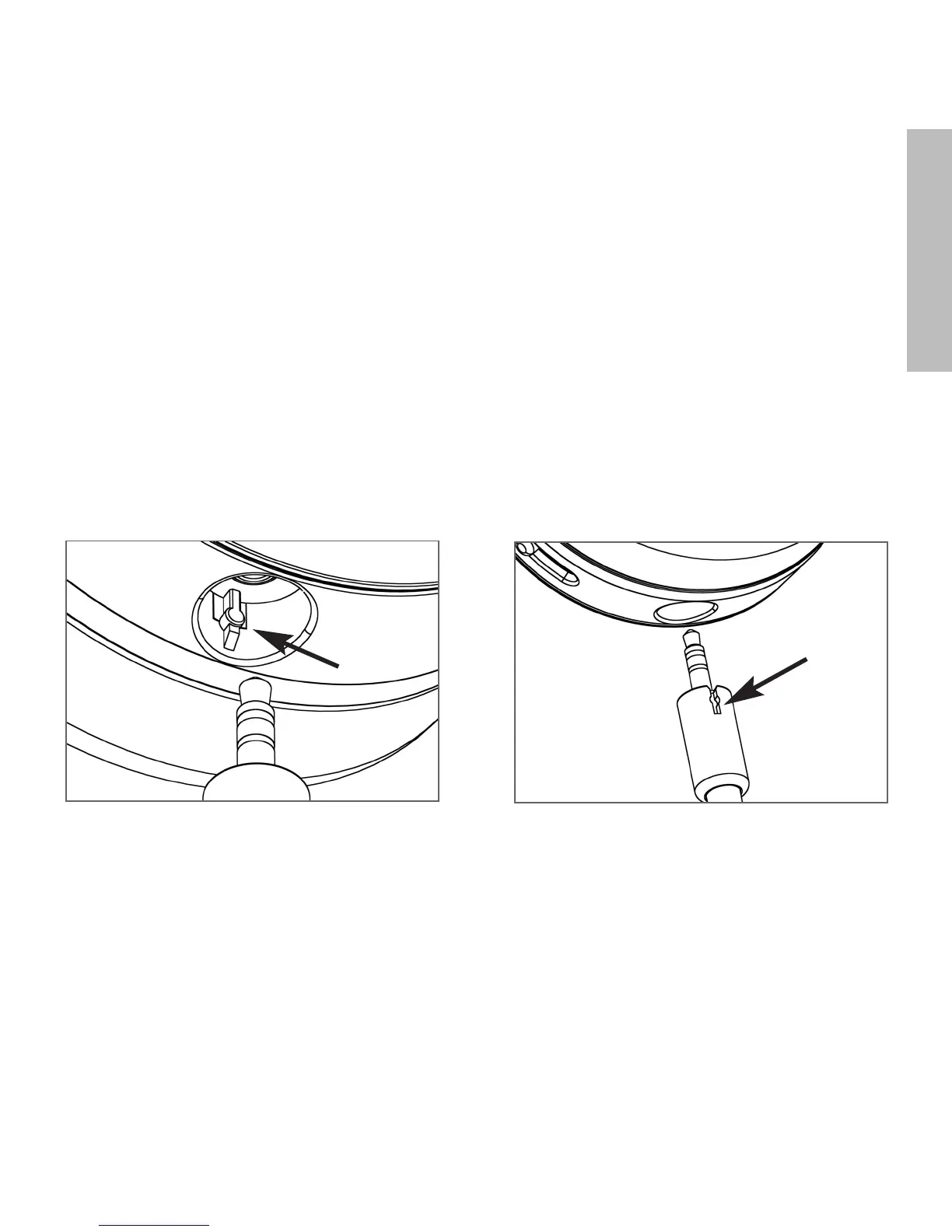
Changing the Cable
1. Pull the cable, which is connected at one side, out of the headphones.
2. When inserting the new cable, make sure that the slot in the
connector housing is turned towards the detent in the housing shell.
1.
2.












 To Next Page