Product Description and Characteristics
•
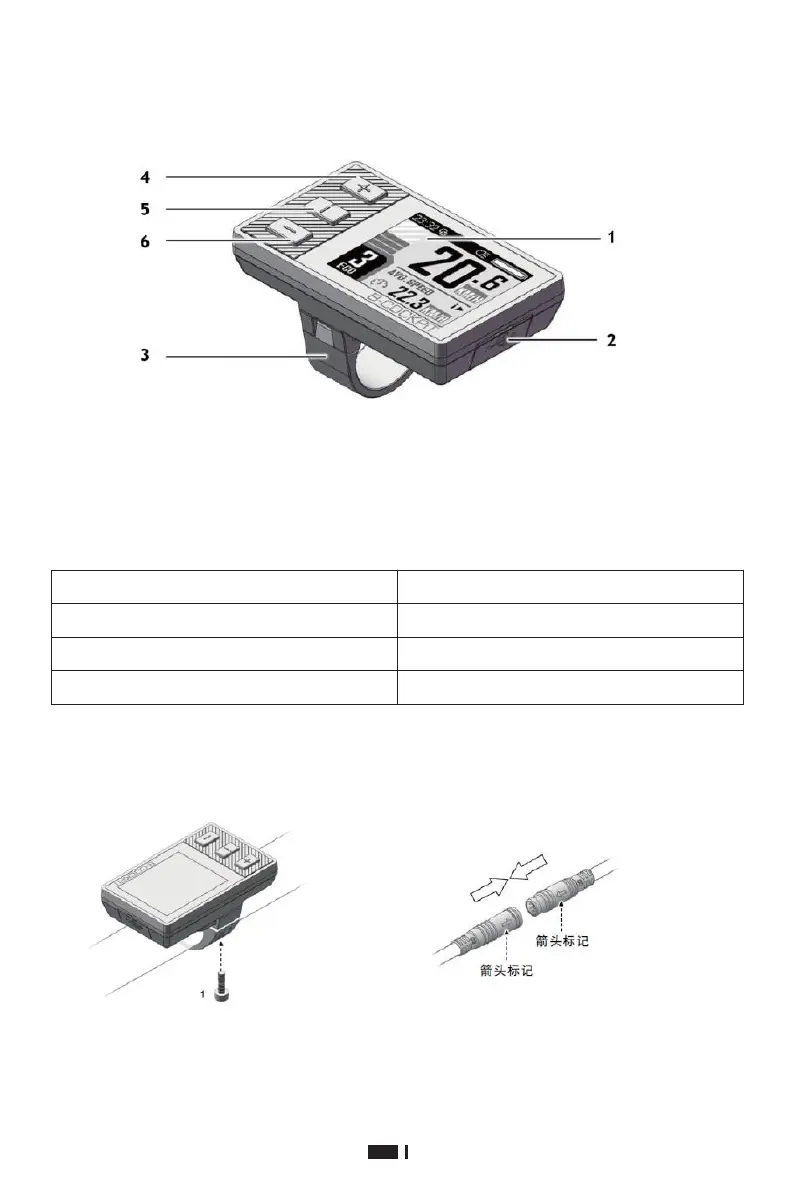
Part description
1. 1.77'' inch, 160x128 color TFT LCD
screen
2. USB port with protective cover
3. Mounting bracket
•
Technical Parameters
4.
"+" button
5.
"i" display function button
6.
"-" button
Installation Instructions
•
Installation of BC-18 device
1.
Use M3 hex socket key, tighten screw 1, and fix the instrument to the left side of the
handlebar. Tightening torque: 0.2N.m. Do not over-tighten it, otherwise the surface of the
instrument may be damaged.
2.
Align the two arrow marks and firmly connect the cable on the instrument with the cable
on the electric bicycle controller.


 To Next Page