EasyManua.ls Logo

BFT Clonix 2E - User Manual

BFT Clonix 2E
2 pages
Print Icon
To Next Page IconTo Next Page
Loading...
Programming Manual
http://www.remotecontrol-express.com - TEL : +44 (0) 207 399 7782 - FAX : +44 (0) 207 927 3151
BFT Clonix 2E
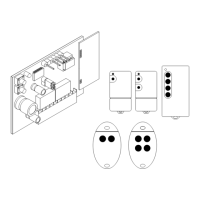
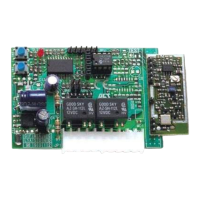
Assembly of your receiver:
1. Unplug your motor. Verify that you have a 12V or 24V feed with an alternating or direct
current. Connect the feed between the “–” and “+” terminals (you don’t have to respect any
direction if the feed is alternating). If the feed is stronger, you will have to install an adapter.
2. Connect the first channel between the CH1 terminals.
3. Connect the second channel between the CH2 terminals.
Please note: there are several ways to connect your receiver, either as a replacement for an old
receiver (check the compatibility of your remote controls with your new receiver), or in parallel with
the current receiver (example):
4. Your new receiver is programmed.
Question and Answer IconNeed help?

Do you have a question about the BFT Clonix 2E and is the answer not in the manual?

BFT Clonix 2E Specifications

General IconGeneral
BrandBFT
ModelClonix 2E
CategoryReceiver
LanguageEnglish

Summary

Receiver Assembly and Connection

Power and Channel Wiring

Connect the receiver's power supply and wire channels CH1 and CH2 to the correct terminals.

New Remote Control Programming

Initiate Programming Mode

Press SW1 on the receiver circuit board, causing the LED light to blink.

Program First Remote Button

Press remote buttons until the receiver LED illuminates fixedly, then press again to confirm programming.

Program Second Remote Button

Repeat the programming sequence using the SW2 button on the receiver for the second remote button.
Related product manuals