Installation and User Guide
SyncEV Charger | EVT77G.202205.NH www.syncev.co.uk
APP FEATURES
Livestatusandchargingstateofthecharger
Authentication, to prevent unwanted use of the charge point, or plug and charge modes
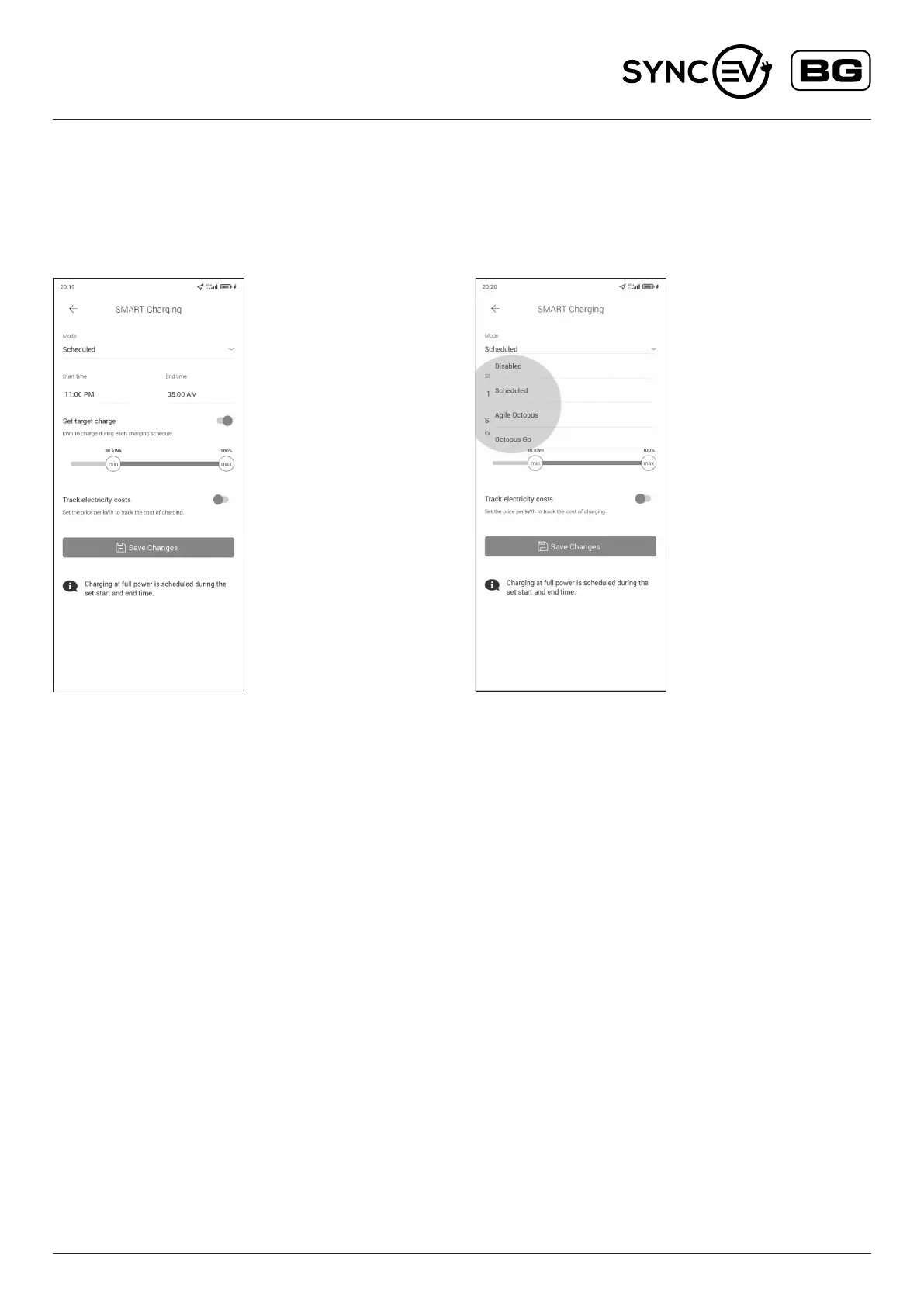
Schedule Charging
Enables you to set start and end times to match your o-peak
electricity taris or preference, with optional minimum and maximum
kWh charge limits.
EnableSmartChargingwithAgileOctopusorOctopusGo
Agile Octopus (requires compatible tarrif) to optimise your charging
schedule based on the current price per kWh, to only chagre when the
price is below the set limit.
Octopus Go (requires compatible tarrif) to have the charging schedules
during the times with discounted price per kWh
Power management and congurations to restrict charge rates
from 6A to 32A.
TROUBLESHOOTING
Forfurtherinformation,ortorefertoourFAQs,pleasevisitourwebsite–www.syncev.co.uk
The status of the EV charger can be identied by referencing the colour shown on the LED indicator
• SOLID BLUE – Standby – Charger has power and is connected to the Sync EV network
• FLASHING GREEN – Charger is connected but not charging, awaiting conrmation of charge in APP or scheduled start time
• SOLID GREEN – Charger is active and Charging
• SOLID YELLOW – Charger is oine from network, check local network is active and Wi-Fi is working on the 2.4Ghz band.
• SOLID RED – Indicates the charger is in fault mode and has stopped charging for users safety.
Potential causes:
» Internal RCD has tripped
» Vehicle fault
» Under or over suitable charging voltage
Remove connection to EV vehicle and reset power to the EV charger.


 To Next Page
 Loading...