9
4-2-1 Using mode
The screen will not light up until you press any keys on it.
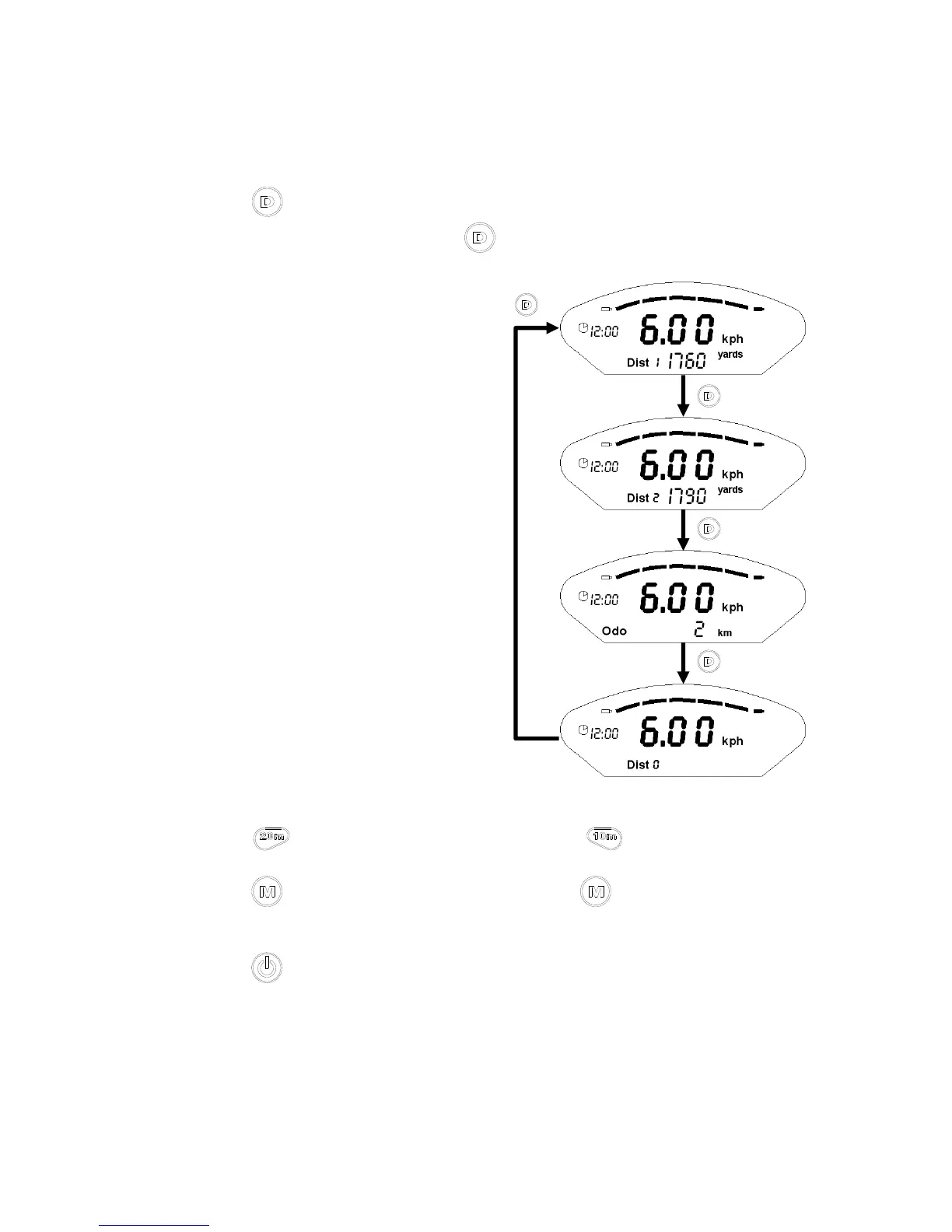
Press to switch 'Dist1' or 'Dist2' or 'Odo' and 'Dist0'. If you want to reset
'Dist1' or 'Dist2', just need to hold 3 secs then they will start from “0”.
Press
to make the trolley runs 20m; press to make it runs 10m.
Press
and enter “SETTING MODEL”, press to switch four different
modes in order to set each of them.
Press power off.
4-2-2 Setting mode
■ Under SETTING MODE, if you stop setting over 5 secs, the setting mode
will return to using mode.



 To Next Page