EasyManua.ls Logo

BIG TREE TECH SKR MINI E3 V2.0 - User Manual

BIG TREE TECH SKR MINI E3 V2.0
10 pages
Print Icon
To Next Page IconTo Next Page
Loading...
Shenzhen BIGTREE technology co., LTD.
BIG TREE TECH
BIGTREETECH
SKR MINI E3 V2.0
Operation Manual of the Motherboard
Question and Answer IconNeed help?

Do you have a question about the BIG TREE TECH SKR MINI E3 V2.0 and is the answer not in the manual?

Summary

Introduction to BIGTREETECH SKR MINI E3 V2.0

Motherboard Features and Upgrades

Details the key features and upgrades of the motherboard compared to previous versions.

Motherboard Technical Parameters

Lists essential technical specifications including size, MCU, power input, and interface types.

Motherboard Indicator Lights

Indicator Light Status Descriptions

Explains the meaning of various LED indicators for power, status, hot bed, and fans.

PC Communication Setup

Driver Installation for PC Communication

Guides users on how to install the necessary drivers for communication with a PC via USB.

Interface and Connection Instructions

Motherboard Physical Dimensions

Provides a diagram detailing the physical size and layout of the motherboard.

Motherboard Wiring Diagram

Illustrates the correct wiring for all connectors and components on the motherboard.

Sensorless Homing Function Configuration

Details how to set up the sensorless homing feature using jumper caps.

5 V Power Output Selection for Peripherals

Explains the options for supplying 5V power to accessories like BLTouch and TFT screens.

Connecting BIGTREETECH Relay V1.2

Provides instructions for connecting the BIGTREETECH Relay V1.2 module to the motherboard.

Connecting BTT UPS 24 V V1.0

Details the connection procedure for the BTT UPS 24V V1.0 power supply module.

Connecting Neopixel Addressable Lights

Guides on how to connect addressable RGB Neopixel lights to the motherboard.

Connecting the BLTouch Sensor

Step-by-step guide for wiring and connecting the BLTouch auto-leveling sensor.

Motherboard Firmware Management

Methods for Acquiring Firmware

Explains how to obtain the necessary firmware files for the motherboard.

Procedure for Updating Firmware

Provides a detailed process for updating the motherboard firmware using an SD card.

Important Usage Notes

Firmware File Naming Requirements

Specifies the rules for naming firmware files when preparing them on an SD card.

Safety Precautions for Wiring and Drives

Highlights critical safety measures to follow during wiring and drive installation.

Supported LCD Screen Interfaces

Mentions compatibility with specific LCD screen types, such as the LCD12864.

Overview

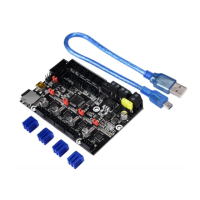
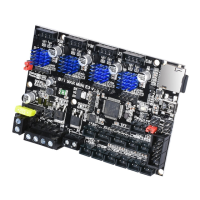
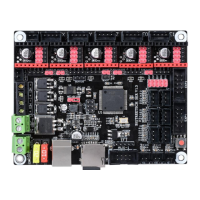
The BIGTREETECH SKR MINI E3 V2.0 is a specialized motherboard meticulously designed for the Ender3 3D printer, offering a seamless and enhanced replacement for the original Ender3 motherboard. This device is a product of Shenzhen BIGTREE technology co., LTD., a company dedicated to advancing 3D printing technology. The motherboard's design focuses on improving various aspects of the 3D printing experience, from power management and heat dissipation to sensor integration and display compatibility.

Function Description

At its core, the SKR MINI E3 V2.0 serves as the central control unit for the Ender3 printer, managing all its operations. It processes commands, controls motor movements, regulates heating elements, and interfaces with various sensors and display units. The motherboard is built around an ARM Cortex-M3 STM32F103RCT6 microcontroller, providing robust processing capabilities for complex printing tasks. It supports a wide range of functionalities essential for modern 3D printing, including precise motor control, temperature regulation for the hot bed and extruder, and communication with a host PC.

One of the key functions of this motherboard is its ability to drive the printer's stepper motors. It integrates onboard TMC2209 motor drivers, which operate in UART mode. This allows for silent and smooth motor operation, significantly reducing noise during printing. The motherboard provides dedicated interfaces for the X, Y, Z (dual Z-axis), and E (extruder) motors, ensuring comprehensive control over all axes of movement.

Temperature management is another critical function. The SKR MINI E3 V2.0 includes interfaces for two 100K NTC thermistors (TH0 and THB) to monitor the temperatures of the hot end and hot bed, respectively. It actively controls the heating elements for both, ensuring stable and accurate temperatures throughout the printing process. The hot bed MOS tube, specifically, uses a WSK220N04 component, chosen for its low on-resistance and larger heat dissipation area, which contributes to more efficient and reliable heating.

The motherboard also facilitates communication with a PC via a mini-USB-B type interface, allowing users to send print jobs, update firmware, and monitor printer status. It supports G-code file format, which is the standard language for 3D printers, and is compatible with popular slicing and control software such as Cura, Simplify3D, Pronterface, Repetier-host, and Makerware.

Furthermore, the SKR MINI E3 V2.0 supports various peripheral devices that enhance the printer's capabilities. These include BLtouch for automatic bed leveling, filament detection sensors to prevent print failures due to material runout, and external modules like the BTT UPS 24V V1.0 for power loss recovery and the BTT Relay V1.2 for intelligent power control.

Usage Features

The SKR MINI E3 V2.0 is designed with several features that enhance its usability and performance for Ender3 users.

  • Easy Replacement: The motherboard is specifically customized for the Ender3 printer, making it a direct and perfect replacement for the original motherboard. This simplifies the upgrade process for users looking to enhance their printer's capabilities.
  • Silent Operation: The integrated TMC2209 motor drivers, operating in UART mode, are a significant highlight. These drivers are renowned for their silent operation, which drastically reduces the noise produced by the stepper motors during printing. This is a major improvement for users who operate their printers in shared living spaces or quiet environments.
  • Enhanced Power Management: The motherboard utilizes an MP1584EN power chip, supporting a 12-24V power input. This robust power supply can deliver a maximum output current of 2.5A, ensuring stable and reliable power delivery to all components, even during demanding operations.
  • Improved Heat Dissipation: The design incorporates a larger heat dissipation area for the hot bed MOS tube and increases the heat dissipation area of the back driver. This optimization helps to reduce heat generation and improve the overall thermal management of the motherboard, contributing to its longevity and stability.
  • Sensorless Homing: A convenient feature is the onboard Sensorless homing function. Users can enable this by simply plugging in a jump cap, eliminating the need for physical endstop switches for certain axes. This simplifies wiring and can improve the aesthetics of the printer setup. However, it's important to note that if this feature is enabled, external endstops for the corresponding axis cannot be used.
  • Dual Z-axis Support: The addition of a parallel double Z-axis interface allows for easier integration of dual Z-axis setups, which can significantly improve the stability and accuracy of the gantry, leading to better print quality, especially for taller prints.
  • Display Compatibility: The motherboard offers broad compatibility with various display units, including 2.4-inch TFT, 3.5-inch TFT screens, and the original Ender3 LCD12864 screen. This flexibility allows users to choose their preferred display interface.
  • Protection Devices: The thermistor interface includes an added protection device, which safeguards against potential damage from electrical fluctuations or miswiring, enhancing the reliability and safety of the temperature sensing system.
  • Firmware Flexibility: The motherboard comes pre-installed with firmware for testing (model Ender3), allowing for immediate use. Users also have the flexibility to update the firmware by copying the appropriate file to an SD card, enabling customization and access to new features or bug fixes. The open-source nature of the firmware, available on GitHub, provides a community-driven development environment.
  • Multiple Fan Interfaces: With two CNC fan interfaces, the motherboard allows for better control over cooling, enabling users to manage cooling for different parts of the printer independently, which can be crucial for print quality and component longevity.
  • Optional 5V Power Supply: The 5V power supply for BLtouch, TFT, and RGB interfaces is optional, providing flexibility in how these peripherals are powered. This can be configured to use either the onboard 5V supply or an external BIGTREETECH DCDC5V V1.0 module for enhanced stability or specific power requirements.

Maintenance Features

Maintaining the SKR MINI E3 V2.0 primarily involves firmware management and careful handling during installation and operation.

  • Firmware Updates: The motherboard supports easy firmware updates via an SD card. Users can download the latest firmware from the BIGTREETECH GitHub repository, copy the firmware.bin file (must be lowercase) to the root directory of an SD card, insert it into the motherboard's SD card slot, and then re-energize the board or press the reset button. This straightforward process allows users to keep their motherboard up-to-date with the latest features and bug fixes.
  • Clear Indicator Lights: The motherboard features several indicator lights that provide visual feedback on its status. A 3.3V red light indicates normal power supply. A "Status" red light flickers during firmware updates. Green lights (D8, D6, D10, D7) indicate the status of the hot bed, E0 heating tube, and CNC fans (FAN0, FAN1), respectively. These indicators are invaluable for troubleshooting and monitoring the board's operation.
  • Robust PCB Design: The PCB board and frame have been optimized to prevent issues like screw hole gaps and screws hitting components. This thoughtful design contributes to the motherboard's durability and ease of installation, reducing the likelihood of physical damage during assembly or maintenance. The use of a 4-layer board further enhances its robustness and signal integrity.
  • Careful Wiring Guidelines: The manual emphasizes the importance of performing all wiring and drive plug-in procedures while the power is off. This crucial maintenance guideline prevents short circuits and damage to the motherboard and drivers, ensuring the longevity of the components. Users are advised to double-check all connections before powering on the device.
  • EEPROM for Settings: The onboard AT24C32 EEPROM allows for the storage of printer settings, which means that configurations can be saved and recalled even after power cycles. This reduces the need for constant re-configuration and simplifies maintenance.
  • Community Support: As a product from BIGTREE TECH, the motherboard benefits from an active community and readily available resources on platforms like GitHub. This means users can often find solutions to common issues, share experiences, and access community-developed firmware or modifications, which is a significant aspect of long-term maintenance and support.
  • Direct Support: In case of any issues, users are encouraged to contact BIGTREE TECH customer service or technical personnel, ensuring direct access to expert assistance for troubleshooting and problem resolution.

BIG TREE TECH SKR MINI E3 V2.0 Specifications

General IconGeneral
Processor Speed72 MHz
Input Voltage12V-24V
Motor Outputs4
Heater Outputs2
Fan Outputs2
Supported File FormatG-code
FirmwareMarlin
Mounting Hole Size3mm
Operating Voltage3.3V
Stepper DriversTMC2209
Driver SupportTMC2209, TMC2208, DRV8825, A4988
Max Motor Current2A
Communication InterfacesUART, I2C
DisplayTFT
Supported Slicer SoftwareCura, PrusaSlicer, Simplify3D
Update MethodUSB
Dimensions100mm x 80mm

Related product manuals