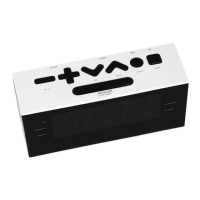
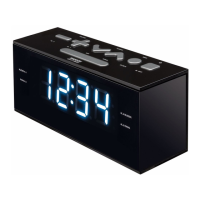
- EN 5 -
1.
Setting the clock
• In standby mode, press & hold Clock Set [6] for 2 seconds. The display will flash and show 0:00.
• Press Tune - [7] & Tune + [8] to set the hour and minute.
• Press Clock Set [6] again to confirm the time
• The clock will display in 24-hour format.
2. Dimmer control (LED Display)
• Press Dimmer [5] to control the brightness of the digits on the display.
• There are 3 levels: High level (brightness) Mid level (Dim light) Low level (dark OFF)
3. Setting the alarm
• In standby mode, press & hold Alarm 1 [2] for 2 seconds and the main digit will show 0:00.
• Press Hour [7] & Min [8] to set the alarm hour & minute.
• Press Alarm 1 [2] again to confirm Alarm 1.
• Press [7 or 8] to switch between the alarm output bell “bb” (beep sound) and radio “F”.
• Press Alarm 1 [2] to confirm the alarm output.
• There is dual alarm. Repeat the steps above to set Alarm 2 [3] & select the alarm output.
Turning off the alarm
• To turn off the beep sound, press Alarm 1 [2] or Alarm 2 [3].
• To turn off the radio output, press [1] to go back to standby mode.
• The Alarm clock will resume the function at the same time the next day.
Cancelling / Disabling the alarm function:
• In standby mode, Press Alarm [2] or [3] for 2 times. The alarm function has been cancelled.
If no key is pressed for 10 seconds, the system will go back to normal mode.
4. Using the snooze function
When the alarm is ringing or radio output is on, press [5] “SNOOZE”. The Snooze display light will
flash. The alarm will stop, but ring again or the radio will come on every 9 minutes. Press [2 or 3] to
turn off the alarm and the Snooze indicator light will be also off.
5. NAP timer
• In standby mode, press [4] to activate the NAP timer. The bell will ring after the selected time.
• It will start to count down from the default 120 minutes. There are different options for the user: 120,
90, 60, 30, 15, 10, 05 & OFF. To turn off the NAP timer, select OFF.
6. Listen to FM radio
• Press [1] to turn on the radio mode. The FM light is on & the display shows the current frequency
e.g. FM92.6 MHz.
• In radio mode, press Tune - / + [7, 8] to adjust the signal and hold for 3 seconds to search for the
next station.
6.1. Storing a station to memory – as a preset station
• In radio mode, Press & hold Tune -/ + [7, 8] to search for the channel.
•
Press [6] to start the memory
. The display will flash the station number. (e.g. P01, P02, etc. to P20).
•
Press Tune -/+ [7, 8] to select the desired station number, e.g. P01, P02, etc. to P20
•
Finally, press Memory [6] to confirm and save the station numbe .


 To Next Page
 Loading...