EasyManua.ls Logo

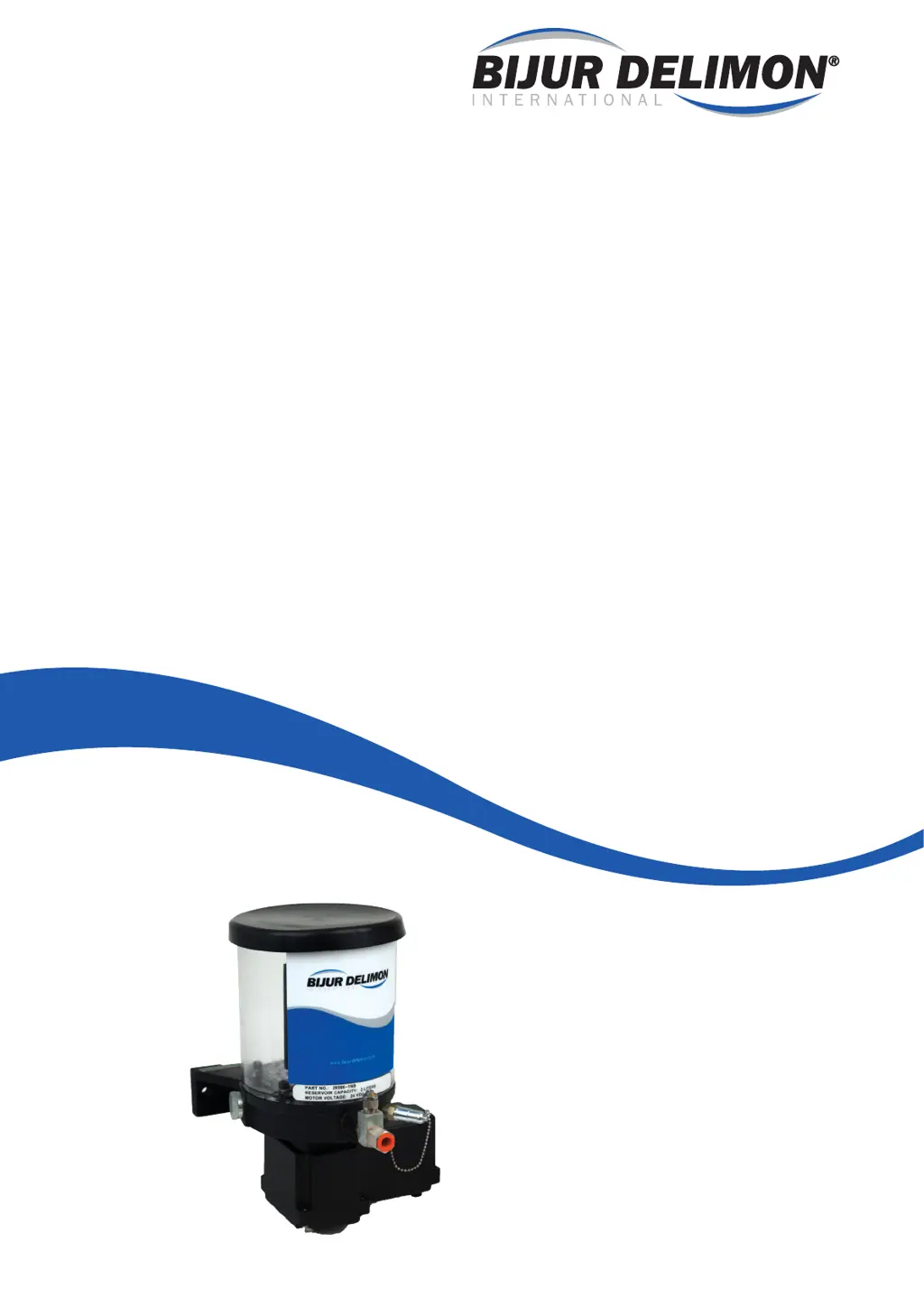
Bijur Delimon MULTIPORT I - User Manual

Bijur Delimon MULTIPORT I
40 pages
Print Icon
To Next Page IconTo Next Page
Loading...
Operators Manual
MULTIPORT I
36818 r#1

Table of Contents

Questions and Answers

  • P
    parkerjessicaAug 7, 2025
    What to do if my Bijur Delimon MULTIPORT I does not run?
    • M
      Michelle PriceAug 7, 2025
      If your Bijur Delimon Water Pump isn't running, several factors could be at play. First, check that the voltage is correct and that the voltage supply hasn't been interrupted. If the voltage is fine, a lubrication point might be blocked or an air pocket could be present. To resolve this, try loosening pipe connections at the pump elements one by one to find any blockages. If a blocked bundle is loosened, the pump should start running again. Then, find the specific lubrication points that are blocked by loosening the connection lines. This issue could stem from dirt accumulation, blocked lubrication points, or squeezed lines. To release an air pocket, loosen the pipe connections at the pump elements and let the pump run until the lubricant flows without interruption.
  • R
    Rebecca HolmesAug 16, 2025
    Why is my Bijur Delimon MULTIPORT I Water Pump not delivering elements?
    • G
      gillreneeAug 16, 2025
      If your Bijur Delimon Water Pump isn't delivering elements, it could be due to a couple of reasons. The most common is that the reservoir is empty. Make sure to fill it with lubricant and run the pump to charge the lubricant. Another potential issue is the electric connection of the geared motor may have been polarized incorrectly. Double-check the pin connections to ensure they are properly aligned.
  • L
    Lance WoodAug 27, 2025
    What to do if Bijur Delimon Water Pump element does not deliver lubricant?
    • R
      Ryan WagnerAug 27, 2025
      If a pump element in your Bijur Delimon Water Pump isn't delivering lubricant, the pump element could be inoperative. To identify the problematic element, loosen the pipe connections at the pump to see which element isn't delivering lubricant after the pump is switched on. Another possible cause is dirt accumulation within the piston element. Try removing and cleaning the pump element. If this doesn't improve performance, the pump element will need to be replaced.

Summary

1. Introduction and General Information

1.1 Target groups

Intended audience for the manual.

1.2 Required knowledge and qualifications

Skills needed for operating personnel.

1.3 The manufacturers contact details

Contact information for Bijur Delimon.

1.4 Copyright and Disclaimer

Copyright notice and warranty terms.

1.5 Abbreviations

Lists common abbreviations and symbols used in the manual.

2. Safety

2.1 Introduction

Overview of safety instructions in the manual.

2.2 Warnings, signs and symbols

Explanation of warning levels, consequences, and symbols.

2.3 General Safety Instructions

General safety guidelines for manual usage.

2.4 Basic behavior when using the pump

Guidelines for safe pump operation.

2.6 Safety instructions for operating company

Responsibilities of the company operating the pump.

2.7 Particular hazards when handling pump

Specific risks associated with handling the pump.

2.8 Notes and pictograms on the Multiport I pump

Key labels and symbols on the pump.

2.9 Type Plate

Information about the pump's identification plate.

2.10 General safety instructions for handling lubricants

Safety guidelines for lubricant handling.

2.10.1 Selecting lubricants

Guidance on choosing compatible lubricants.

2.10.2 Lubricant ageing

Information on lubricant degradation over time.

2.11 Foreseeable misuse

Examples of improper usage of the pump.

2.12 Product modifications

Rules regarding altering the lubricator assembly.

2.13 The operating companys obligations

Responsibilities of the entity operating the pump.

2.14 Dangers if the safety instructions are not observed

Consequences of ignoring safety guidelines.

2.15 Residual risks

Identification and mitigation of remaining risks.

3. Product Description

3.1 Introduction

Overview of the Multiport I Lubricator.

3.2 Intended use

Specifies the correct and authorized applications.

3.3 Revision Level

Information on document and product revision status.

3.4 Technical Data

Detailed specifications for the Multiport I Lubricator.

3.5 Dimensions

Provides physical dimensions and variations.

3.6 Pump Variation

Lists different configurations and models.

3.7 Technical Details

3.7.1 Mulitport I lubricator

General technical overview of the lubricator.

3.7.2 Pump Outlet Elements

Details on the pump's outlet components.

3.7.2.1 General

General information about outlet elements.

3.7.2.2 Elements Operation

How the pump outlet elements operate.

3.7.3 Low Level Switches

Description of low-level switch functionality.

3.8 Coding & Ordering

4. Transport, Handling & Storage

4.1 Proof of Delivery

Procedures for verifying delivered goods.

4.2 Aids for Transport & Handling

Recommended equipment and PPE for handling.

4.3 Storage Conditions

Guidelines for proper storage of the pump.

5. Assembly, Installation & Commissioning

5.1 Suitable Installation Locations

Criteria for selecting appropriate installation sites.

5.2 Minimum Installation Dimensions

Required clearance and space for installation.

5.3 Fixation Options

Methods and hardware for mounting the pump.

5.4 Assembling lubrication lines and system components

Instructions for connecting lines and system parts.

5.5 Electrical Connection

Wiring diagrams and safety for electrical hookup.

5.6 Filling the pump tank and lubrication lines

Procedures for filling the reservoir and lines.

5.7 Hydraulic Schematic

Diagrams illustrating hydraulic circuits for grease and oil versions.

5.8 Examples of Systems

Illustrative examples of system configurations.

6. Operation

6.1 Operational Safety

Safety precautions during operation.

6.2 Operation Start Up Instructions

Step-by-step guide for initial pump startup.

7. Inspection, Testing and Maintenance

7.1 Testing the Multiport I Pressure

Procedures to verify pressure buildup.

7.2 Testing the Multiport I Relief Pressure

Procedures to test the relief valve function.

8. Cleaning

9. Troubleshooting

10. Disassembly, Decommission & Disposal

11. Documents & Drawings

12. Appendices

12.1 Conformity Declaration

Official declaration of product compliance with directives.

12.2 Spare Parts Multiport I Overview

Lists and diagrams of spare parts for grease versions.

Bijur Delimon MULTIPORT I Specifications

General IconGeneral
BrandBijur Delimon
ModelMULTIPORT I
CategoryWater Pump
LanguageEnglish

Related product manuals