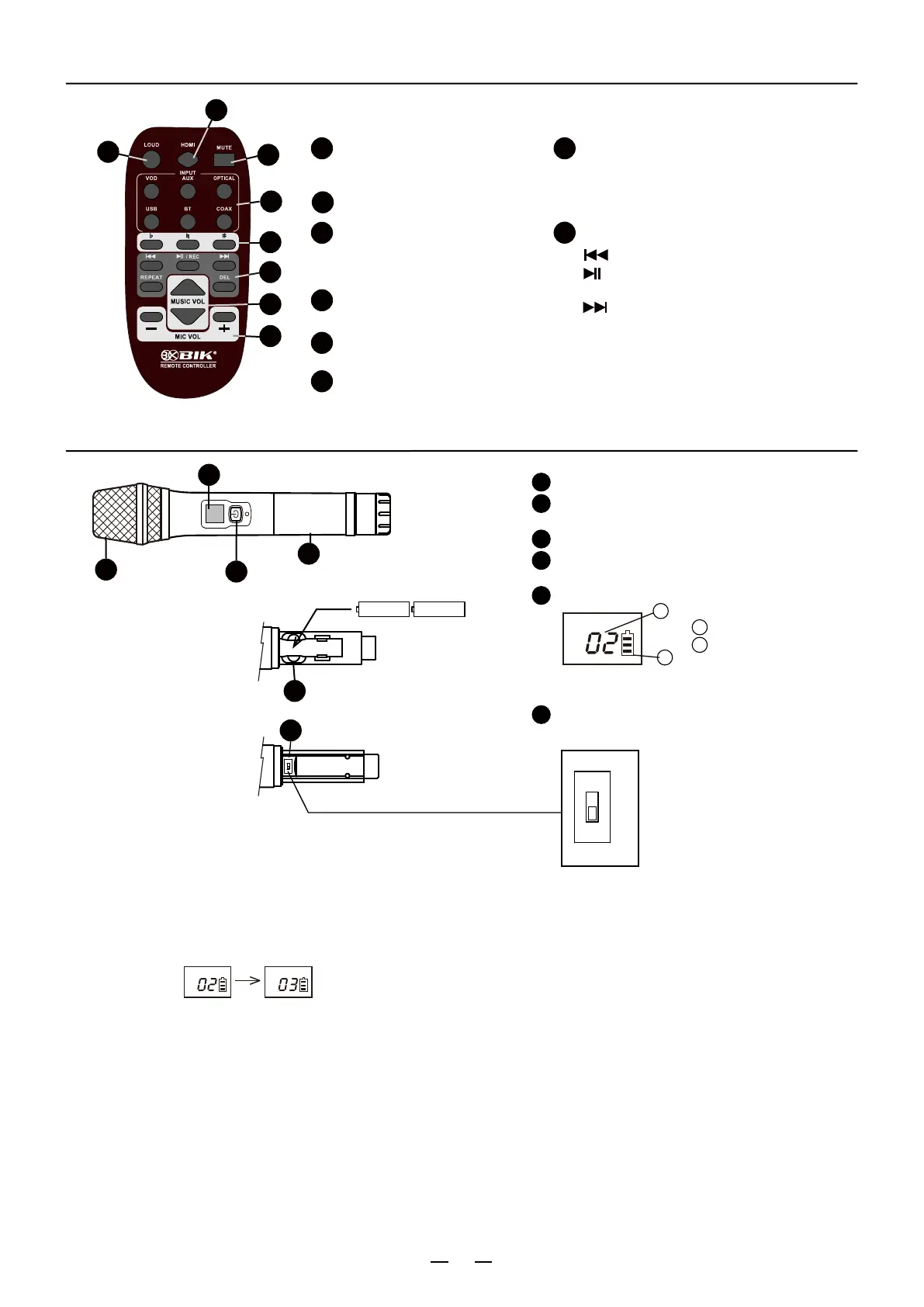
REMOTE CONTROLLER
4
HDMI Input Button
HDMI 1, HDMI 2.
1
LOUD (Loudness)
8
Play back and Recording button
: Reverse.
: To play back / Recording
(Push
the button for more than 2 Second)
: Fast forwarding.
2
Mute Button
3
Input Button
6
Mic Volume
To adjust Microphone Volume.
7
To adjust Music Interval tone Level.
♭: To slow interval tone.
# : To fast interval tone.
♮: Back to original.
Key Control Button
When pushing button,
It will be
a more dynamic sound.
You can select the Input Signals.
VOD, AUX, Optical, Coaxial,
USB, BT.
Repeat
DEL: delete
WIRELESS MICROPHONE
5
1
2
6
4
3
5
Music Volume
To adjust Music Volume.
2
Channel indication
Battery level indication
Front
Rear
Battery(UM-3) X2
Display
1
2
3
4
5
6
“HI”, “LO” Setting switch.
Adjustment of RF output power.
B
A
Grip
CHANNEL
B
A
Microphone head case
Switch / Channel setting
Battery case for UM-3 x 2
●How to set Channel (Frequency)
1. Put a microphone to near the front panel of amplifier.
2.
Set a channel with pushing microphone switch button
.
3. Channel is set automatically.
LO: Use to near distance.
HI: Use to far distance.
4
3
7
8
5
6
1
MIC A: 00 - 18 CH
MIC B: 21 - 39 CH
CHANNEL CHANNEL
4
/ REC


 To Next Page