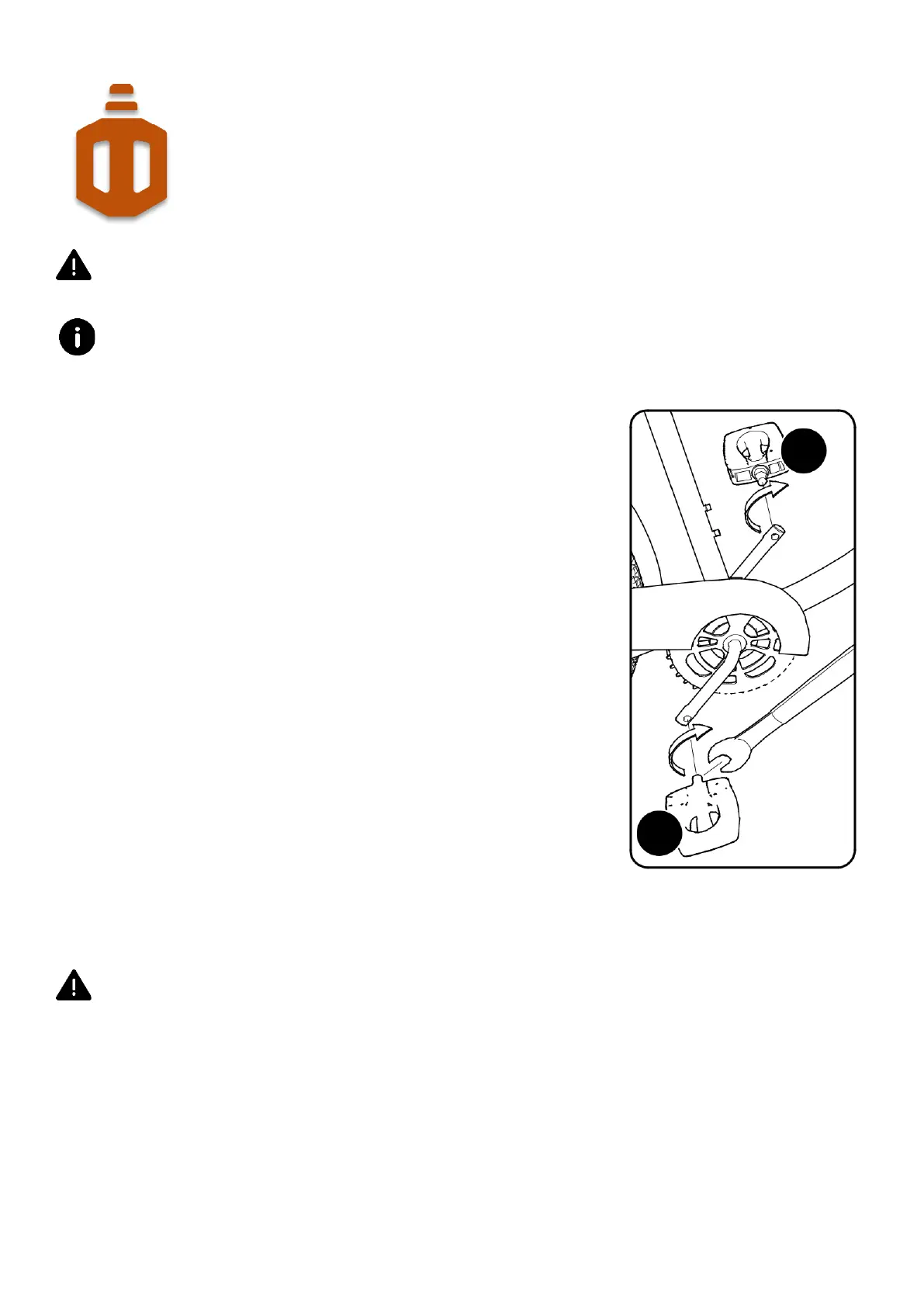
There is a RIGHT pedal marked R and a LEFT pedal marked L.
Use a 15mm pedal wrench to tighten the pedals. A thin open-end wrench can also be used.
1. Apply a small amount of grease to both the pedal threads before
installation.
2. The pedal marked R has right-hand threads.
3. Screw-in the right pedal into the right crank arm in a clockwise
manner, by hand at first.
4. Use the 15mm pedal wrench and tighten the pedal all the way in.
5. The pedal marked L has left-hand threads.
6. Screw-in the left pedal into the left crank arm in a
counterclockwise direction (anti-clockwise) manner, by hand at
first.
7. Use the 15mm pedal wrench and tighten the pedal all the way in.
8. Make sure the threads of each pedal are fully into the crank arm.
Ensure pedals are secure in crank arms so they will not loosen. Periodically check tight-ness.


 To Next Page
 Loading...