5
User guide
Billi Alpine.
Options and Operation
Alpine 060 & 120 Models
—
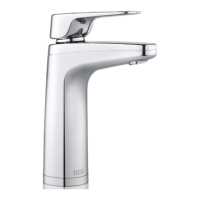
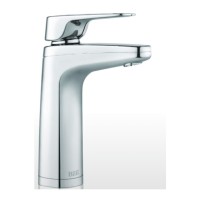
Slimline Dispenser
To dispense chilled filtered water either
gently push the lever back or pull it forwards.
The lever will automatically return to the
o position. The spout can be swiveled
to suit your installation.
Alpine 125 Models
When lifted the levers will latch for continual
delivery, released with a light press.
—To enter the options mode:
1. Turn on the unit and wait for normal
operation (icons are both illuminated
constantly).
2. Push both the hot and cold levers
down & then while holding the two
levers down press the safety switch
at rear of tap. Hold both levers and
safety switch for 3 seconds.
3. Icons will flash yellow.
4. Release both the levers & safety switch.
5. Unit is now in options mode.
6. If you wish to change or set the safety
switch mode, follow the safety switch
settings procedure below. If you wish
to change or activate the power saving
mode follow the power save mode
settings procedure below.
— Power save mode settings
(EcoIntelligence, standby or on 24/7)
The Green icons on the tap indicate the
power save level that is selected. To change or
activate a setting press and release the cold
lever to scroll through the following options;
– Blue Icon Blinking: indicates Standby Mode
is enabled.
– Blue Icon On: indicates system is in 24 hour
continuous mode.
To save new setting and exit Options Mode,
press the safety switch and release. Wait 10
seconds for unit to return to normal operation.


 To Next Page