Modes
Heat/cold/dry/fan: each pressure of the “Mode” button selects the modes and the
LED of the selected function illuminates. During the switch between modes, the fan
keeps operating but the compressor stops and will restart after about 3 minutes.
This delayed start protects the compressor from potential damage. The extending
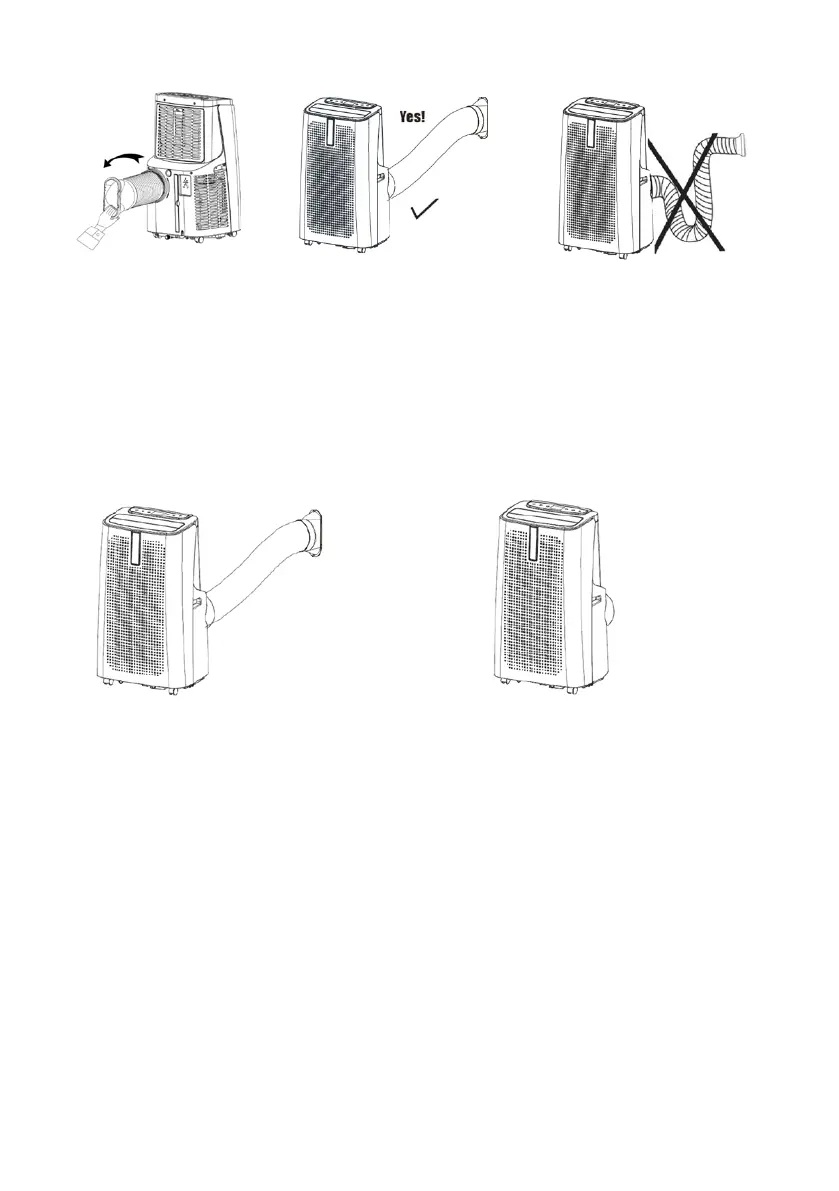
pipe must always be connected to the appliance, except when it is used in dry
mode; in this case, the appliance should be allowed to discharge straight into the
room, for the maximum efficiency.
- Cool
The "Cool" light on the control panel comes on; select:
- the temperature: 16°C-31°C
- the fan speed (low/med/hi)
- Timer and Sleep function
If the On/Off button is pressed, the unit remains in stand-by and the appliance saves the
temperature and speed; when it is switched back on, it will maintain the settings made
earlier.
- Heat
The "Heat" light on the control panel comes on; select:
- the temperature: 16°C-31°C
- the fan speed (low/med/hi)
- Timer and Sleep function
If the On/Off button is pressed, the unit remains in stand-by and the appliance saves the


 To Next Page