925-0270 Rev G 23
keys to select a digit by repositioning the cursor and the / keys to adjust the selected digit.
Once all four digits have been entered, press the key.
After the interval time has been set, a menu appears for assigning SmartBobs to the automatic
measurement process. At least one must be assigned and up to all SmartBob sensors
configured may be assigned. Use the , and keys to select and accept one or more
SmartBob address’ from the list to the interval timer. After all desired SmartBob sensors are
assigned, press the key to exit.
CAUTION: Setting the interval timer value to 00:00 (continuous) may decrease the life cycle of
the SmartBob sensors assigned to the interval timer.
Measurement Format
This is a menu for selecting the measurement format displayed under the Measure/View menu.
When weight calculations are disabled, only Percent and Height are available. When weight
calculations are enabled, the operator can select between the following:
• Percent
• Height
• Cubic Units
• U.S. Gallons
• U.S. Bushel
• Liters
• Pounds
• Tons
• Kilograms
• Metric Tons
Height and Cubic Units will be dependent on the setting in Units of Measure, with units in either
feet (ft) or meters (m).
Note that this setting effects what is displayed in Measure/View and Measure/View Details.
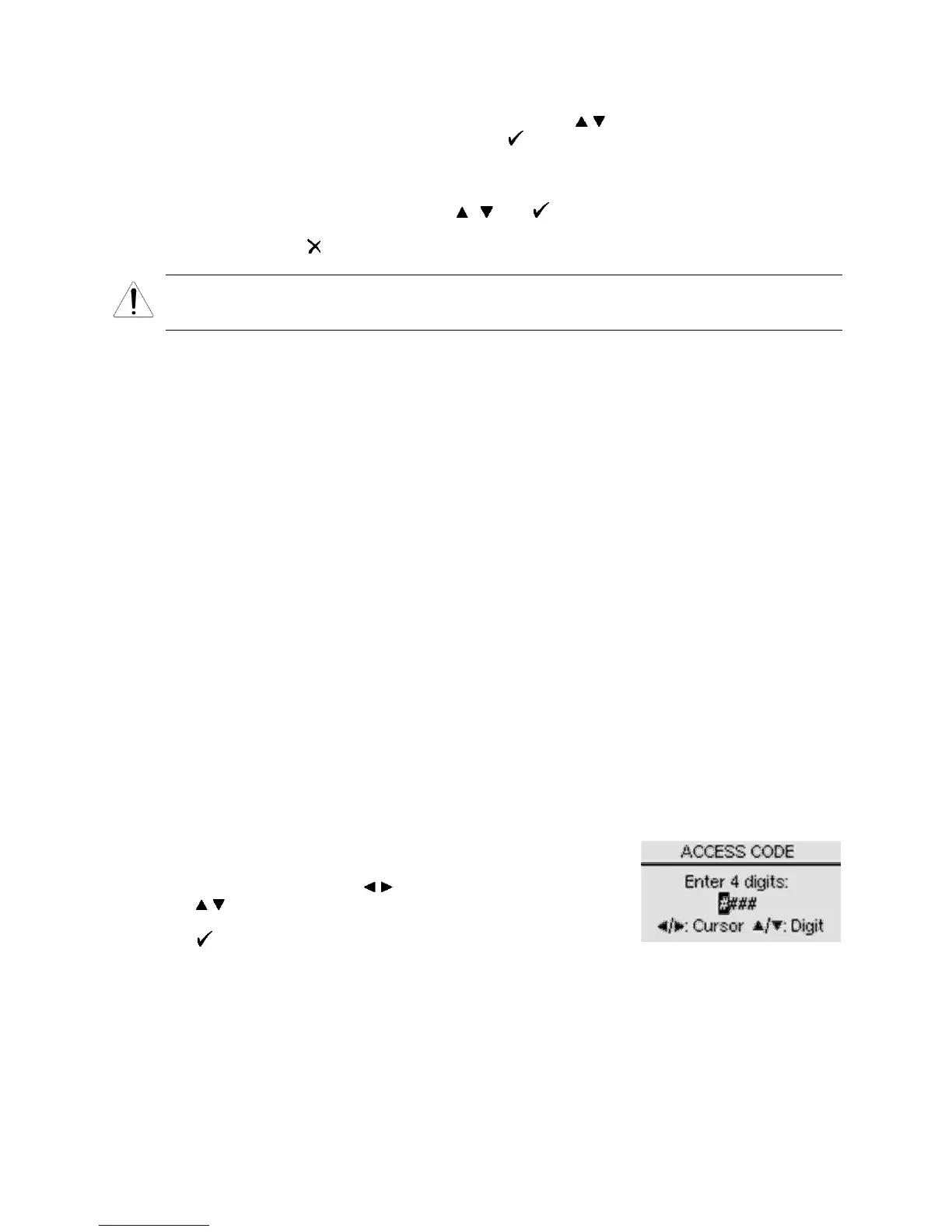
Access Code
This menu allows the operator to enable and set a 4-digit code for access to the Setup menu.
The selections are On/Set and Off. The default setting is Off.
After selection of On/Set, a setup screen appears for entering a 4-
digit number. Enter any 4-digit number between 0000 and 9999,
one digit at a time. Use the / keys to re-position the cursor and
the / keys to adjust the selected digit. After all four digits have
been entered, write the number down in a safe place and press
the key. Next time the Setup menu is accessed, this same
screen is presented for entering the access code. Entry to the Setup menu is not permitted until
the correct 4-digit code is entered. With an access code set, if the console is left unattended in
the Setup menu it will automatically exit to the Main menu after 20 seconds of no keypad activity.


 To Next Page