EasyManua.ls Logo

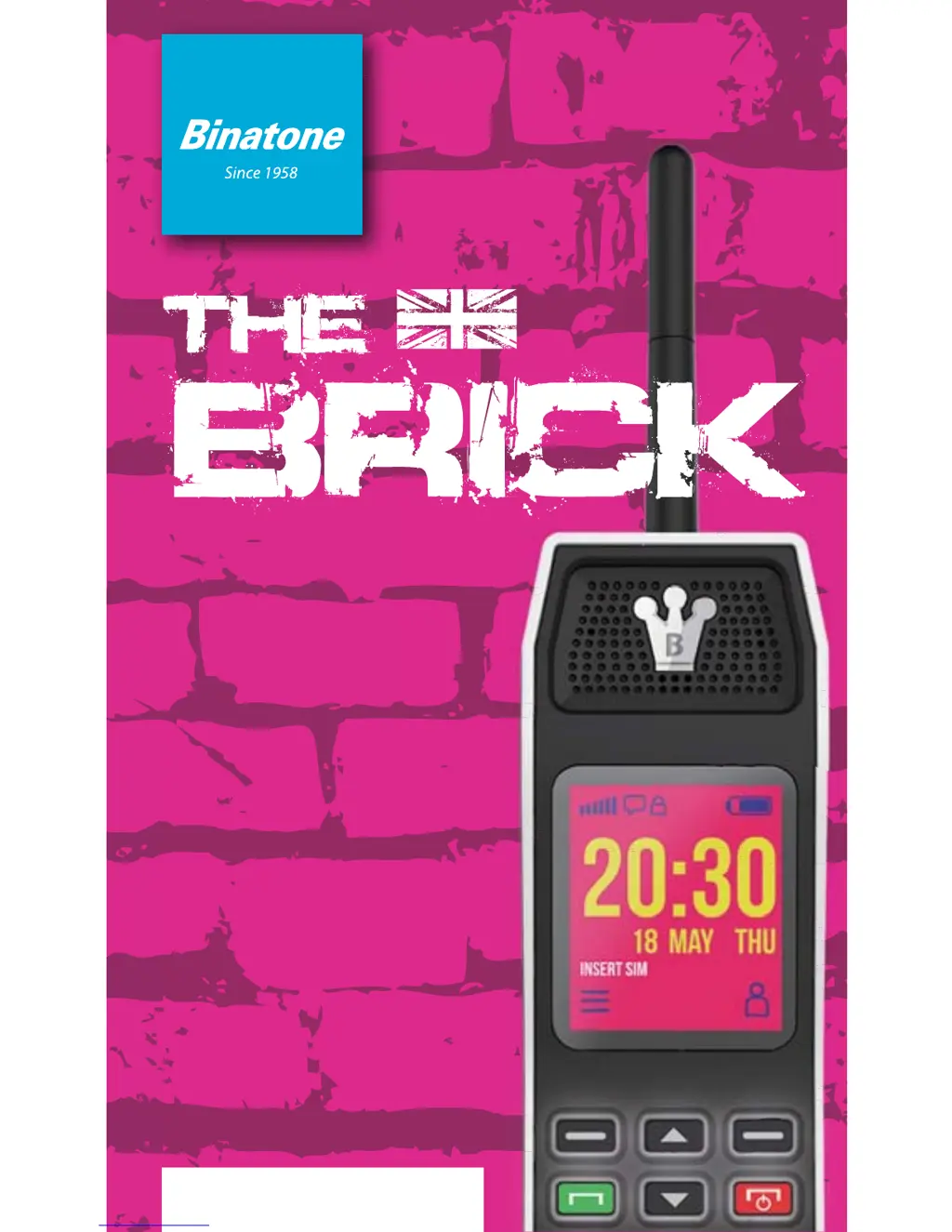
Binatone The brick - User Manual

Binatone The brick
45 pages
Print Icon
To Next Page IconTo Next Page
Loading...
USER
GUIDE
US version

Questions and Answers

Summary

BOX CONTENT

SAFETY AND PRECAUTION

Charging your battery

Explains how to charge the device's rechargeable battery, including optimal performance and replacement.

Further safety information

Provides additional safety guidelines regarding small parts and keeping them away from children.

Operating environment

Details guidelines for using the phone in different environments and compliance with radiation guidelines.

Medical units

Addresses potential interference of mobile phones with medical equipment like pacemakers and hearing aids.

Pacemaker

Recommends a safe distance between mobile phones and pacemakers to avoid interference.

Hearing aids

Discusses potential interference digital wireless units can cause to hearing aids.

Vehicles

Explains how radio signals can affect vehicle electronic systems and safety precautions around airbags.

Areas with explosion risk

Instructs users to turn off the phone in areas with an explosion risk and at filling stations.

Emergency calls

Emphasizes that mobile phones should not be relied upon solely for critical emergency calls due to network dependency.

INSTALLATION AND SETUP

Insert the SIM card, Micro SD Card and Battery

Provides step-by-step instructions for inserting the SIM card, Micro SD card, and battery into the phone.

Charge the battery

Details how to charge the battery using the supplied charger or a computer USB port.

Switching on and off

Explains the procedure for turning the phone on and off, with a warning about prohibited use.

GETTING TO KNOW YOUR PHONE

Keys and parts

Identifies and labels the external keys and parts of the phone, including antenna and speaker.

Display icons and symbols

Shows the standby screen and explains the meaning of various icons and symbols displayed.

MENU OPERATION

Use as Bluetooth handset

MAKING AND ANSWERING CALLS

To make a call

Details the steps for making a phone call, including dialing numbers and selecting call types.

Last number redial

Explains how to redial the last called number and select call types from the call list.

To answer a call

Describes how to answer an incoming call using the Talk key.

To switch to speakerphone

Instructs on how to activate or deactivate the speakerphone during a call.

To mute the microphone

Explains how to mute or unmute the microphone during a call using menu options.

USING THE PHONEBOOK

To access the phonebook

Guides users on how to access the phonebook to view stored contacts.

Add a new phonebook entry

Provides instructions for adding new contacts to the phonebook, including name and number.

To call a phonebook number

Explains how to make a call directly from a contact in the phonebook.

To edit a phonebook entry

Details the process for editing existing contact information in the phonebook.

To delete a phonebook entry

Describes how to remove contacts from the phonebook.

To copy an entry to the phone or SIM card

Explains how to copy contacts between the phone's memory and the SIM card.

BT Phonebook

Details how to access and use the phonebook via Bluetooth connection.

CALL CENTER

CALL SETTINGS

Outlines various call settings such as call waiting, diverts, barring, and auto-redial.

To view the call log entries

Guides on how to view call history, including missed, dialled, and received calls.

SMS TEXT MESSAGE

To access the SMS menu

Explains how to navigate to the SMS menu to manage text messages.

To write and send a text message

Provides instructions for composing and sending SMS messages, including character input and recipient selection.

To read your messages

Details how to open and read received SMS messages, with options for reply, forward, and delete.

To review the Sent messages

Explains how to access and view messages that have been sent.

To delete message

Guides on how to delete messages from various folders within the SMS menu.

To modify SMS settings

Describes how to adjust SMS settings like SMSC address and delivery reports.

BT Message

Explains how to send and receive messages via Bluetooth.

SETTINGS

PROFILES

Introduces profiles for customizing phone sounds and settings based on situations.

To Activate a Profile

Details the steps to activate a pre-set or customized profile on the phone.

To Customize a Profile

Guides on how to modify and save custom settings for different phone profiles.

Phone settings

Lists various phone settings that can be adjusted, such as time, date, language, and display.

Security settings

Covers SIM security and phone lock settings, including PIN and password management.

Bluetooth

Explains how to manage Bluetooth power, visibility, name, and advanced settings.

Restore factory settings

Details the process for resetting the phone to its original factory default settings.

ORGANIZER

Calculator

Explains how to use the phone's built-in calculator for basic arithmetic operations.

Torch

Details how to turn the phone's LED torch on and off.

Calendar

Describes how to open and navigate the calendar to view dates and schedule events.

Alarm

Explains how to set and manage alarms, including stopping or snoozing them.

FUNS

File manager

Guides on how to access and manage files stored on the memory card, including audio and image formats.

Multimedia

Explains how to use multimedia features, including viewing images and their details.

FM RADIO

Details how to operate the FM radio, including tuning, volume control, and channel management.

Games

Introduces the games available on the phone, starting with Snake.

Audio Player

BT dialer

BT dialer

Details how to search for, pair with, and connect Bluetooth devices for calling.

Troubleshooting

Call failed appears

Provides solutions for call failure issues, such as checking the dialled number and area code.

SIM card fitted - only makes emergency call

Addresses issues where the SIM card only allows emergency calls, suggesting checking SIM card contact.

The phone display is blank (screen off)

Offers troubleshooting steps for a blank phone screen, primarily related to powering the device on.

Calling outside your own country

Explains how to make calls when abroad and contact the network provider for roaming charges.

Can an emergency call be made without a signal or credit?

Clarifies that emergency calls can only be made with limited signal or credit to specific numbers like 112 or 999.

How can reception be improved?

Suggests methods to improve mobile reception, like changing location or avoiding signal-blocking areas.

What is the SMS service centre number?

Provides information on SMS service centre numbers and charges associated with sending SMS.

Did I successfully send my SMS?

Guides users on how to verify if an SMS was successfully sent by checking the Sent box or contacting the operator.

Warranty and Service

Servicing Under Warranty

Outlines the process for returning the phone for servicing or repair while it is still under warranty.

Servicing After Warranty Has Expired

Explains the procedure for requesting repairs and obtaining quotations for servicing after the warranty period.

Technical Data

Warning

Specific Absorption Rate (SAR) information

Provides information on Specific Absorption Rate (SAR) and FCC RF exposure guidelines for body-worn operation.

ICES-003

IC RSS warning

States compliance with Industry Canada licence-exempt RSS standards and operational conditions.

FCC Hearing Aid Compatibility (HAC) Regulations for Wireless Devices

M-Ratings

Explains M-ratings for wireless devices regarding hearing aid compatibility and interference generation.

T-Ratings

Explains T-ratings for wireless devices concerning hearing aid compatibility and inductive coupling.

HAC for Newer Technologies

Mentions that the phone has been tested and rated for hearing aid compatibility with some wireless technologies.

Summary

BOX CONTENT

SAFETY AND PRECAUTION

Charging your battery

Explains how to charge the device's rechargeable battery, including optimal performance and replacement.

Further safety information

Provides additional safety guidelines regarding small parts and keeping them away from children.

Operating environment

Details guidelines for using the phone in different environments and compliance with radiation guidelines.

Medical units

Addresses potential interference of mobile phones with medical equipment like pacemakers and hearing aids.

Pacemaker

Recommends a safe distance between mobile phones and pacemakers to avoid interference.

Hearing aids

Discusses potential interference digital wireless units can cause to hearing aids.

Vehicles

Explains how radio signals can affect vehicle electronic systems and safety precautions around airbags.

Areas with explosion risk

Instructs users to turn off the phone in areas with an explosion risk and at filling stations.

Emergency calls

Emphasizes that mobile phones should not be relied upon solely for critical emergency calls due to network dependency.

INSTALLATION AND SETUP

Insert the SIM card, Micro SD Card and Battery

Provides step-by-step instructions for inserting the SIM card, Micro SD card, and battery into the phone.

Charge the battery

Details how to charge the battery using the supplied charger or a computer USB port.

Switching on and off

Explains the procedure for turning the phone on and off, with a warning about prohibited use.

GETTING TO KNOW YOUR PHONE

Keys and parts

Identifies and labels the external keys and parts of the phone, including antenna and speaker.

Display icons and symbols

Shows the standby screen and explains the meaning of various icons and symbols displayed.

MENU OPERATION

Use as Bluetooth handset

MAKING AND ANSWERING CALLS

To make a call

Details the steps for making a phone call, including dialing numbers and selecting call types.

Last number redial

Explains how to redial the last called number and select call types from the call list.

To answer a call

Describes how to answer an incoming call using the Talk key.

To switch to speakerphone

Instructs on how to activate or deactivate the speakerphone during a call.

To mute the microphone

Explains how to mute or unmute the microphone during a call using menu options.

USING THE PHONEBOOK

To access the phonebook

Guides users on how to access the phonebook to view stored contacts.

Add a new phonebook entry

Provides instructions for adding new contacts to the phonebook, including name and number.

To call a phonebook number

Explains how to make a call directly from a contact in the phonebook.

To edit a phonebook entry

Details the process for editing existing contact information in the phonebook.

To delete a phonebook entry

Describes how to remove contacts from the phonebook.

To copy an entry to the phone or SIM card

Explains how to copy contacts between the phone's memory and the SIM card.

BT Phonebook

Details how to access and use the phonebook via Bluetooth connection.

CALL CENTER

CALL SETTINGS

Outlines various call settings such as call waiting, diverts, barring, and auto-redial.

To view the call log entries

Guides on how to view call history, including missed, dialled, and received calls.

SMS TEXT MESSAGE

To access the SMS menu

Explains how to navigate to the SMS menu to manage text messages.

To write and send a text message

Provides instructions for composing and sending SMS messages, including character input and recipient selection.

To read your messages

Details how to open and read received SMS messages, with options for reply, forward, and delete.

To review the Sent messages

Explains how to access and view messages that have been sent.

To delete message

Guides on how to delete messages from various folders within the SMS menu.

To modify SMS settings

Describes how to adjust SMS settings like SMSC address and delivery reports.

BT Message

Explains how to send and receive messages via Bluetooth.

SETTINGS

PROFILES

Introduces profiles for customizing phone sounds and settings based on situations.

To Activate a Profile

Details the steps to activate a pre-set or customized profile on the phone.

To Customize a Profile

Guides on how to modify and save custom settings for different phone profiles.

Phone settings

Lists various phone settings that can be adjusted, such as time, date, language, and display.

Security settings

Covers SIM security and phone lock settings, including PIN and password management.

Bluetooth

Explains how to manage Bluetooth power, visibility, name, and advanced settings.

Restore factory settings

Details the process for resetting the phone to its original factory default settings.

ORGANIZER

Calculator

Explains how to use the phone's built-in calculator for basic arithmetic operations.

Torch

Details how to turn the phone's LED torch on and off.

Calendar

Describes how to open and navigate the calendar to view dates and schedule events.

Alarm

Explains how to set and manage alarms, including stopping or snoozing them.

FUNS

File manager

Guides on how to access and manage files stored on the memory card, including audio and image formats.

Multimedia

Explains how to use multimedia features, including viewing images and their details.

FM RADIO

Details how to operate the FM radio, including tuning, volume control, and channel management.

Games

Introduces the games available on the phone, starting with Snake.

Audio Player

BT dialer

BT dialer

Details how to search for, pair with, and connect Bluetooth devices for calling.

Troubleshooting

Call failed appears

Provides solutions for call failure issues, such as checking the dialled number and area code.

SIM card fitted - only makes emergency call

Addresses issues where the SIM card only allows emergency calls, suggesting checking SIM card contact.

The phone display is blank (screen off)

Offers troubleshooting steps for a blank phone screen, primarily related to powering the device on.

Calling outside your own country

Explains how to make calls when abroad and contact the network provider for roaming charges.

Can an emergency call be made without a signal or credit?

Clarifies that emergency calls can only be made with limited signal or credit to specific numbers like 112 or 999.

How can reception be improved?

Suggests methods to improve mobile reception, like changing location or avoiding signal-blocking areas.

What is the SMS service centre number?

Provides information on SMS service centre numbers and charges associated with sending SMS.

Did I successfully send my SMS?

Guides users on how to verify if an SMS was successfully sent by checking the Sent box or contacting the operator.

Warranty and Service

Servicing Under Warranty

Outlines the process for returning the phone for servicing or repair while it is still under warranty.

Servicing After Warranty Has Expired

Explains the procedure for requesting repairs and obtaining quotations for servicing after the warranty period.

Technical Data

Warning

Specific Absorption Rate (SAR) information

Provides information on Specific Absorption Rate (SAR) and FCC RF exposure guidelines for body-worn operation.

ICES-003

IC RSS warning

States compliance with Industry Canada licence-exempt RSS standards and operational conditions.

FCC Hearing Aid Compatibility (HAC) Regulations for Wireless Devices

M-Ratings

Explains M-ratings for wireless devices regarding hearing aid compatibility and interference generation.

T-Ratings

Explains T-ratings for wireless devices concerning hearing aid compatibility and inductive coupling.

HAC for Newer Technologies

Mentions that the phone has been tested and rated for hearing aid compatibility with some wireless technologies.

Binatone The brick Specifications

General IconGeneral
BrandBinatone
ModelThe Brick
TypeCordless Telephone
Talk TimeUp to 10 hours
Standby TimeUp to 100 hours
Caller IDYes
Answering MachineNo
Call WaitingYes
Conference CallNo
FrequencyDECT
IntercomYes
Power SourceRechargeable Batteries

Related product manuals