EasyManua.ls Logo

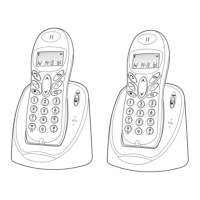
Binatone Concept Combo 3525 Twin - User Manual

Binatone Concept Combo 3525 Twin
68 pages
Print Icon
To Next Page IconTo Next Page
Loading...
Before operating this set,
please read these instructions carefully.
THE CORDLESS HANDSET IS NOT DESIGNED FOR
MAKING EMERGENCY TELEPHONE CALLS WHEN THE
POWER FAILS, BUT IF THERE IS A POWER FAILURE,
YOU CAN STILL USE THE BASE AND THE CORDED
HANDSET TO MAKE AN EMERGENCY CALL.
USER GUIDE
Monday to Friday from 9:00am to 5:00pm
Tel: 0845 345 9677
**Please note that all calls are charged at local rate
Or visit our website: www.binatonetelecom.com
Concept Combo 3525 Twin
Concept Combo 3525 Triple
Binatone Helpline (for UK only)

Table of Contents

Questions and Answers

Summary

Binatone Product Introduction

Helpline and Support Information

Contact details for the Binatone helpline and website for support.

Emergency Call Safety Warning

Important note about the cordless handset's limitation for emergency calls during power failure.

Technical Specifications and Care

Product Technical Details

Details on standard, frequency, operating range, time, and electrical power.

Cleaning and Care Instructions

Guidelines for cleaning and maintaining the phone system.

Safety and Installation

Important Safety Instructions

Essential safety precautions when using the telephone equipment.

Phone Installation Guide

Steps for installing the corded base station and cordless handset.

Core Phone Operations

Making and Answering Calls

Instructions for initiating, receiving, and ending phone calls.

Redial and Call List Operations

Managing redial lists and accessing call history.

Phonebook and Handset Features

Handset Operations: Volume, Mute, Ringer

Adjusting volume, muting calls, and managing handset ringer settings.

Phonebook Management: Adding Entries

Steps to add new contact entries to the phonebook.

Phonebook and Caller Display

Editing and Deleting Phonebook Entries

Procedures for modifying or removing contacts from the phonebook.

Caller Display Feature Overview

Explanation of the caller display service and its functionality.

Phone Settings and Customization

Call List Management

Viewing, storing, and deleting entries in the call list.

Date and Time Configuration

Setting and formatting the date and time on the phone.

Advanced Phone Settings

Alarm and Ringer Settings

Configuring alarm times and ringer melodies/volumes.

Handset and Base Settings

Customizing handset display and base operational settings.

System Management and Registration

Base Settings and PIN Management

Managing base station settings, dial mode, and system PIN.

Handset Registration Procedures

Steps for registering new or faulty cordless handsets to the base.

Answering Machine (TAM): Basics

Registering Additional Handsets

Process to register more cordless handsets to the base unit.

TAM On;Off and Message Playback

Turning the answering machine on/off and listening to messages.

Answering Machine Settings

Answering Machine Mode and OGM Setup

Configuring answer mode (ANS & REC/ONLY) and outgoing messages.

Message Playback and Deletion

Functions for playing, deleting, and navigating TAM messages.

Answering Machine Features

Recording Memos and Outgoing Messages

Instructions for recording personal memos and OGM.

Answering Machine Settings: Delay and Time

Setting answer delay and maximum recording time for messages.

Answering Machine Remote Access

Switching Between OGMs

Selecting between different outgoing message options.

Answering Machine Call Screening

Listening to callers leaving messages before answering.

Answering Machine Settings and Remote Access

Recording Time and Compression Rate

Setting message recording duration and quality compression.

Remote Access PIN and Operation

Changing and using the remote access PIN for phone operation.

Troubleshooting Common Issues

Phone Dialing and Connectivity Problems

Solutions for issues with dial tone, connections, and range.

Answering Machine Operational Issues

Troubleshooting problems with the answering machine functions.

Troubleshooting Guide

No Dial Tone and Connection Issues

Diagnosing and resolving problems with lack of dial tone.

Answering Machine Not Recording

Identifying causes and solutions for the unit not recording messages.

Declaration of Conformity

Regulatory Compliance and Standards

Details on R&TTE, EMC, and Electrical Safety compliance.

Battery Disposal and Environmental Notes

Information on proper battery disposal and environmental protection.

Product Guarantee Information

Guarantee Terms and Conditions

Overview of the 12-month guarantee and exclusions.

Repair and Return Procedures

Steps for returning the unit for repair under or after the guarantee.

Summary

Binatone Product Introduction

Helpline and Support Information

Contact details for the Binatone helpline and website for support.

Emergency Call Safety Warning

Important note about the cordless handset's limitation for emergency calls during power failure.

Technical Specifications and Care

Product Technical Details

Details on standard, frequency, operating range, time, and electrical power.

Cleaning and Care Instructions

Guidelines for cleaning and maintaining the phone system.

Safety and Installation

Important Safety Instructions

Essential safety precautions when using the telephone equipment.

Phone Installation Guide

Steps for installing the corded base station and cordless handset.

Core Phone Operations

Making and Answering Calls

Instructions for initiating, receiving, and ending phone calls.

Redial and Call List Operations

Managing redial lists and accessing call history.

Phonebook and Handset Features

Handset Operations: Volume, Mute, Ringer

Adjusting volume, muting calls, and managing handset ringer settings.

Phonebook Management: Adding Entries

Steps to add new contact entries to the phonebook.

Phonebook and Caller Display

Editing and Deleting Phonebook Entries

Procedures for modifying or removing contacts from the phonebook.

Caller Display Feature Overview

Explanation of the caller display service and its functionality.

Phone Settings and Customization

Call List Management

Viewing, storing, and deleting entries in the call list.

Date and Time Configuration

Setting and formatting the date and time on the phone.

Advanced Phone Settings

Alarm and Ringer Settings

Configuring alarm times and ringer melodies/volumes.

Handset and Base Settings

Customizing handset display and base operational settings.

System Management and Registration

Base Settings and PIN Management

Managing base station settings, dial mode, and system PIN.

Handset Registration Procedures

Steps for registering new or faulty cordless handsets to the base.

Answering Machine (TAM): Basics

Registering Additional Handsets

Process to register more cordless handsets to the base unit.

TAM On;Off and Message Playback

Turning the answering machine on/off and listening to messages.

Answering Machine Settings

Answering Machine Mode and OGM Setup

Configuring answer mode (ANS & REC/ONLY) and outgoing messages.

Message Playback and Deletion

Functions for playing, deleting, and navigating TAM messages.

Answering Machine Features

Recording Memos and Outgoing Messages

Instructions for recording personal memos and OGM.

Answering Machine Settings: Delay and Time

Setting answer delay and maximum recording time for messages.

Answering Machine Remote Access

Switching Between OGMs

Selecting between different outgoing message options.

Answering Machine Call Screening

Listening to callers leaving messages before answering.

Answering Machine Settings and Remote Access

Recording Time and Compression Rate

Setting message recording duration and quality compression.

Remote Access PIN and Operation

Changing and using the remote access PIN for phone operation.

Troubleshooting Common Issues

Phone Dialing and Connectivity Problems

Solutions for issues with dial tone, connections, and range.

Answering Machine Operational Issues

Troubleshooting problems with the answering machine functions.

Troubleshooting Guide

No Dial Tone and Connection Issues

Diagnosing and resolving problems with lack of dial tone.

Answering Machine Not Recording

Identifying causes and solutions for the unit not recording messages.

Declaration of Conformity

Regulatory Compliance and Standards

Details on R&TTE, EMC, and Electrical Safety compliance.

Battery Disposal and Environmental Notes

Information on proper battery disposal and environmental protection.

Product Guarantee Information

Guarantee Terms and Conditions

Overview of the 12-month guarantee and exclusions.

Repair and Return Procedures

Steps for returning the unit for repair under or after the guarantee.

Binatone Concept Combo 3525 Twin Specifications

General IconGeneral
BrandBinatone
ModelConcept Combo 3525 Twin
CategoryCordless Telephone
LanguageEnglish

Related product manuals