EasyManua.ls Logo

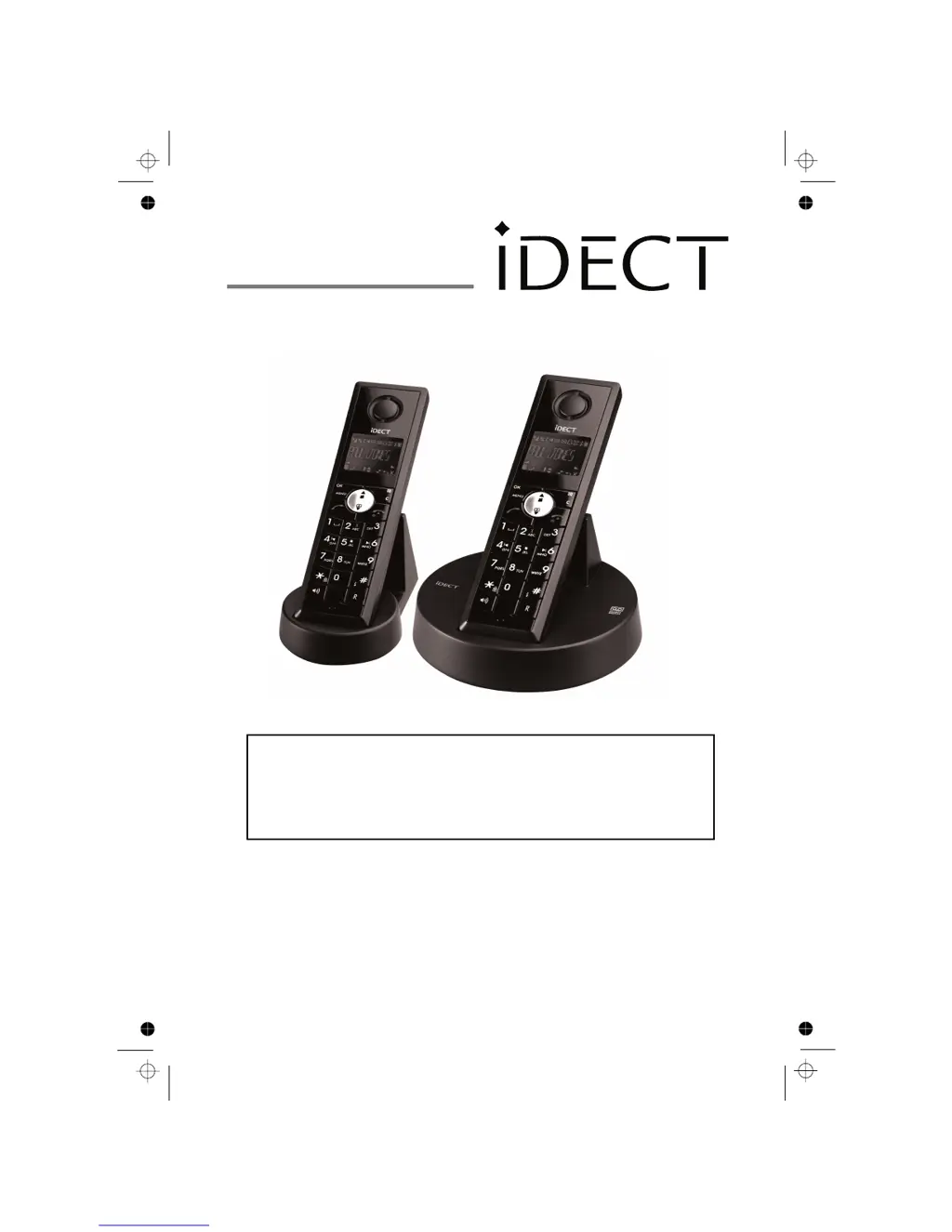
Binatone iDECT C3i system - User Manual

Binatone iDECT C3i system
36 pages
Print Icon
To Next Page IconTo Next Page
Loading...
USER GUIDE
C3i system
THIS EQUIPMENT IS NOT DESIGNED FOR MAKING
EMERGENCY TELEPHONE CALLS WHEN THE POWER
FAILS. ALTERNATIVE ARRANGEMENTS SHOULD BE
MADE FOR ACCESS TO DIAL EMERGENCY SERVICES.
Before operating this set,
please read these instructions carefully.
Digital Cordless Telephone

Questions and Answers

Summary

Important Safety Instructions

Installing Your Phone

Connecting the base station

Guides on connecting the base unit to the power and telephone line.

Installing and charging the batteries

Instructions for inserting batteries and initial charging of the handset.

Using Your Phone

Make a Call

Instructions for making outgoing calls via direct dial, phonebook, or call list.

Answer a Call

How to receive and answer incoming calls on the handset.

End a Call

Procedures for terminating an active call.

Redial the last number

How to redial previously called numbers from the redial list.

Private Phonebook

Add a New Phonebook Entry

Steps to store new contact names and numbers in the phonebook.

Search a Phonebook Entry

How to locate specific contacts within the stored phonebook.

View a Phonebook Entry

Procedure to display the details of a stored phonebook entry.

Edit a Phonebook Entry

How to modify existing contact information in the phonebook.

Phone Settings

Answering Machine

Turn On;Off the Answering Machine

Activating or deactivating the answering machine function.

Listen to the Messages in the Answering Machine

How to playback recorded incoming messages.

Troubleshooting

Summary

Important Safety Instructions

Installing Your Phone

Connecting the base station

Guides on connecting the base unit to the power and telephone line.

Installing and charging the batteries

Instructions for inserting batteries and initial charging of the handset.

Using Your Phone

Make a Call

Instructions for making outgoing calls via direct dial, phonebook, or call list.

Answer a Call

How to receive and answer incoming calls on the handset.

End a Call

Procedures for terminating an active call.

Redial the last number

How to redial previously called numbers from the redial list.

Private Phonebook

Add a New Phonebook Entry

Steps to store new contact names and numbers in the phonebook.

Search a Phonebook Entry

How to locate specific contacts within the stored phonebook.

View a Phonebook Entry

Procedure to display the details of a stored phonebook entry.

Edit a Phonebook Entry

How to modify existing contact information in the phonebook.

Phone Settings

Answering Machine

Turn On;Off the Answering Machine

Activating or deactivating the answering machine function.

Listen to the Messages in the Answering Machine

How to playback recorded incoming messages.

Troubleshooting

Binatone iDECT C3i system Specifications

General IconGeneral
Phonebook Capacity50 contacts
Talk Time10 hours
Standby Time100 hours
GAP CompatibleYes
Ringer Melodies10
TypeCordless Phone
DisplayLCD Display
RangeUp to 300 meters outdoors
Additional FeaturesCaller ID, Call Waiting, Intercom, Handsfree Speakerphone
Handsets1
FrequencyDECT
Battery LifeRechargeable NiMH batteries
Answering MachineYes, up to 15 minutes recording time
Power SourceMains Power

Related product manuals