This document provides a Quick Installation Guide for the WR3005N3 300Mbps Wireless N Router, outlining the steps for connecting and configuring the device for various operational modes. The guide is designed to assist users in setting up their router for internet access and wireless networking.
The primary function of the WR3005N3 router is to provide wireless internet connectivity, acting as a central hub for network devices. It supports multiple operational modes, including Standard Wireless Router, Repeater, and WISP Client Router, offering flexibility in how it integrates into an existing network or provides internet access.
Function Description
The WR3005N3 router serves as a versatile networking device capable of distributing internet access to multiple wired and wireless clients. In its default Standard Wireless Router Mode, it connects to a Cable/DSL Modem or a wired network via an Ethernet cable, then broadcasts a wireless signal and provides wired LAN ports for connecting computers. This mode is ideal for typical home or small office setups where the router is the primary internet gateway.
The Repeater Mode extends the range of an existing wireless signal from another Access Point (AP) or wireless router. In this mode, the WR3005N3 acts as a signal booster, allowing devices to connect to it either wirelessly or via its wired LAN ports. The SSID of the WR3005N3 in Repeater Mode is typically configured to match that of the device it is repeating, ensuring a seamless extended network. This function is particularly useful for eliminating dead zones in larger homes or offices where the primary router's signal may not reach all areas.
The WISP Client Router Mode enables multiple users to share an internet connection provided by a Wireless Internet Service Provider (WISP). In this configuration, the WR3005N3's wireless port functions as a WAN port, connecting to the WISP's network, while its LAN ports and wireless broadcast allow local devices to share the internet connection. This mode is beneficial in scenarios where internet access is provided wirelessly by an ISP, and users wish to create a local network to share that connection among several devices.
Usage Features
The WR3005N3 router offers several user-friendly features to facilitate easy setup and management:
- Multiple Connection Types: In Standard Wireless Router Mode, the device supports five popular WAN connection types: Dynamic IP, Static IP, PPPoE/Russian PPPoE, L2TP/Russian, and PPTP/Russian PPTP. An "Auto-Detect" function simplifies the process by automatically identifying the ISP's connection type.
- MAC Address Cloning: For Dynamic IP connections, the router provides an option to clone the MAC address of the computer that was initially connected to the modem or ISP's device. This feature can be crucial for ISPs that register the MAC address of the first connected device.
- Quick Setup Wizard: The router features a "Quick Setup" wizard accessible via a web browser, guiding users through the initial configuration steps for internet connection and wireless settings. This wizard simplifies the process of setting up the WAN connection type, wireless network name (SSID), and password.
- Web-Based Management: Configuration and management of the router are performed through a web-based interface, accessible by typing
http://192.168.0.1 into a web browser. The default login credentials are "admin" for both username and password, ensuring easy initial access.
- Wireless Security: The router supports various wireless security modes, including WPA-PSK/WPA2-PSK, to protect the wireless network from unauthorized access. Users can define their own wireless network name (SSID) and password for enhanced security.
- DHCP Server Configuration: In Repeater Mode, users can configure the LAN IP parameters, including enabling or disabling the DHCP server function. It is recommended to disable the DHCP server on the repeater device if the root AP/router already has one enabled, to avoid network conflicts.
- Network Scanning (Survey Function): When setting up Repeater Mode or WISP Client Router Mode, a "Survey" function allows the router to scan for available wireless networks. Users can then select the desired network from a list and automatically fill in its SSID for connection.
- Customizable Wireless Settings: Users can rename their wireless network (SSID) and set a custom password, providing personalization and security for their wireless environment.
- Reboot for Configuration Changes: After completing the Quick Setup, a reboot of the device is required for the new configuration settings to take effect, ensuring a fresh start with the updated network parameters.
Maintenance Features
While the guide primarily focuses on initial setup, it implicitly suggests several maintenance-related practices:
- Power Cycling: The initial setup instructions recommend powering off all devices (PC, modem, router) before installation, which is a common troubleshooting and maintenance step for network devices.
- Optimal Placement: The guide advises locating the router in an optimum position, usually near the center of the wireless coverage area. Proper placement is crucial for maintaining strong and stable wireless signals, reducing the need for frequent troubleshooting related to signal strength.
- Antenna Adjustment: Users are instructed to adjust the antenna direction, typically upright, for optimal signal transmission. This simple adjustment can significantly impact wireless performance and coverage.
- ISP Contact for Issues: In case of broadband service problems before router installation, the guide recommends contacting the ISP. This highlights the importance of ensuring a stable internet connection from the provider as a prerequisite for router functionality.
- User Guide and Resource CD: The document refers to a "User Guide on the Resource CD" for detailed instructions, particularly for TCP/IP Protocol setup. This suggests that comprehensive documentation is available for more in-depth maintenance and advanced configuration.
- Firmware Updates (Implied): Although not explicitly mentioned in this quick guide, devices like the WR3005N3 typically support firmware updates, which are essential for security patches, bug fixes, and performance improvements. Regular firmware updates are a key aspect of device maintenance.
- Troubleshooting Steps: The "Finish" page of the Quick Setup wizard includes a note: "If it is failed, please reboot your modem and wait 2 minutes or run the Quick Setup again." This provides basic troubleshooting advice for common setup issues, guiding users to restart their modem and router or re-attempt the setup process.
- Login Account Management: The DHCP Server page in Repeater Mode includes an option to "Change the login account," suggesting that users can modify the default login credentials (admin/admin) for enhanced security, a critical maintenance practice.
- Regional Settings: The guide emphasizes selecting the correct country/region to conform to local laws and avoid interference, which is important for regulatory compliance and optimal wireless performance. Incorrect regional settings can lead to issues that require maintenance to correct.
Overall, the WR3005N3 router is presented as an accessible and functional device for establishing or extending wireless networks, with a strong emphasis on a guided, user-friendly setup process across its various operational modes.

 Need help?
 General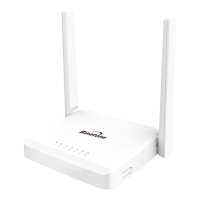

 To Next Page
