7
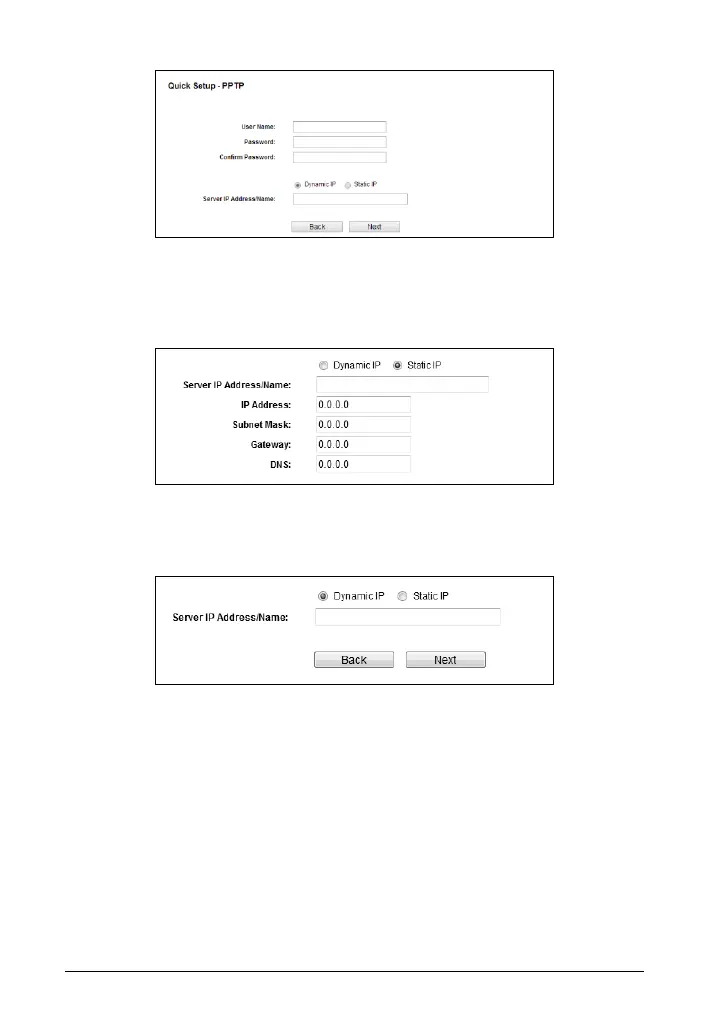
Select Static IP if the IP Address/ Subnet Mask/ Gateway and DNS server
address have been provided by your ISP. Then please enter server IP
address or domain name provided by your ISP, and also enter the
corresponding parameters.
Select Dynamic IP if none of the above parameters are provided. Then
you just need to enter server IP address or domain name provided by your
ISP.
b. The Wireless settings screen will appear as the following. You can rename
your wireless network and create your own password in this page. Then click
Next to continue.


 To Next Page