- 12 -
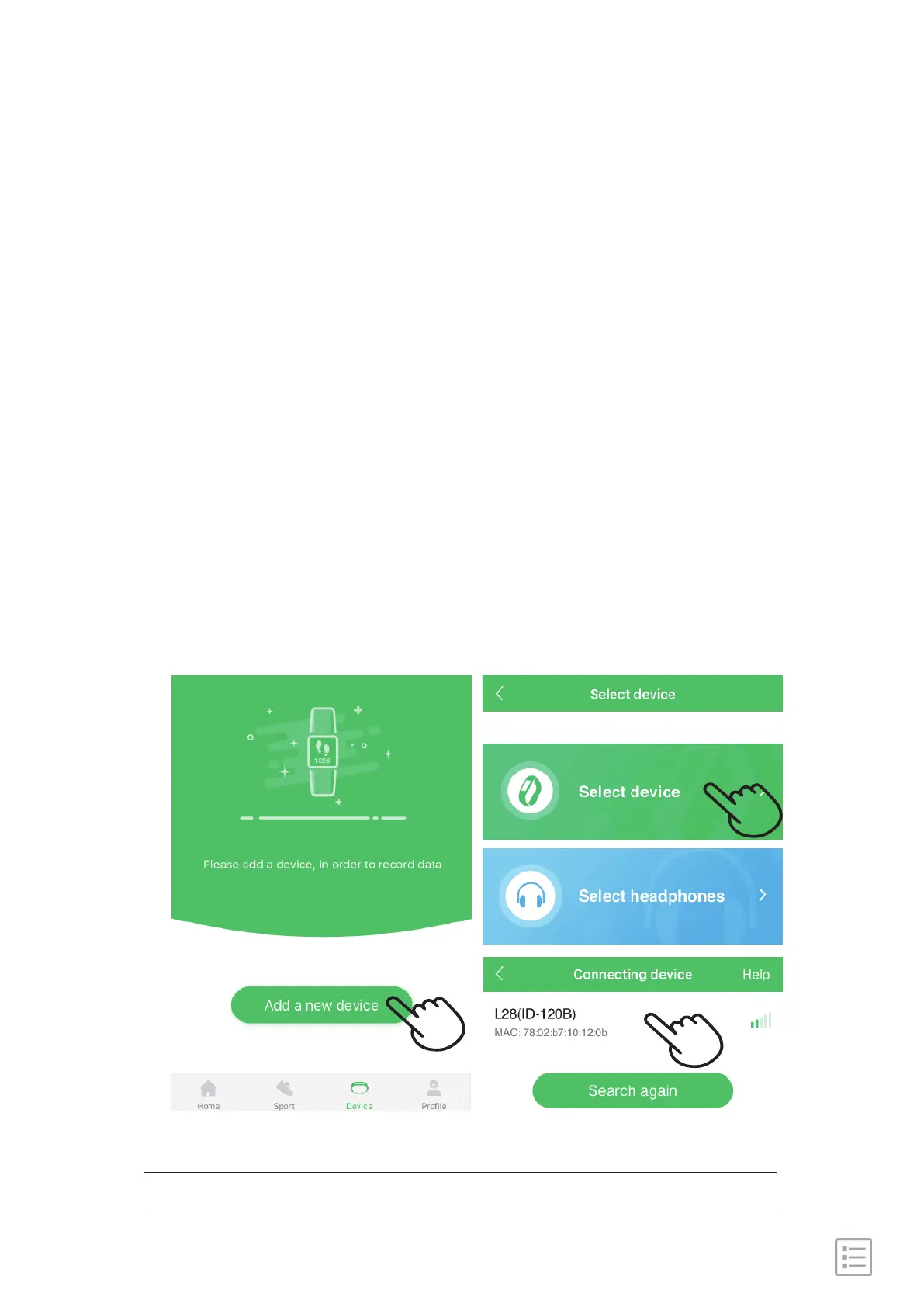
Note: please do not pair the watch from bluetooth list directly.
1). Make sure your phone bluetooth is on.
2). Open "GloryFit" App, on the bottom toolbar, go to
"Device" tab.
3). Select "Add a new device" →"Select device", find the device
name L28 and tap to connect.
4). Keep your watch awake while searching, the watch will
synchronize time with your phone after paired.
Steps:
Pair with phone


 To Next Page