- 24 -
Timekeeping
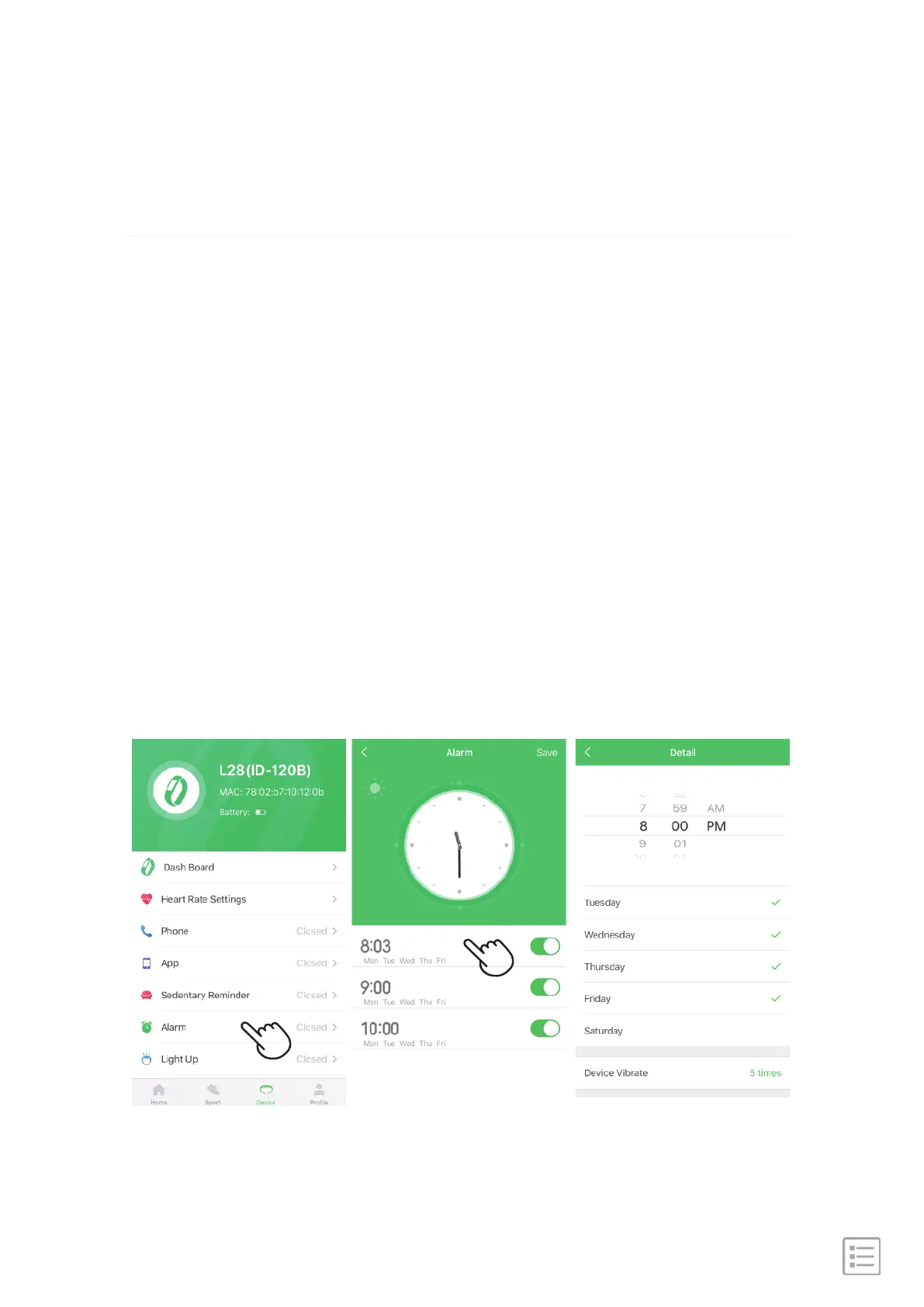
Alarms vibrate to awake or alert you at a time you set. Set up
to 3 alarms to occur once or on multiple days of the week.
You can also time events with the stopwatch or set a
countdown timer.
Set, manage, and close alarms in the app.
Set alarm steps: Go to "GloryFit" APP → Device → Alarm →
Click to choose time → Light up the icon.
Set an alarm


 To Next Page